 Katarzyna Petru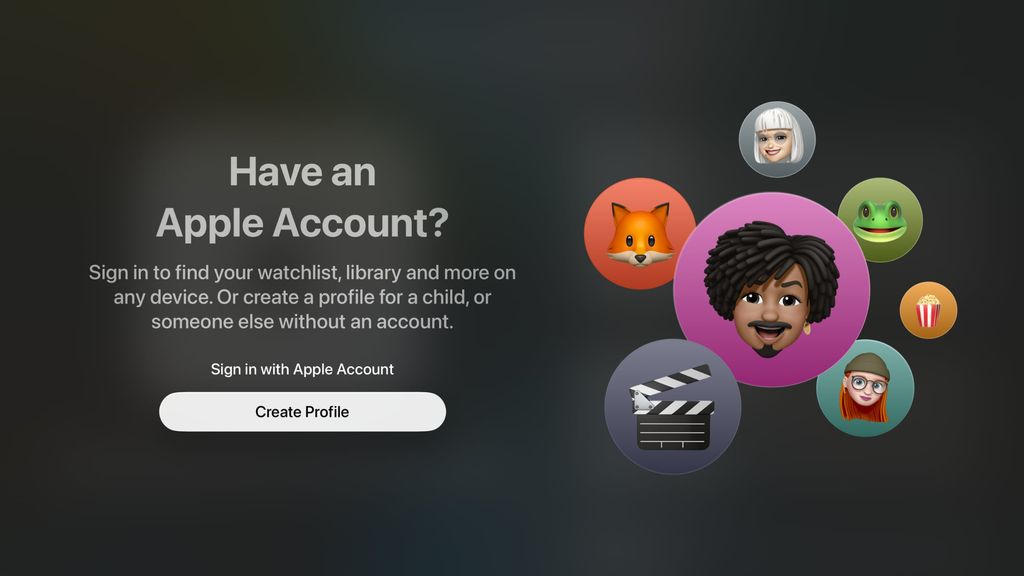
Apple has released an update tvOS 26.2, which introduces a significant change in the way user profiles are used on Apple TV. From now on, additional profiles can be created – including for children – without the need for an Apple account. Until now, user profiles on Apple TV have existed for years, but each required a separate Apple ID, which in practice forced families to use the Family Sharing feature. The new version of the system significantly simplifies this process and makes the Apple TV more user-friendly for household members and guests.
Profiles without an Apple account – how does it work?
Apple explains that if there is already one profile linked to an Apple account on the Apple TV, the user can now easily add additional profiles – for children or other household members – without creating an Apple ID for them. Each profile receives:
its own viewing history,
individual recommendations,
separate “Watch Later” lists.
For children’s profiles, it is also possible to filter content by age. However, there is a significant limitation – the new profile system only works within Apple apps.
Only Apple Apps – Netflix Still Separate
User profiles are supported in the Apple TV app, which aggregates content from, among others:
Apple TV+,
Disney+,
Prime Video,
HBO Max.
Apple provides developers with a special API that would allow linking Apple TV profiles with profiles in apps such as Netflix. However, none of the major streaming platforms have taken advantage of this solution, so profiles in external apps still operate independently.
PIN for profiles and separate language
tvOS 26.2 also introduces the long-awaited ability to secure profiles with a PIN code. This means that children can no longer freely switch to adult profiles.
PIN is a 4-digit code,
works only in the Apple TV app,
does not block access in apps like Netflix.
Settings path: Settings -> Apps -> TV -> choose profile -> profile lock. There is also a new feature that allows setting a separate language for each user profile. Other system settings remain common for all. It is worth noting that there is still no option to limit screen time on Apple TV.
Update Available Now
Profiles created without an Apple account can in the future be expanded and linked to an Apple ID without data loss. tvOS 26.2 is the next step following the major update tvOS 26, which introduced, among other things, a new Liquid Glass interface, speaker pairing via AirPlay, and karaoke mode. The update is free and available now for:
Apple TV HD,
Apple TV 4K (all generations).