 Redakcja Choose TV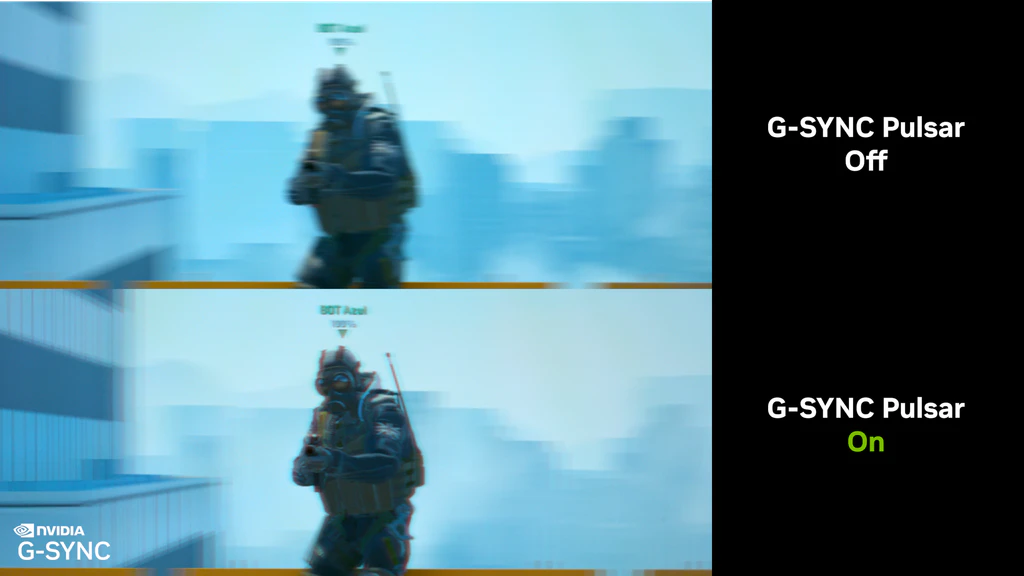
NVIDIA has released a software (firmware) update version 1.1.4 for monitors equipped with G-SYNC Pulsar technology. The update focuses on improving image sharpness in situations where the frame rate drops below 90.
End of "ghosting" at lower FPS
The main goal of update 1.1.4 is to optimize the operation of Pulsar technology, which combines refresh rate synchronization with backlight strobing techniques. Until now, players dropping below the threshold of 90 frames per second could notice annoying, sharp "double images" (ghosting). The new firmware completely eliminates this effect, ensuring crystal-clear motion even in more demanding moments of gameplay. Additionally, the update fixes the built-in FPS counter on the monitor, which previously had issues correctly displaying values below 90 fps. An interesting feature for retro and console fans is the addition of a constant 60 Hz strobing mode.
List of Supported Monitors
The update is intended for an elite group of the latest monitors supporting G-SYNC Pulsar. The list includes:
Acer Predator XB273U F5
AOC AGON PRO AG276QSG2
ASUS ROG STRIX Pulsar G27AQNGV
MSI MPG 272QRF X36
How to update the monitor? Just a browser
NVIDIA focused on maximum convenience. You do not need to install any heavy software packages. The entire process takes place directly in the web browser.
What do you need for the update?
Micro-B USB cable: You need to connect the monitor directly to the computer (PC, Mac) or even an Android tablet.
Update mode: After connecting, you need to switch the monitor to Firmware Update Mode (the status light will start blinking slowly).
5-10 minutes of patience: This is usually how long it takes to upload the new firmware.
Important note: The update is fully official and supported by the manufacturers, so it does not void the warranty. Moreover, the tool allows for a safe return to the older version of the firmware if, for some reason, the new one does not suit you.
Source: Nvidia