 Katarzyna Petru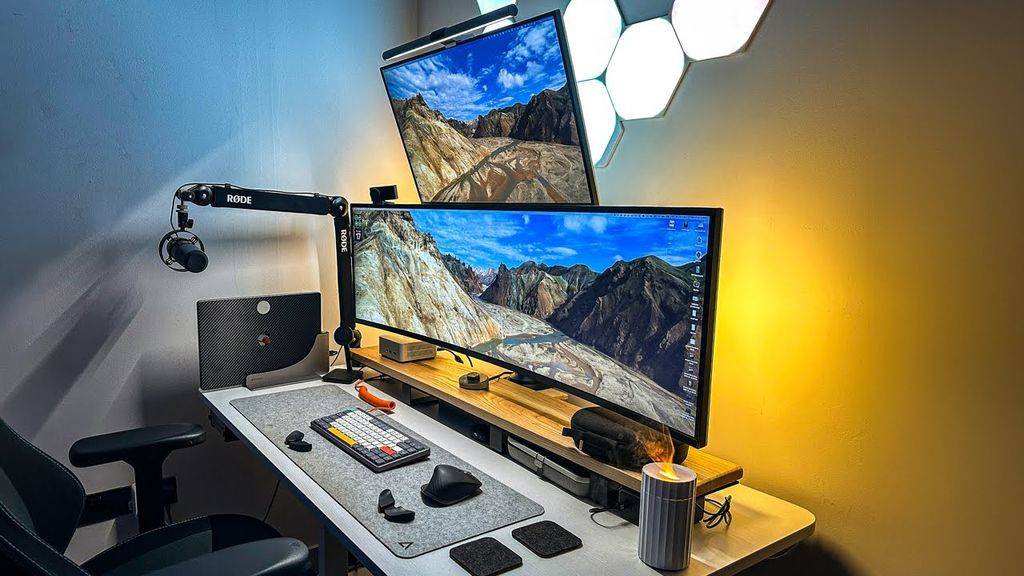
Many productivity experts, as well as some gamers, have been recommending working with two monitors for years. The additional workspace can truly change everything - you can comfortably arrange several applications side by side without cramming them into tiny windows. The problem is that a dual-screen setup also has several drawbacks that are rarely discussed. Two monitors simply take up a lot of space. The desk quickly becomes cluttered, and the space for speakers, notes, or other accessories drastically shrinks. Additionally, there’s the issue of ports - the computer needs to support two video outputs because one HDMI cannot be "multiplied" with a splitter in such a way that two independent screens function. There’s one more concern: differences in display. Even two similar monitors can display different colours, brightness, or contrast, especially if they are from different series or brands. Without professional calibration, achieving full consistency is difficult.
That's why more and more people are opting for one monitor instead of two - but an ultrawide one.
Ultrawide instead of dual screen
Ultrawide monitors go beyond the standard 16:9 aspect ratio. You will most commonly come across formats of 21:9 or the extreme 32:9. The former offers about 33% more horizontal space, while the latter essentially replaces two classic 16:9 monitors, but without a bezel interruption in the middle. For example, a 29-inch ultrawide monitor is nearly twice as wide as a 15-inch laptop screen, while also being noticeably taller. The effect? More space to work, less squinting, and significantly greater comfort during long sessions.
By opting for ultrawide, you get all the benefits of a large desktop, but without the clutter, cables, and issues typical of a dual-screen setup. The annoying bezel in the middle of the image also disappears, which is hugely significant in gaming and creative work. Additionally, Windows 11 offers the Snap Layouts feature, which reasonably helps arrange windows on one large screen.
How to Get the Most Out of an Ultrawide Monitor
The system window arrangement options are a good start, but they quickly prove to be quite limited. Fortunately, this can be easily circumvented. Windows users can turn to PowerToys - a somewhat forgotten but extremely useful toolkit from Microsoft. The FancyZones module allows you to create your own zones on the desktop and perfectly customise the window layout to your needs. On macOS, a similar role is played by the Rectangle application, which offers significantly more options than Apple's default tools.
Ultrawide monitors also work exceptionally well for streaming. With FancyZones, you can designate the perfect 16:9 area on the screen, where you can run your game in borderless window mode. The stream then looks correct on Twitch or YouTube, and alongside, you can keep OBS, the chat, or the streamer panel - without overlays, switching windows, or glancing at a second monitor or your phone.
One screen, more meaning
Ultrawide monitors are a combination of two worlds. They offer a huge workspace, allow you to keep multiple applications on the screen at the same time, and do not require additional ports or desk space. They also help maintain better ergonomics - you don’t have to keep turning your head to the side, which in the long run can save your neck and back. Equally importantly, they are often simply cheaper. One 34-inch ultrawide monitor can cost less than two solid 24-inch monitors. The end result? Less money spent, fewer compromises, and clearly greater comfort for both work and gaming.