Samsung OLED S90D / S94D (WRGB OLED) vs Xiaomi S Pro 2026

Direct comparison

Check the best price offer:

Samsung OLED S90D / S94D (WRGB OLED)
$2 197

S90DAE / S94DAE

Info

Available screen sizes: 55”77”83”

Available screen sizes: 55”65”75”

Panel type: WRGB OLED

Resolution: 3840x2160

System: Tizen

Model year: 2024

Complete the survey to find out the result

Resolution: 3840x2160

System: Google TV

Model year: 2025

Complete the survey to find out the result

Overall rating

8.1

7.2

  • Movies and series in UHD quality

    8.2

    6.7

  • Classic TV, YouTube

    8.7

    6.3

  • Sports broadcasts (TV and apps)

    8.5

    6.4

  • Gaming on console

    9.5

    7.7

  • TV as a computer monitor

    8.6

    8.6

  • Watching in bright light

    6.0

    7.4

  • Utility functions

    7.4

    7.2

  • Apps

    9.3

    9.6

  • Sound quality

    7.4

    7.1

Advantages

  • Ideal contrast

  • Great for 4K content

  • Excellent for gamers - 144hz, HDMI 2.1, low input lag.

  • Decent brightness

  • Advanced and smooth Tizen system

  • Good black levels and contrast (SDR)

  • Very high peak brightness (great for a bright living room)

  • Complete package for gamers (144 Hz panel, HDMI 2.1, VRR)

  • Extremely low input lag in SDR mode (below 10 ms)

  • Surprisingly good, strong sound (branded with Harman Kardon)

  • Support for Dolby Atmos and DTS:X

  • Rich Google TV system (with AirPlay and Chromecast)

  • Proper compatibility with PC (clear fonts and 288Hz mode)

  • Outstanding price-to-specification ratio

Disadvantages

No like
  • The colors from the box need improvement

  • No Dolby Vision (not necessary at this brightness but would be appreciated)

  • Local dimming algorithms practically do not work in HDR content

  • Useless Dolby Vision Gaming mode (input lag approx. 100 ms)

  • Poorly implemented HGiG mode

  • Strongly visible banding (color stepping) in dark scenes

  • Very weak upscaling and digital image processing

  • Google TV can "stutter"

Our verdict

The Samsung S90D (or S94D) TV is a model that surprises in many ways, offering exceptional performance across various aspects. One key feature to note is that depending on the size of the television, it may differ in the OLED panel variants used. Regardless of the specific panel technology, the S90D guarantees perfect blacks, and its HDR light effects, aided by high brightness, truly impress, creating a cinematic experience in the comfort of your home. OLED technology provides deep blacks and vibrant colours, making every movie and series look stunning, with clear details even in dark scenes.

Although the factory colour settings might not be ideal, the television truly shines after calibration, becoming unbeatable in its price range for colour accuracy. This makes the S90D a fantastic option for film enthusiasts who appreciate high-quality picture performance. The TV is also an excellent choice for regular TV watching, offering wide viewing angles and an intuitive, feature-rich Tizen operating system, which makes navigating apps and accessing content effortless. With support for popular streaming services and AirPlay, users can enjoy multimedia of the highest quality.

Regarding image smoothness, the S90D excels with its 120Hz panel, effectively eliminating motion blur and ensuring smooth rendering of fast-paced scenes. Watching sports on this television is a joy, with dynamic actions displayed clearly without interruptions. Additionally, the S90D is a great option for gamers, thanks to full support for HDMI 2.1 and low input lag, providing a responsive and fluid gaming experience.

Overall, the Samsung S90D combines excellent image quality, smooth performance, and a wealth of features, making it one of the best choices in the premium TV category.

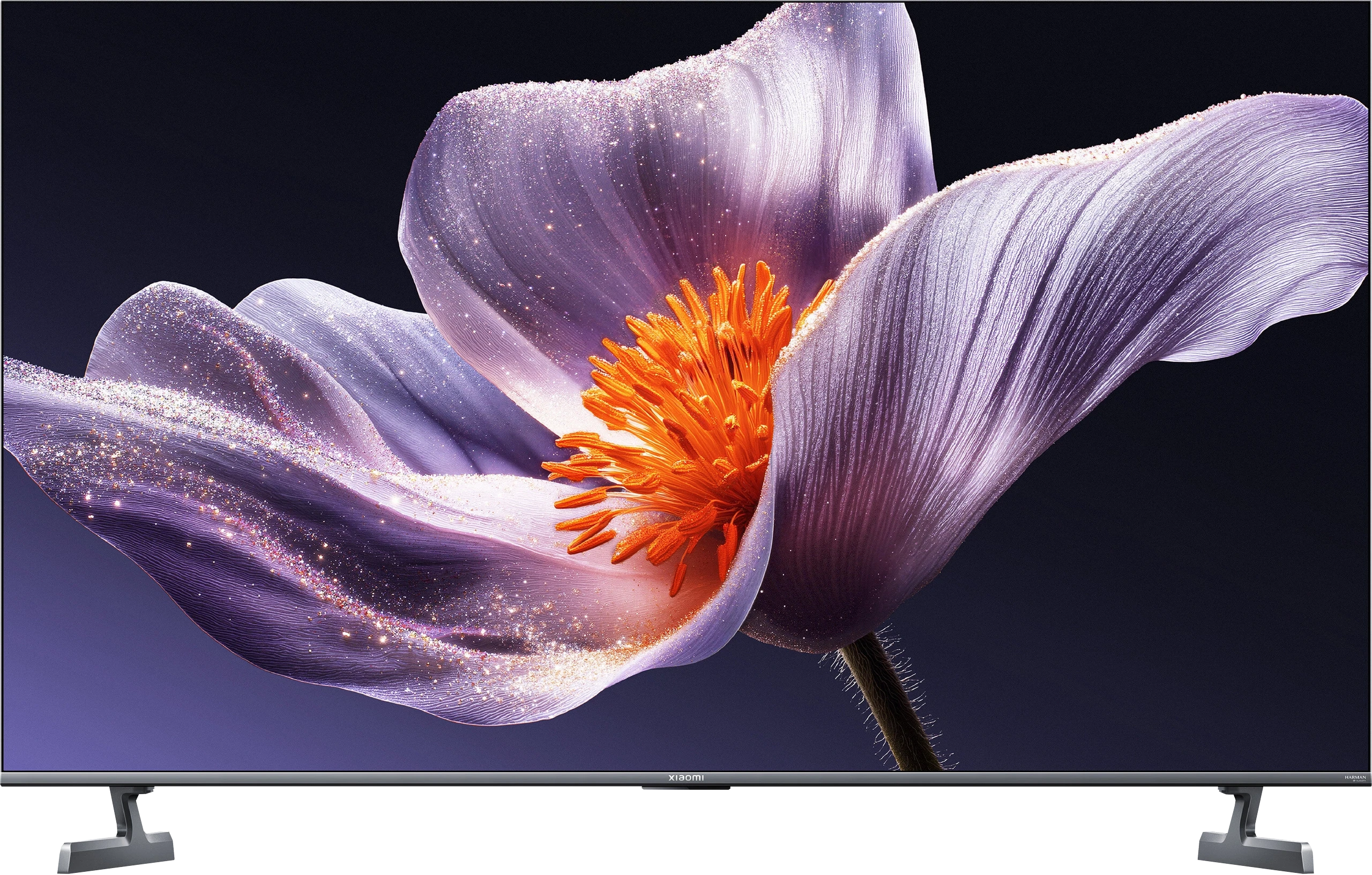
Is it worth buying the Xiaomi S Pro 2026? The answer to this question is quite complicated. Let's start with what's really great about this TV. First of all, the Xiaomi S Pro 2026 has an excellent price-to-performance ratio. We get a Mini LED panel with very high brightness, which handles well in a sunlit living room. Additionally, it has a fast 144 Hz (or even 288 Hz) display and a complete package for gamers: two HDMI 2.1 ports, support for VRR, and an impressively low input lag (under 10 ms). If we mainly watch "regular" content and play games, this is truly a fantastic screen. Even the built-in 30W speakers are surprisingly good and support Dolby Atmos. Unfortunately, there’s also a second, very problematic side to this model. In short: the software. We have the impression that Xiaomi has given us great "parts," but couldn't get them to work together correctly. The biggest problem is the HDR mode – the main reason one buys a TV today. For unknown reasons, the TV in HDR mode (HDR10, Dolby Vision) does not manage its dimming zones well. As a result, the black, which should be deep, becomes gray or bluish like in a regular LCD TV. There are also other software issues, such as the terrible implementation of HGiG or the fact that the Dolby Vision mode for gamers is useless due to enormous input lag (100 ms). Furthermore, the TV's capability for digital image processing is very poor. So how do we summarize this in terms of price? In its price class, the Xiaomi S Pro 2026 crushes the competition in terms of specifications. Other TVs for this money are usually simple LCD models without dimming, often only with a 60 Hz panel. The question then is: what is more important to you? If you are simply looking for a very bright and cheap TV for watching television during the day and gaming, and you are willing to calibrate it – you will be very satisfied with it. However, if you are looking for a TV to enjoy spectacular HDR in movies and games straight out of the box, you will be terribly disappointed with this model. In this case, in our opinion, it is better to pay a little more for a basic OLED TV or a more refined Mini-LED model from the competition.

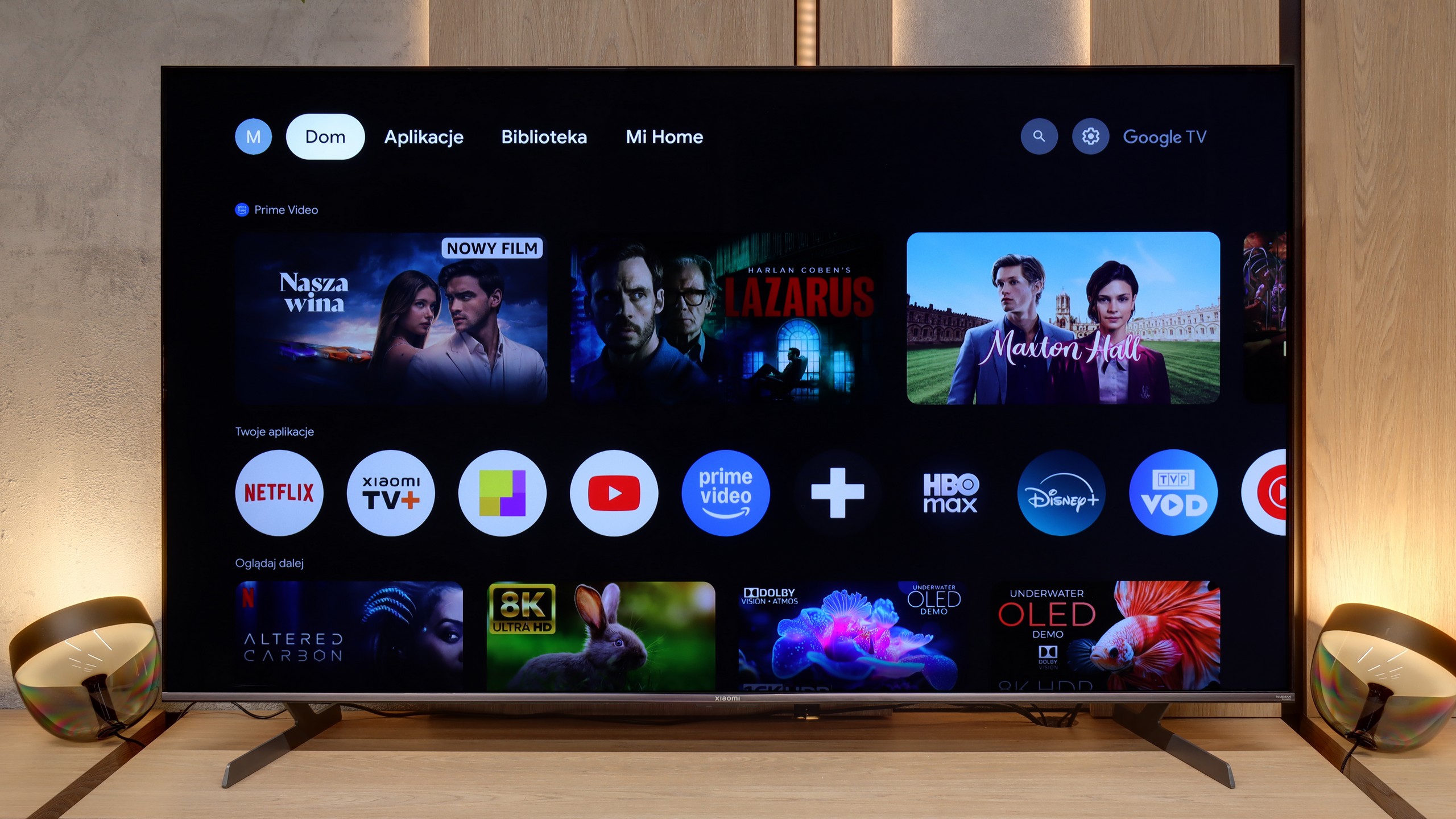
TV appearance

HDMI inputs
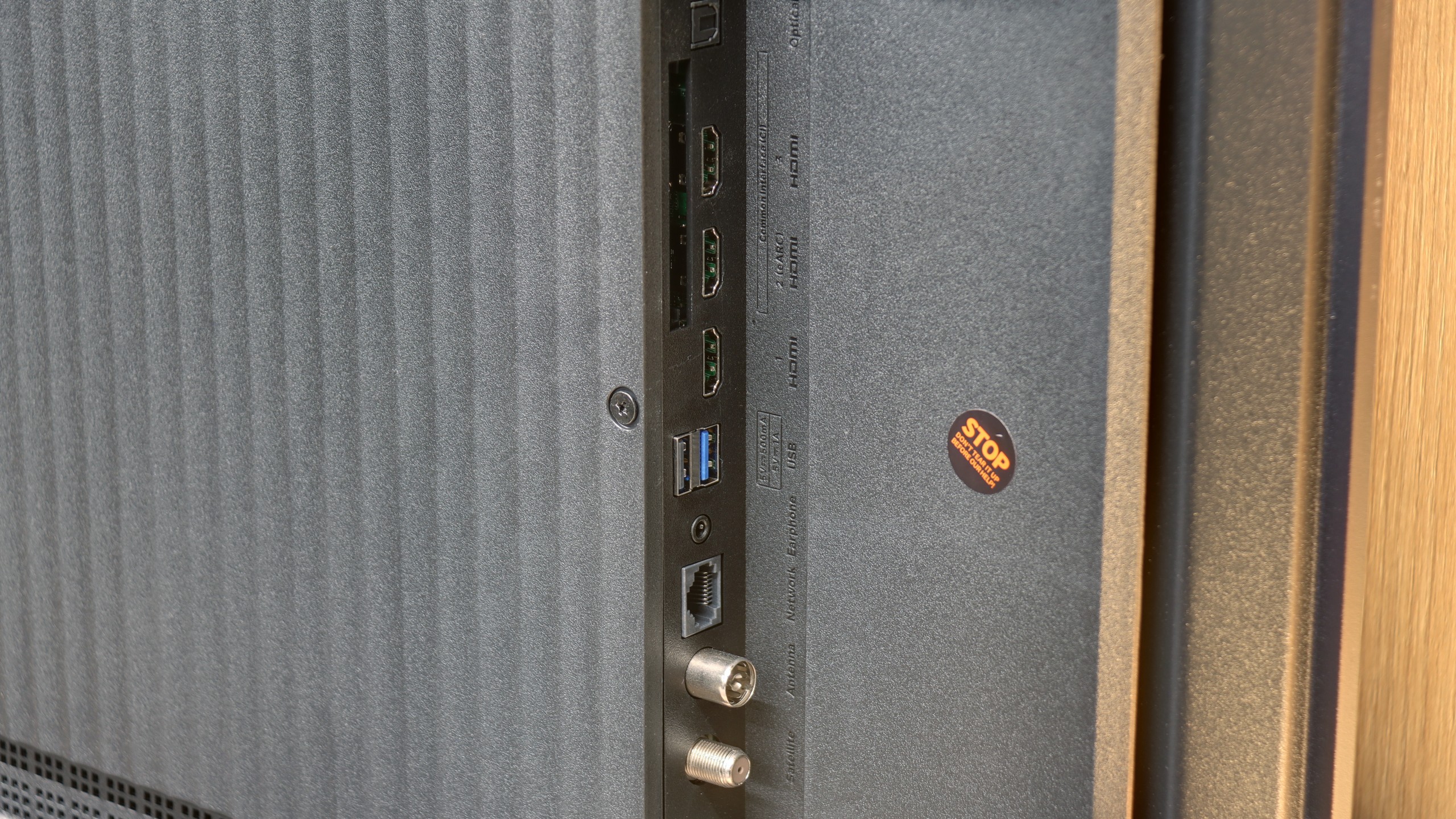
0 x HDMI 2.0, 4 x HDMI 2.1 (48Gbps)
1 x HDMI 2.0, 2 x HDMI 2.1 (48Gbps)
Other inputs
Outputs
Toslink (Optical audio), eARC (HDMI), ARC (HDMI)
Toslink (Optical audio), eARC (HDMI), ARC (HDMI), Mini-Jack (Headphones)
Network Interfaces
Wi-Fi 2.4GHz, Wi-Fi 5GHz, Ethernet (LAN) 100Mbps
Build quality
Premium
Good
Stand type
Central
Legs
Bezel color
Graphite
Graphite
Stand
Fixed
Fixed
Accessories
Stand
Stand

Contrast and black detail

10/10

7.4/10

Local dimming function: Yes, number of zones: 532 (28 x 19)

Contrast:

Review Samsung OLED S90D / S94D (WRGB OLED) Contrast and black detail

Result

:1

Review Samsung OLED S90D / S94D (WRGB OLED) Contrast and black detail

Result

:1

Review Samsung OLED S90D / S94D (WRGB OLED) Contrast and black detail

Result

:1

Review Samsung OLED S90D / S94D (WRGB OLED) Contrast and black detail

Result

:1

Review Samsung OLED S90D / S94D (WRGB OLED) Contrast and black detail

Result

:1

Review Xiaomi S Pro 2026 Contrast and black detail

Result

1,001,650:1

Review Xiaomi S Pro 2026 Contrast and black detail

Result

52,600:1

Review Xiaomi S Pro 2026 Contrast and black detail

Result

17,900:1

Review Xiaomi S Pro 2026 Contrast and black detail

Result

17,200:1

Review Xiaomi S Pro 2026 Contrast and black detail

Result

10,150:1

Halo effect and black detail visibility:

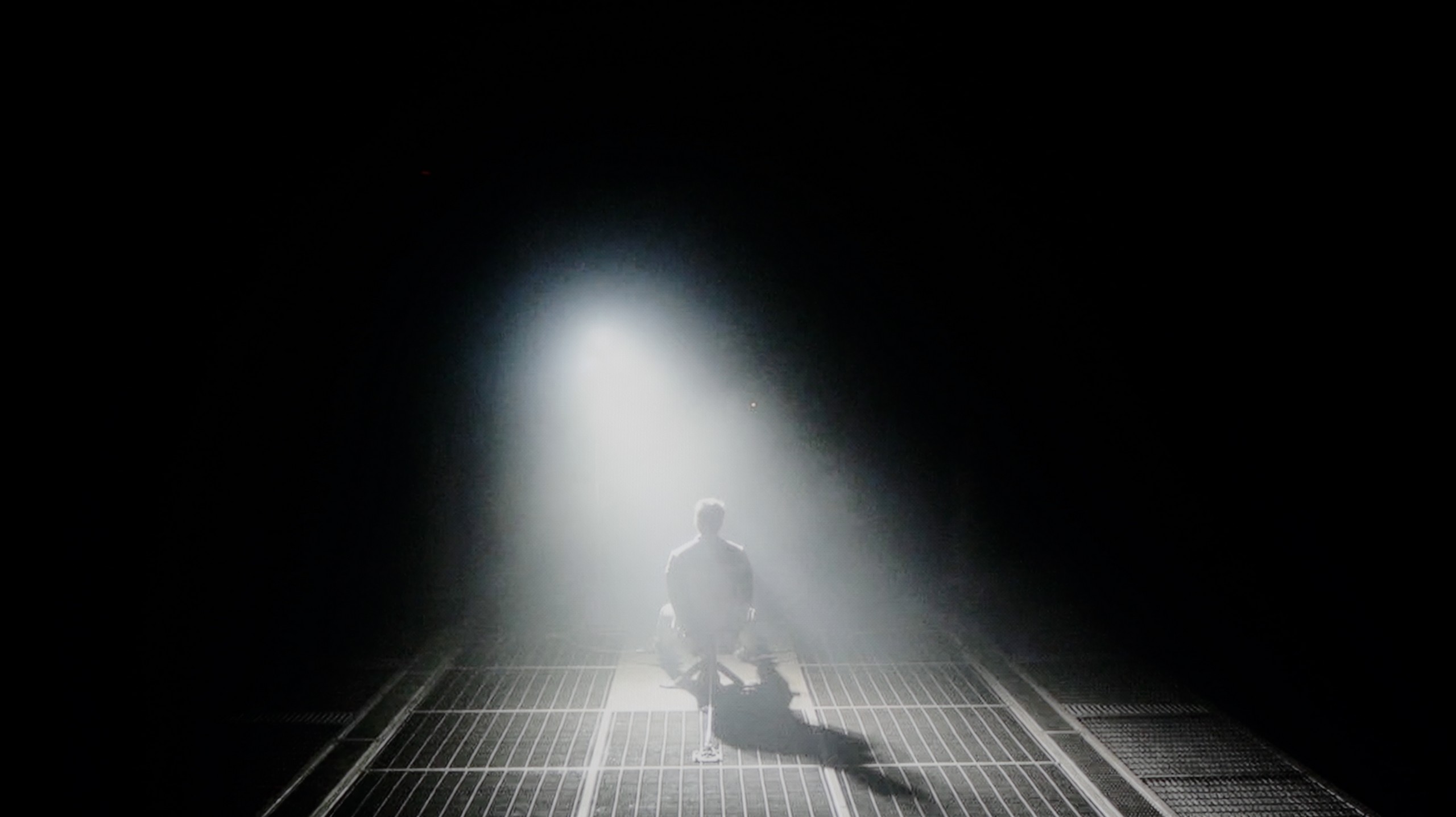
Check the visibility of bright lights on a dark background. Mini-LEDs often struggle with this. The photo does not compare black levels – that’s what the video below is for.

The video accurately shows differences in contrast and black levels between TVs, as well as potential issues: halo around bright objects or Mini-LED zone operation visible as brightness jumps.

The Samsung S90D, equipped with an OLED matrix, stands out for its infinite contrast, which is one of its most notable advantages. OLED technology allows each pixel to emit its own light, which results in deep blacks and remarkable detail reproduction, particularly in dark scenes. Unlike traditional LCD panels with backlighting, where black areas can often appear gray due to uneven lighting, OLED guarantees that turned-off pixels remain completely black. This capability ensures an exceptionally high contrast ratio, making images more dynamic and lifelike.

In tests, the S90D excels in showcasing high-contrast scenes. For example, in a scene from Oblivion, the TV highlights the intensity of a lantern's light, enhancing the details in the bright parts of the image.

Interestingly, despite past disputes, Samsung has used OLED matrices produced by LG in the S90D models, particularly those with the "DAE" suffix. This might raise questions, but, it doesn't diminish the TV’s performance. WOLED and QD-OLED technologies offer the same excellent contrast, with perfect blacks being a common strength. This allows even the most subtle details in shadowed areas to be visible, which is crucial for enjoying films with dark scenes.

Compared to LCD TVs, the Samsung S90D performs exceptionally well, especially in dynamic night shots, offering a much more immersive viewing experience for games and HDR movies. The results of the S90D tests confirm that this model is among the top choices for high-quality contrast and black reproduction.

Let's get to the point, which is what is most important in the Mini LED panel: black levels and contrast. The Xiaomi S Pro 2026 is built on a VA matrix, which right from the start promises deep blacks. Let's add to that Mini LED backlighting with a very large number of local dimming zones. In the 65-inch variant we tested, we counted as many as 532 of them. That's a solid number that should provide precise control over the backlighting. It should be noted that this number is proportional to the size—choosing the smaller 55-inch variant will result in correspondingly fewer zones, while larger models will have more.

So, how does the black level perform on the S Pro 2026? The answer is complex.

Generally, it's really not bad, and we see a clear improvement compared to the problematic model from 2025. As you can see in our measurement charts, the results are occasionally spectacular. In most of the film scenes we measured in SDR (standard dynamic range), the contrast could be confidently described as very good and even comparable to constructions three times more expensive. Well, it could be... and this brings us to the paradox of this model. The problem lies in how the TV manages zones in scenarios other than SDR. As soon as we feed the TV a higher quality signal, such as an HDR series or Dolby Vision from streaming platforms (Netflix, HBO Max, or Disney+), something strange happens. We have an overwhelming impression that the TV suddenly... forgets that it was equipped with local dimming zones at all. As shown in our video below, the black in such scenes resembles more shades of dark gray or navy blue. On top of that, there's a slight flickering of the entire screen. This is the level one would expect from TVs completely devoid of a local dimming system. It seems that Xiaomi decided to fix one, but crucial flaw of last year's 2025 model over the year. And they succeeded – we no longer have the annoying "zone disco," and the picture is stable. It's just a pity that when consuming top-quality content (HDR), the whole advanced system becomes completely useless.

HDR effect quality

6.9/10

6.3/10

Supported formats
HDR10, HDR10+, HLG
HDR10, HDR10+, Dolby Vision, HLG
Color gamut coverage
DCI P3: 98.0%, Bt.2020: 73.0%
DCI P3: 93.6%, Bt.2020: 70.9%

Luminance measurements in HDR:

Review Samsung OLED S90D / S94D (WRGB OLED) Brightness measurement

Result

960 nit

Review Samsung OLED S90D / S94D (WRGB OLED) Brightness measurement

Result

990 nit

Review Samsung OLED S90D / S94D (WRGB OLED) Brightness measurement

Result

1098 nit

Review Samsung OLED S90D / S94D (WRGB OLED) Brightness measurement

Result

1042 nit

Review Samsung OLED S90D / S94D (WRGB OLED) Brightness measurement

Result

490 nit

Review Xiaomi S Pro 2026 Brightness measurement

Result

809 nit

Review Xiaomi S Pro 2026 Brightness measurement

Result

526 nit

Review Xiaomi S Pro 2026 Brightness measurement

Result

1033 nit

Review Xiaomi S Pro 2026 Brightness measurement

Result

469 nit

Review Xiaomi S Pro 2026 Brightness measurement

Result

718 nit

Scene from the movie “Pan” (about 2800 nits)

Scene from the movie “Billy Lynn” (about 1100 nits)

The photos show two HDR10 movies. 'Pan' is one of the brightest productions ever made, while 'Billy Lynn' (soldier) has brightness typical of streaming (Netflix, Prime, HBO MAX). Notice the intensity of effects and detail in whites.

Static HDR10

The photos present the visibility of white details in various HDR formats. They do not show brightness differences between TVs (these can be compared in the previous gallery).

Dynamic: HDR10+

Dynamic: Dolby Vision

The photos present the visibility of white details in various HDR formats. They do not show brightness differences between TVs (these can be compared in the previous gallery).

HDR luminance chart:

Xiaomi S Pro 2026

Samsung OLED S90D / S94D (WRGB OLED)

Luminance of RGB colors

The Samsung S90D demonstrates impressive brightness performance in the tested film scenes, surpassing the 1000 nits mark in the first four shots—an outstanding result for an OLED display. In the final shot, which features a fullscreen flash of sunlight, the brightness dips to around 500 nits. While this is a decrease, it remains within a very good range, ensuring visibility and detail retention even in bright scenes.

Another key highlight of the Samsung S90D is its remarkable colour coverage, achieving 98% of the DCI-P3 colour space. This means the TV can reproduce an exceptionally wide range of colours, contributing to vivid and lifelike images that are particularly beneficial for films, high-quality video, and HDR content. The high colour accuracy and impressive brightness capabilities, makes the S90D an ideal choice for users seeking premium image quality across various lighting environments, whether in darker rooms or bright, sunlit spaces.

When it comes to HDR quality, the Xiaomi S Pro 2026 is undoubtedly a really bright TV. On our synthetic measurement charts, we were able to generate a peak brightness of around 1400 nits. This is not only a very good result but even spectacular, considering the price of this model. However, as we always repeat, for our editorial team, measurements and experiences from the content we watch every day—movies and series—are more important. So let's analyze how Xiaomi handles film material. Unfortunately, the result is somewhat mixed. When very bright scenes appear on the screen, the S Pro 2026 truly shows its full potential and can achieve real brightness of 800-1000 nits on bright elements. Moreover, even smaller objects can "burn" the eyes— in scenes from the movie Sicario 2, small metallic elements of the helicopter were really bright. The problem is this—and here the story comes full circle back to our assessment of contrast—that in such scenes, we cannot count on absolutely cinematic black. In our opinion, this compromise is too significant; high visibility of details in bright areas should not come at the expense of such a substantial boost in black levels. And even though the HDR effect itself can be striking here, it is important to remember that when very difficult, mixed scenes appear on the screen, we may feel a slight disappointment. Exactly the one we mentioned in the previous paragraph regarding dimming issues in HDR mode. On a positive note, it is worth adding that the S Pro 2026 is equipped with an additional PFS filter (which works similarly to a QLED layer), effectively broadening the color palette coverage. As a result, measurements showed a DCI-P3 color gamut coverage of up to 94%. This gives us the confidence that in most colorful scenes, the image will look rich and appropriately saturated.

Factory color reproduction

7/10

4.1/10

This gallery shows how colors change after professional TV calibration. If you notice the difference, we recommend ordering this service at SkalibrujTV.com.

Factory Mode

After calibration

This gallery shows how colors change after professional TV calibration. If you notice the difference, we recommend ordering this service at SkalibrujTV.com.

Factory Mode

After calibration

The S90D was tested in Filmmaker mode, which provides good colour reproduction, albeit with some imperfections that may be noticeable to more discerning users. This mode might appear overly warm, and those switching from Standard mode could find the change somewhat jarring. It is important to note that this issue stems from suboptimal settings, such as the white balance, rather than the Filmmaker mode.

In both SDR and HDR content, the device shows a drop in blue tones, resulting in colours appearing warmer than intended. In practice, this means that certain shades, such as sky blue or skin tones, may seem less natural, with a slight pink or yellow tint. The Colour Checker test confirms these deviations, indicating a shift towards warmer hues. In SDR content, the gamma chart reveals slight inconsistencies that make the image appear marginally darker, particularly in shadowed areas, which may obscure finer details in darker scenes.

In 4K HDR content, the EOTF curve exceeds the recommended level, leading to an overly bright display in some parts of the image, which can cause highlights to appear blown out. Overall, the Samsung S90D delivers a solid image straight out of the box, but for the best performance, further calibration is advised, especially with more demanding content.

Of course, we conducted all our measurements in "Film" mode, which is usually the best and most accurate choice you get straight out of the box. And we have to say it bluntly: even though this is the best mode, it is still very far from ideal. First of all, the television has a clear tendency to give the image a cool, bluish tint – this is due to a poorly set white balance. Additionally, there is a problem with how the S Pro 2026 manages its brightness right after being taken out of the box, which results in an overly bright image. These two flaws contribute to really huge colorimetric errors (Delta E). In HDR content, they were able to exceed our expected error scale of "10" (meaning values close to 20). For reference – the threshold of perceivable error by the human eye is a Delta E value of around 3. Results at the level of 20 mean that the image significantly deviates from what the director intended.

Color reproduction after calibration

8.7/10

7.2/10

The photos show how movies look on the TV. Pay attention to black detail visibility, colors, and shadow tint.

The photos show how movies look on the TV. Pay attention to black detail visibility, colors, and shadow tint.

After calibration, the Samsung S90D in movie mode exceeds expectations. The white balance for HD and 4K HDR content has been refined to near perfection. While minor imperfections remain, they are so subtle that they don’t significantly impact the overall image quality. The colours are now more balanced, resulting in a natural reproduction of details, particularly in scenes requiring an accurate colour palette. It’s important to note that this model, in this size, uses a WOLED panel, which has a smaller wide colour gamut coverage and doesn't deliver the same vibrant colours as the 65-inch version with its QD-OLED panel.

The contrast has also seen notable improvements. Following calibration, the gamma curve now closely aligns with the expected line, achieving a better balance between the bright and dark areas of the image. The EOTF curve, which previously exhibited issues with overexposed scenes, now produces more accurate results, allowing for improved detail retention in the brighter parts of the image, especially in HDR content.

So how does the S Pro 2026 perform after our calibration treatment? We must admit that after calibration, the television becomes a really pleasant device for watching everyday content. As you can see in the graphs, we managed to bring both white balance and gamma values to nearly perfection in HD (SDR) material. Most importantly, the colorimetric errors have become practically invisible to the human eye. In this scenario, the S Pro 2026 is simply a great television that, after professional calibration, can provide a lot of enjoyment while watching. However, it is worth noting clearly – our efforts helped little in 4K HDR mode. Despite calibration, the television still interprets the image rather strongly "in its own way," which is clearly seen in the measurement of the EOTF curve (luminance tracking). It's a bit of a shame, because this shows that the problem lies not in the panel itself, but in the software. Underdeveloped image management algorithms in HDR content can, unfortunately, disqualify this television for many more discerning users.

Smoothness of tonal transitions

7.6/10

6.9/10

These are selected scenes that show smooth tonal transitions from one color to another. If you see distinct banding, it’s the TV panel’s fault.

These are selected scenes that show smooth tonal transitions from one color to another. If you see distinct banding, it’s the TV panel’s fault.

These are selected scenes that show smooth tonal transitions from one color to another. If you see distinct banding, it’s the TV panel’s fault.

These are selected scenes that show smooth tonal transitions from one color to another. If you see distinct banding, it’s the TV panel’s fault.

The fluidity of tonal transitions on the Samsung S90D is generally impressive, though subtle imperfections can be observed in certain areas. In most scenes, tonal transitions are smooth and well-rendered, ensuring a natural viewing experience. Minor issues may become apparent in more challenging scenes, such as those featuring a dark sky, however, these do not disrupt the overall visual experience. In a test scene with dominant red hues, slight cut-offs in brighter areas are noticeable but subtle enough not to interfere with the viewing experience. Overall, the tonal transition fluidity on the Samsung S90D is solid, offering a strong performance across content.

Let’s now move on to the analysis of tonal transitions, meaning the fluidity with which the television can render transitions between closely related shades. In the case of the Xiaomi S Pro 2026, the image that emerges from this is extremely dichotomous. On one hand, we have bright gradations. When scenes with blue skies or other smooth transitions in the bright parts of the image appear on the screen, the S Pro 2026 handles them excellently. They look perfectly smooth, without any visible artifacts.

Unfortunately, the situation changes drastically as soon as dark scenes take over the screen. To put it bluntly – they look really poor. Instead of a smooth tonal transition in the dark, the joins of colors and unsightly "stepping" of gradients are very clearly visible on the screen. In darker films or games, this is very noticeable and can effectively ruin the viewing experience.

Image scaling and smoothness of tonal transitions

7.9/10

4.5/10

Image without overscan on the SD signal
No
No
Smooth transition function
OK
OK

Smooth transition function

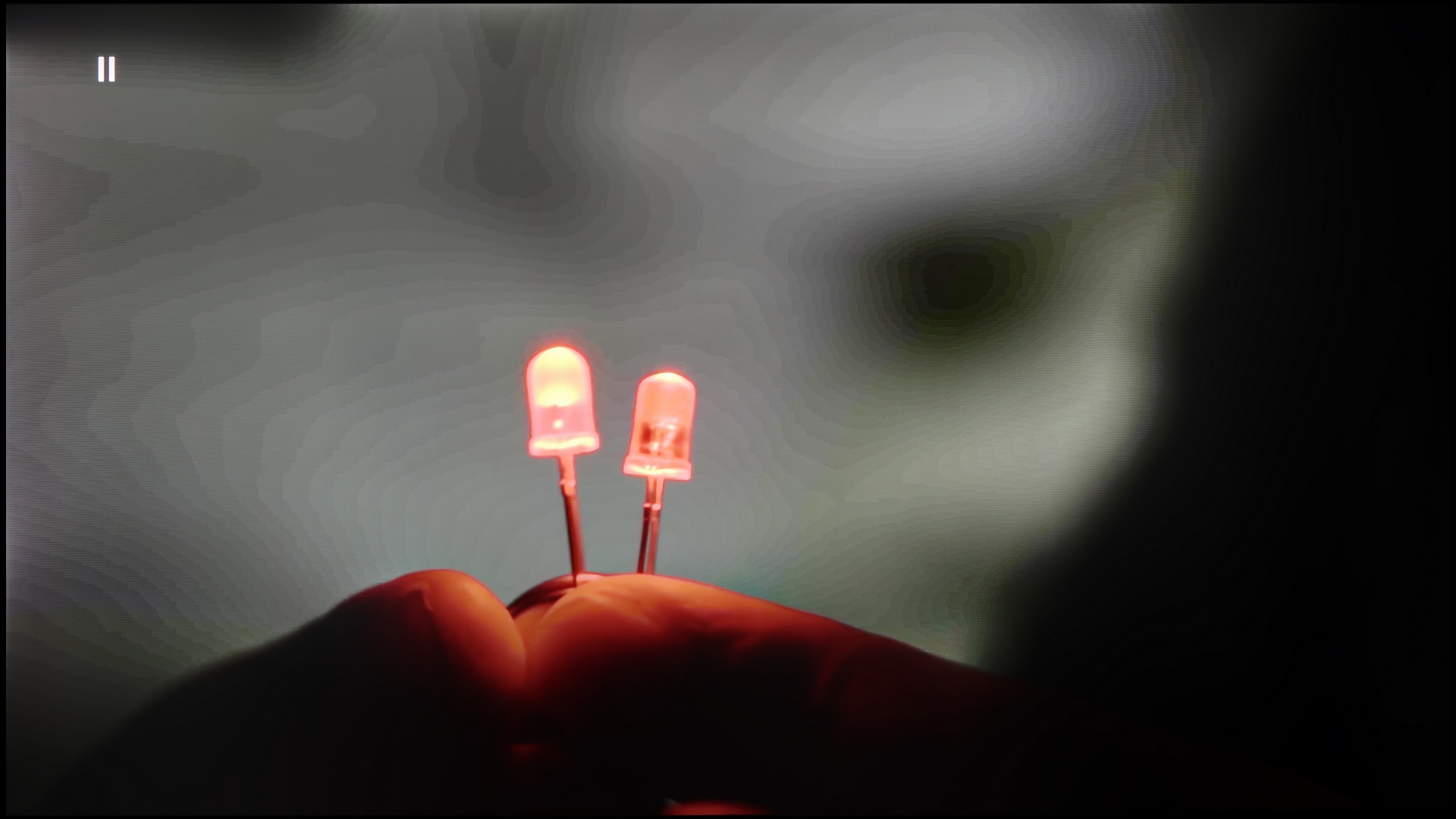
The match photo shows how the TV smooths weak tonal transitions in low-quality video.

Image scaling SD (576i)

The model photo shows how it handles upscaling of SD material.

The S90D TV handles tonal transitions exceptionally well. Thanks to advanced technology, the transitions between colours are smooth and natural. The noise reduction function can further enhance the smoothness of tonal shifts, which is particularly useful in certain situations. However, it's important to note that enabling noise reduction can also blur the natural film grain, diminishing the cinematic quality of the image. For this reason, it’s advisable to use this function with caution, as preserving the natural grain can enhance the character and authenticity of the content being watched.

As always, Samsung excels in image scaling from lower resolutions. The S90D effectively processes lower-resolution content, delivering a clear and accurate picture. The model’s outline is crisp, ensuring the image looks natural and detailed. Even the finer details, such as tree branches, are well-rendered without visible jagged edges that could degrade image quality. Thanks to its effective scaling, the S90D ensures that even lower-resolution content looks appealing, satisfying users who enjoy a wide range of content sources, such as regular broadcast or cable TV.

Let's start with the issue we addressed in the previous paragraph: can a TV even fix the problem of poor tonal transitions in dark scenes? Theoretically, yes – in the menu, we find a feature with the promising name "Color Contour Removal." Well, "theoretically." Unfortunately, in practice, this setting – regardless of which of the three power levels is selected – yielded absolutely no real results. So we have a feature that, in practice, only exists in the menu. Moving on to the quality of upscaling (scaling the image from a lower resolution to 4K), unfortunately, we have more bad news for you. The S Pro 2026 handles this task very poorly. Interestingly, the phenomenon of "overscan" (slight image cropping) is not a big issue here. The problem is that the TV simply displays a very raw, unprocessed image. Its attempt to upscale the signal to a higher resolution looks simply poor and lacks any "smart" enhancement. There is no denying it – the whole digital image processing is the true Achilles' heel of this model.

Blur and motion smoothness

8.5/10

7.5/10

Maximum refresh rate of the panel
144Hz
144Hz
Film motion smoothing option
OK
OK
Blur reduction option
OK
OK
BFI function 60Hz
Yes, 60Hz (image flickers)
No
BFI function 120Hz
No
No
Brightness drop with BFI
51%
-%

Blur (native resolution, maximum refresh rate):

Blur ():

Blur (1080p@288Hz):

The Samsung S90D television features a 120 Hz panel, with the option to "overclock" to 144 Hz when connected to a compatible PC, offering exceptional motion smoothness. Samsung has long provided a range of image sharpness settings on a ten-point scale, allowing users to tailor the display to their preferences. In the UFO test, the OLED panel shows no signs of blurring, with pixel response instantaneous and effectively capturing dynamic movements. OLED technology is renowned for its performance in this regard, making it one of the best options on the market. The image remains incredibly sharp and detailed, even during fast-paced action, making the S90D an excellent choice for gamers and sports enthusiasts alike.

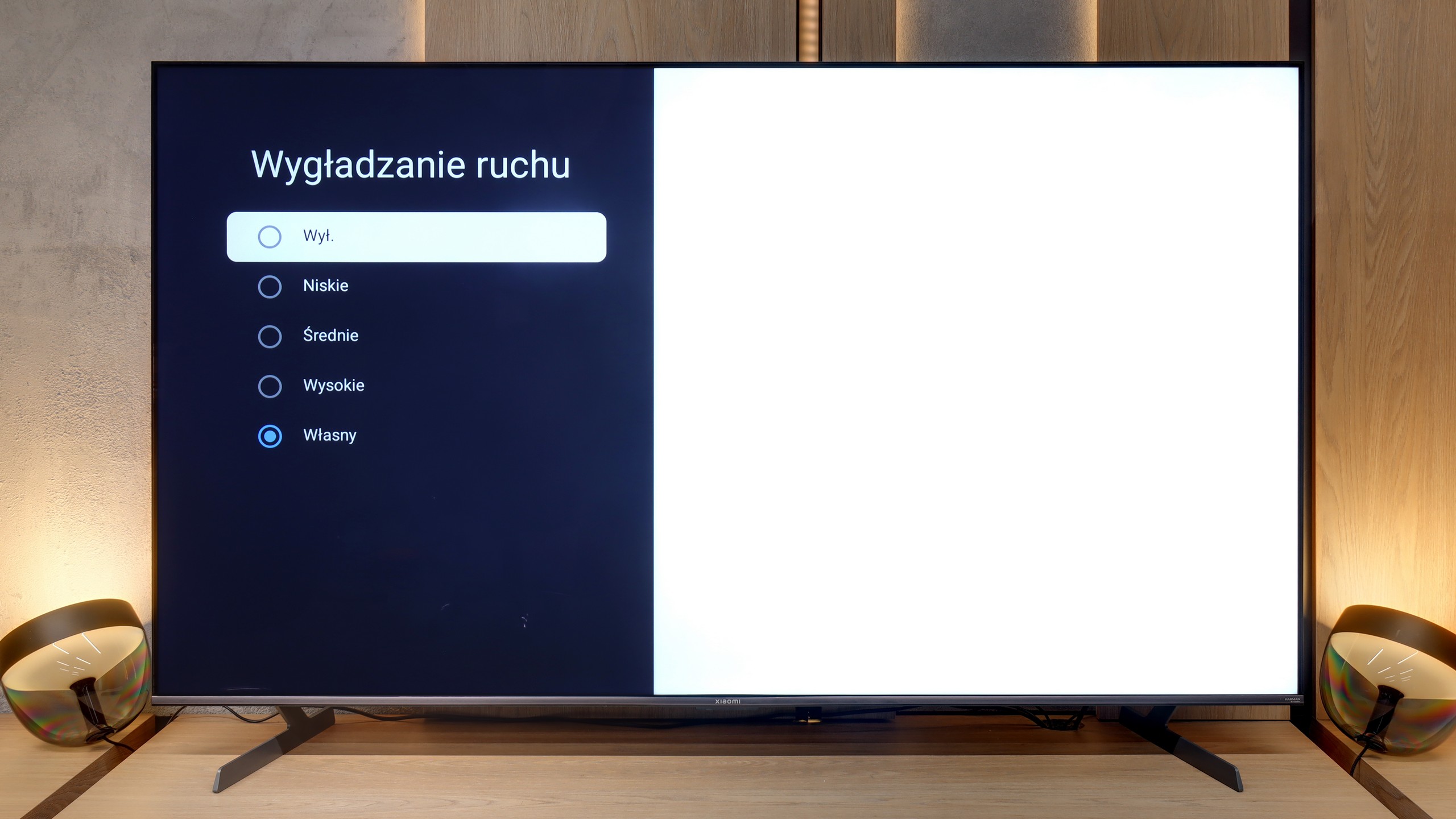
On paper, the specification of the S Pro 2026 looks impressive. The television is equipped with a native 144 Hz panel, capable of displaying images up to 288 Hz in a dedicated gaming mode. These are amazing results, but what interested us the most, in the context of everyday use, was how the television handles motion blur and how the image looks at 120 Hz. After all, this is the frequency used today by consoles like PlayStation 5, Xbox Series X/S, and it is desired by sports fans. Generally speaking, the panel "holds up." The matrix is fast enough to meet these challenges, and objects displayed at native 120Hz fluidity are shown correctly. As for the software, the television is equipped with a motion smoothing system, but with a key caveat – it only works for input signals up to 60 Hz. This means it is mainly suitable for classic television, movies, and series. Thanks to this, we can adjust the fluidity of the image to our own preferences – from a very smooth, "theatrical" approach to setting the slider to "zero" and maintaining a fully cinematic character.

Console compatibility and gaming features

9.5/10

8.2/10

  • ALLM
    Yes
    Yes
  • VRR
    Yes
    Yes
  • VRR range
    48 - 144Hz
    48 - 144Hz
  • Dolby Vision Game Mode
    No
    Warning Yes, high input lag
  • Correct implementation of HGIG
    Yes
    No
  • 1080p@120Hz
    Yes
    Yes
  • 1440p@120Hz
    Yes
    Yes
  • 4K@120Hz
    Yes
    Yes
  • Game bar
    Yes
    Yes

The Samsung S90D is an ideal choice for gamers, featuring four HDMI 2.1 ports that support key gaming technologies such as Auto Low Latency Mode (ALLM), Variable Refresh Rate (VRR), and HDR Gaming Interest Group (HGIG). These features ensure smoother and more responsive gameplay, greatly enhancing performance during intense gaming sessions. The TV also includes a dedicated Game Bar, which makes managing game settings easy. This functionality allows users to quickly adjust parameters like the aspect ratio offering flexibility for different games and gameplay styles. Customising preferences is straightforward, further enhancing the convenience and enjoyment of gaming.

For PC users, the TV impresses by supporting a refresh rate of 144Hz when connected to a computer. Users with Nvidia or AMD graphics cards can also use G-Sync and FreeSync for a smoother gaming experience. However, it’s important to note that the TV does not support Dolby Vision, which may be a drawback for some. That said, Dolby Vision is not as widely adopted in gaming as in film, so this may not be a significant concern for most gamers. Overall, the S90D offers exceptional features for gamers, making it an excellent choice for those seeking outstanding image quality and modern technological solutions.

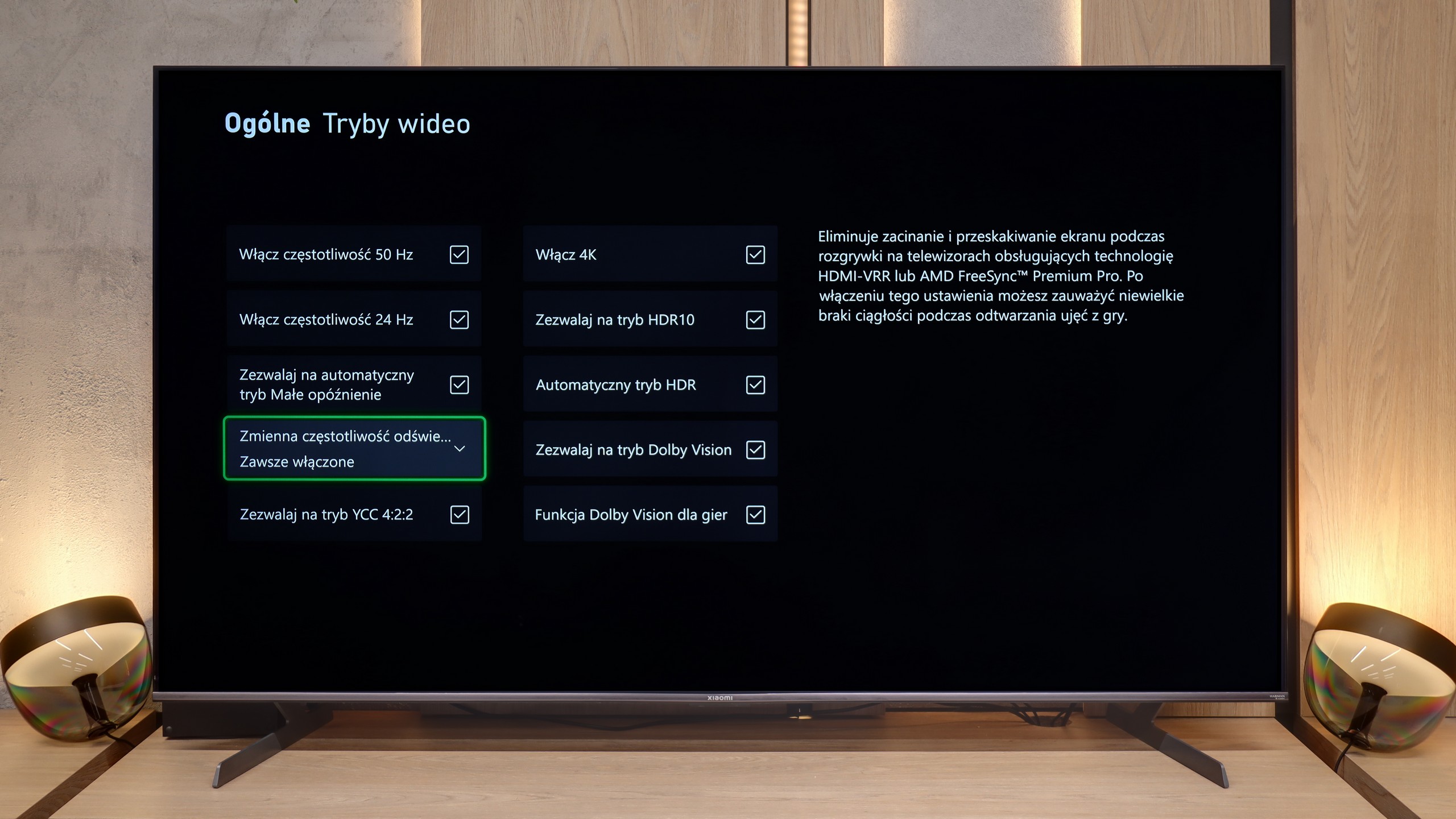
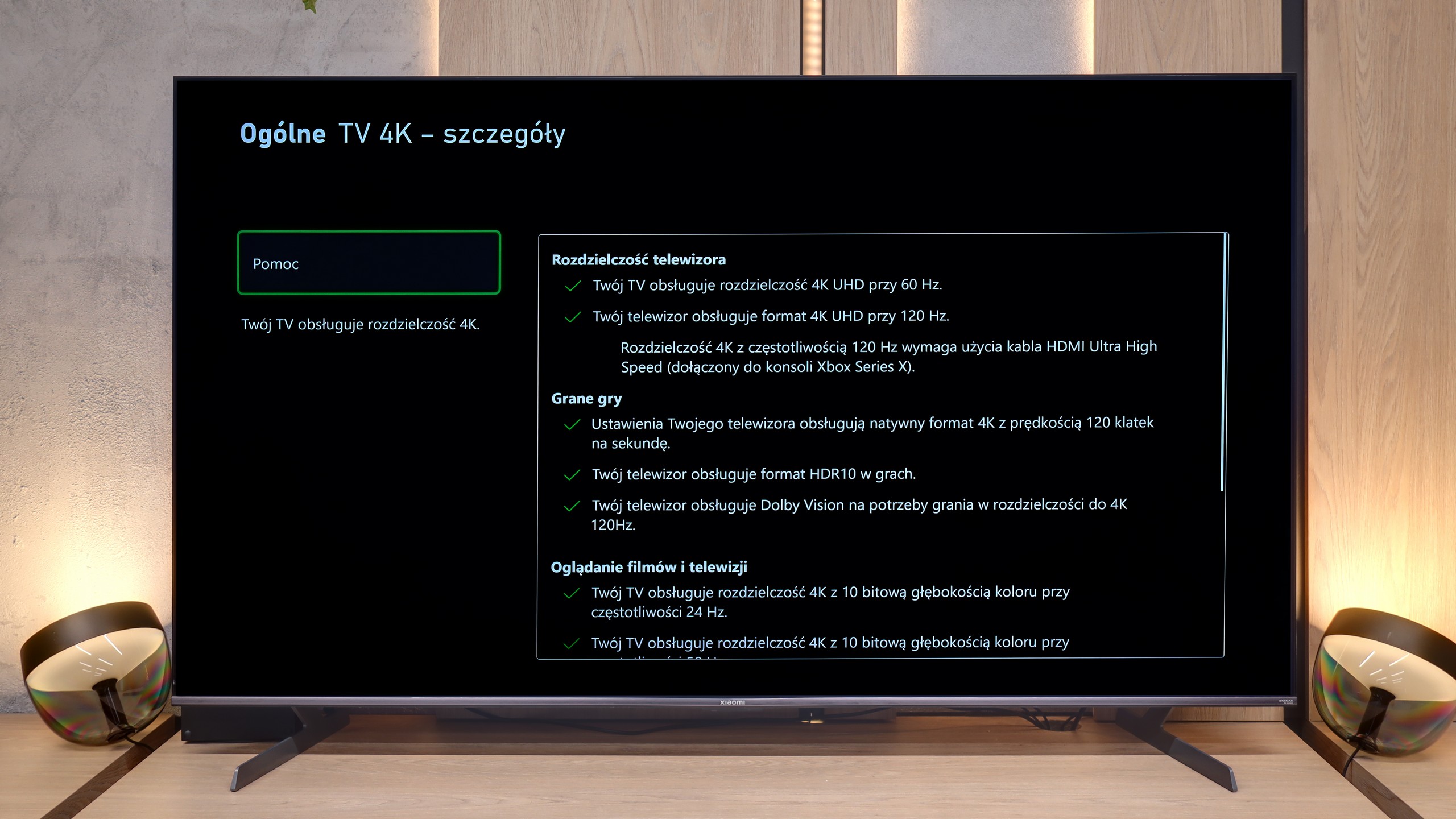
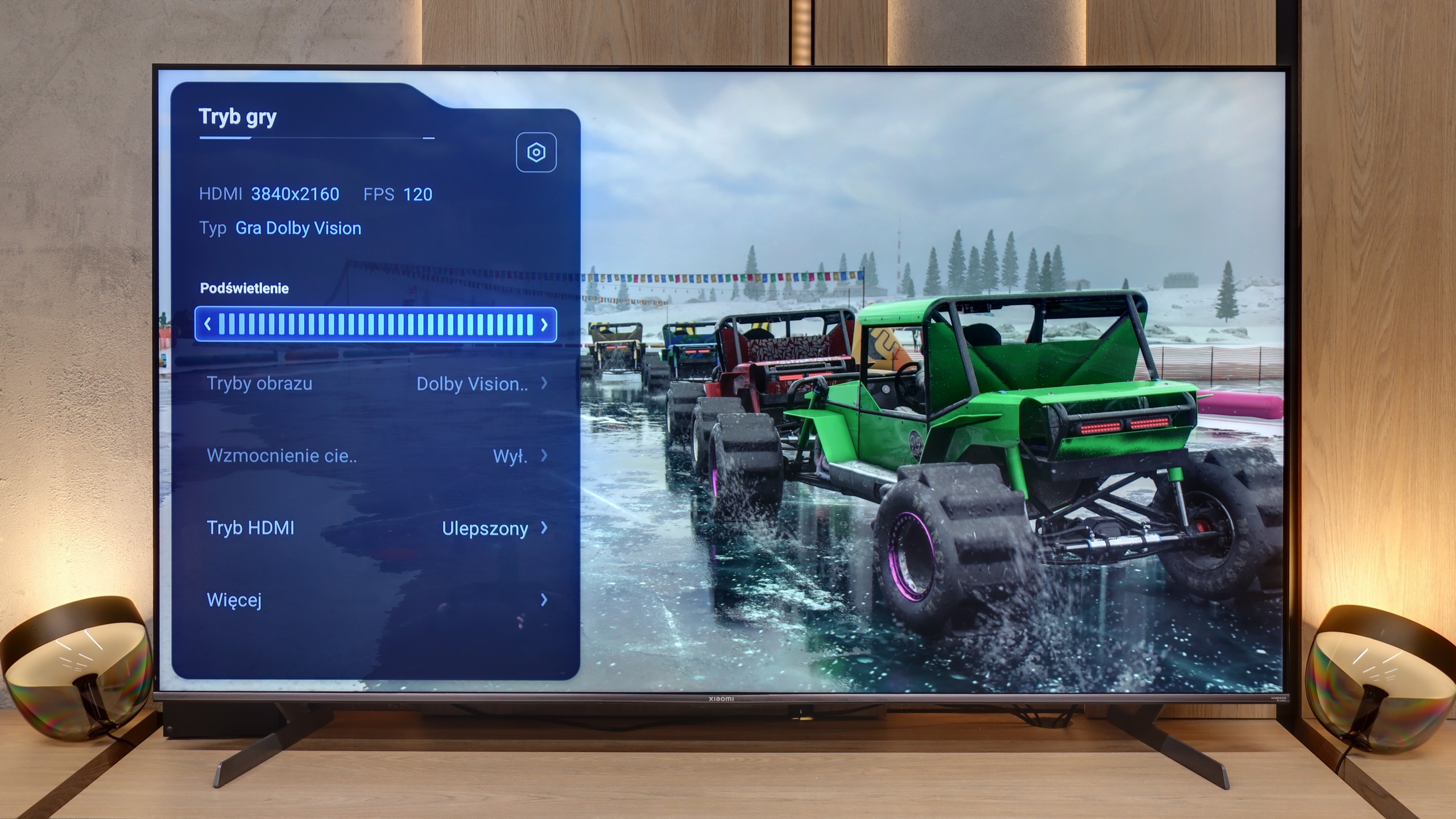
For gamers, the Xiaomi S Pro 2026 is, on paper, an almost ideal proposition. It is equipped with two HDMI 2.1 ports, allowing us to unlock (although these options are somewhat hidden in the menu) the full suite of features: ALLM, VRR, and, crucially, the ability to work in 4K at 144 Hz. This last feature should particularly please owners of powerful PCs. The TV also has something akin to a gaming panel – and while it’s hard to call it a full-fledged "Game Bar," it does its job by displaying key information. It’s just a shame that in its default form, it covers a relatively large part of the screen.

However, our biggest issue with this model concerns how the S Pro 2026 handles gaming in HDR mode. To put it bluntly: it doesn’t handle it well. Due to the poorly implemented HGiG function (the HDR tone mapping standard for games), during the initial HDR calibration on the console, it’s very easy to "blow out" the image. If someone is unaware of this software flaw and follows the on-screen instructions, they will simply set the image incorrectly, with burnt-out details in bright areas. Another major problem is the Dolby Vision mode for gaming. While it does work, it generates such a high input lag that it becomes noticeable in dynamic titles. (All our latency measurements can be checked in the paragraph below). In summary: generally, it’s a really good screen for gamers, but with one small caveat. We would rather avoid HDR mode on it – unless we decide to manually adjust the brightness bar on the console "by eye," completely ignoring the instructions from the console's pictogram.

Input lag

10/10

8.5/10

SDR

1080p60
10 ms
17 ms
1080p120
5 ms
8 ms
2160p60
10 ms
17 ms
2160p120
5 ms
8 ms

HDR

2160p60
10 ms
17 ms
2160p120
5 ms
8 ms
4320p60

Dolby Vision

2160p60 DV
110 ms
2160p120 DV
77 ms

The OLED Samsung S90D is distinguished by its reference-level low input lag, delivering exceptional performance across all resolutions and refresh rates, whether in SDR or HDR mode. With scores around 10 ms, this is truly impressive and has a noticeable impact on the gaming experience. Such low input lag ensures an instant response to on-screen actions, vital in fast-paced games where every millisecond counts. This responsiveness provides users with smooth, precise gameplay, making the Samsung S90D an outstanding choice for those prioritising top-tier gaming performance.

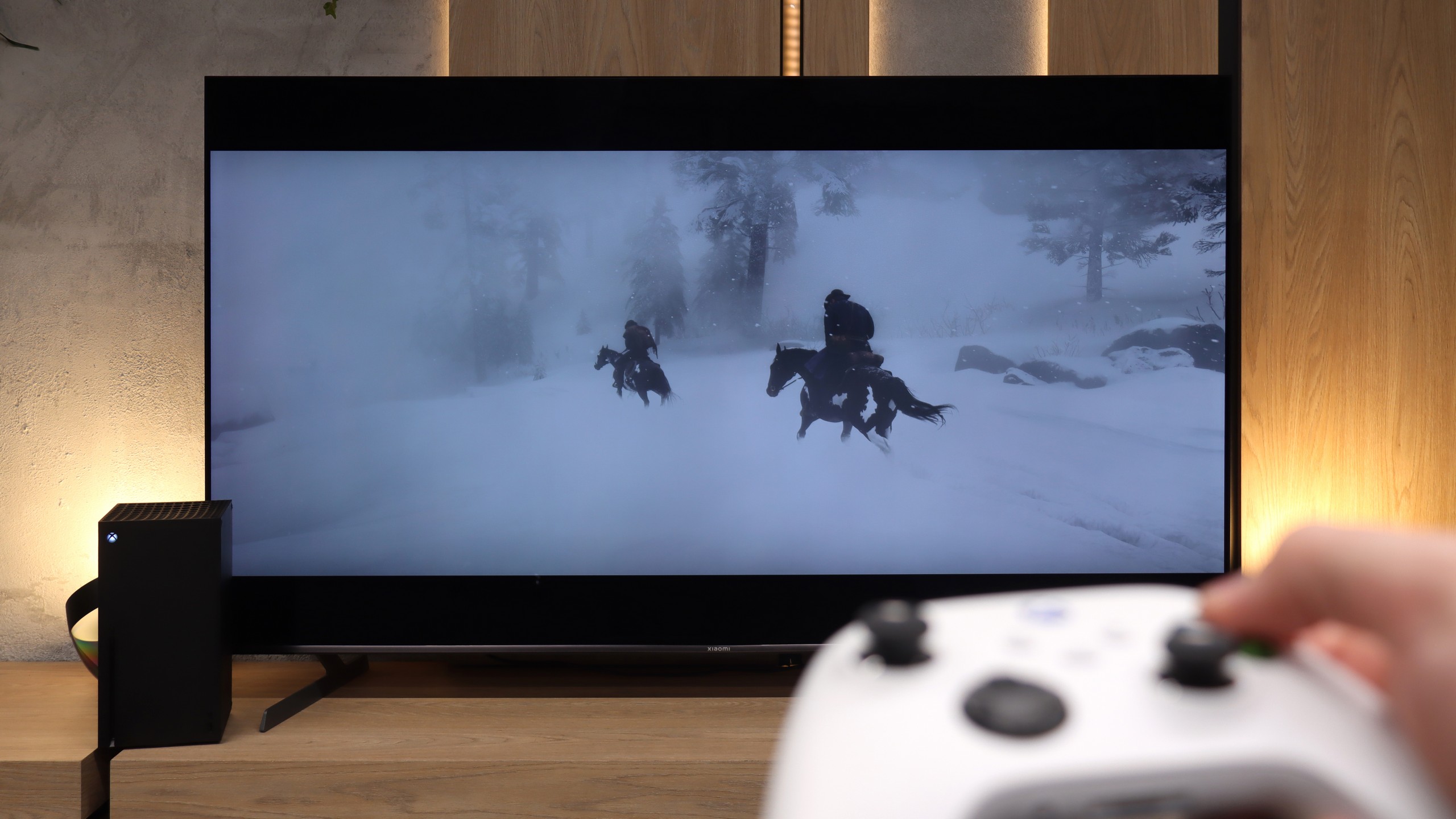
We move on to one of the most important measurements for gamers, which is input lag. Overall, the Xiaomi S Pro 2026 performs exceptionally well in this regard. Generally, in game mode, the lag is very low. With 120 Hz content (from consoles or PCs), we easily achieved results below 10 ms. These results are truly remarkable and practically imperceptible for most people, even those very sensitive to it. Unfortunately, there is one "but" that poses the greatest issue with this model in gaming. We are talking about the Dolby Vision Gaming mode. When this mode is activated, the input lag rises to an astronomical level of around 100 ms. At such a value, the delay between our movements on the controller (we tested on an Xbox console) and what is displayed on the screen becomes really very large and annoying. Therefore, our recommendation is simple: we absolutely do not recommend using Dolby Vision Gaming mode on this television.

Compatibility with PC

8.6/10

8.6/10

Chroma 444 (max. resolution and refresh rate)
Yes
Yes
Font clarity
Good
Good
Readability of dark text and shapes
Very Good
Good
Input lag in PC mode (4K, max. refresh rate)
5ms
8ms
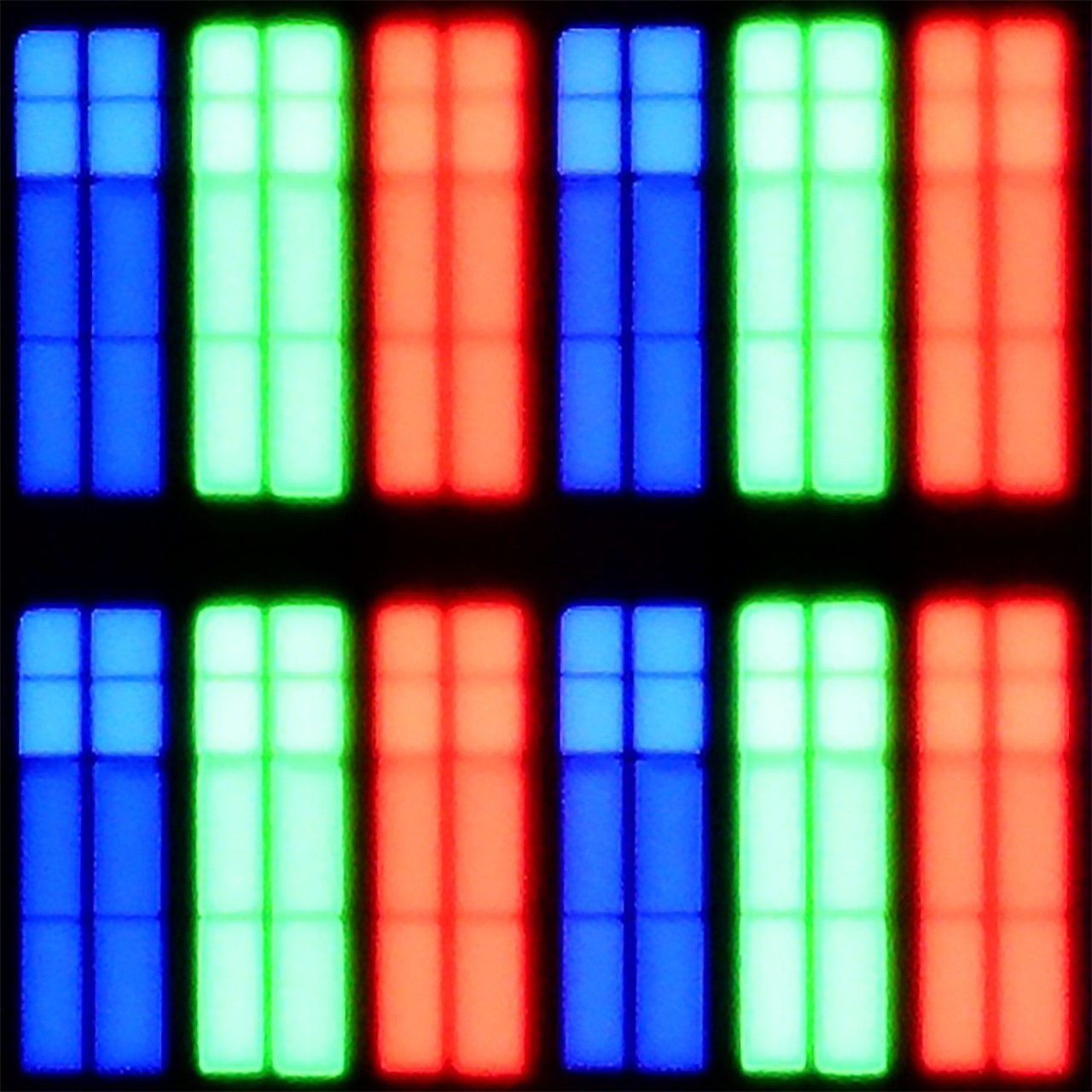
Matrix subpixel arrangement
RWBG
BGR
Max refresh rate
144Hz
144Hz
G-Sync
Yes
Yes

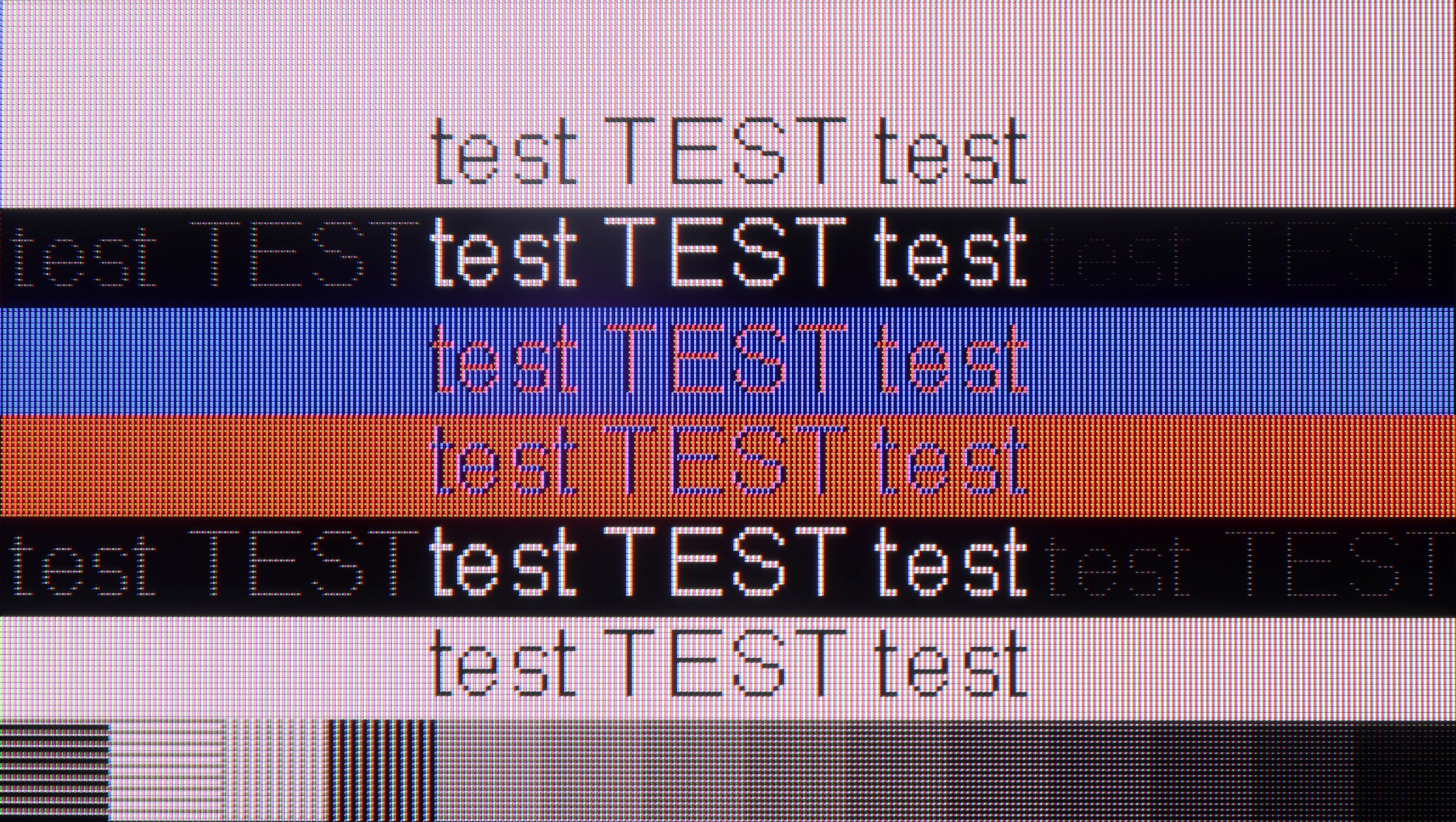
The photo shows the legibility of small fonts. Ideally, lines should be the same thickness on both light and dark text, with minimal pixel gaps.

The Samsung S90D works seamlessly with a PC, offering clear, legible fonts that make reading text and using applications much easier. It supports chroma 4:4:4 at 4K resolution with a 144 Hz refresh rate, ensuring full-colour reproduction and a sharp, vibrant image. The input lag of just 5 ms is particularly advantageous, especially for gamers and professionals working with graphics. This low latency makes using the TV as a monitor an enjoyable experience, offering comfort and responsiveness. The Samsung S90D is an excellent choice for users seeking both performance and quality for everyday computer use.

Generally, when it comes to gaming, the S Pro 2026 is a great screen for PC owners. It offers a refresh rate of up to 288 Hz in Full HD resolution or a full 144 Hz in 4K. All of this, supported by technologies like AMD FreeSync and G-Sync, is really a lot for very demanding gamers. And how about "desktop" work? Here we have positive news as well. Although the displayed font may not be perfectly sharp (like on a dedicated PC monitor with an IPS panel), it is presented in a really pleasant and readable way. This is due to the proper implementation of Chroma 4:4:4 sampling, which ensures that text is clear and there are no issues with color fringing.

Viewing angles

7.6/10

3.7/10

Brightness drop at an angle of 45 degrees
29%
66%

Thanks to OLED technology, the viewing angles on the Samsung S90D are exceptional. OLED ensures excellent colour and contrast reproduction, even at wide viewing angles, so the image remains sharp and vibrant from almost any perspective. This allows users to enjoy a consistent visual experience, regardless of their position relative to the screen. The only televisions that might offer slightly better performance in this regard are those equipped with MLA (Micro Lens Array) micro-lenses or QD-OLED technology. These advanced solutions further improve image quality from different angles, but under typical conditions, OLED remains the leader, delivering outstanding viewing experiences from every angle.

As for a TV equipped with a VA panel, we must admit that the drop in brightness when viewed at an angle is relatively small in the Xiaomi S Pro 2026. However, it is important to keep in mind a second, key aspect – color saturation degrades significantly at an angle. This is typical behavior for TVs with a VA panel that do not have additional coatings to widen viewing angles. Is this a flaw of this TV? Not really. It is simply a characteristic, the price we have to pay for the key advantages of a VA panel in the form of its high native contrast.

Daytime performance

6/10

7.4/10

Panel finish
Glare
Glare
Reflection suppression
Decent
Average
Black levels during daytime
Very Good
Very Good

Panel brightness

Xiaomi S Pro 2026: 771 cd/m2

Samsung OLED S90D / S94D (WRGB OLED): 396 cd/m2

The Samsung S90D performs admirably during the day, achieving an average brightness of around 400 nits, which is excellent for OLED technology. Despite the glossy panel, reflection suppression is effective, making it comfortable to watch even in bright rooms. The only notable downside of OLED technology—rather than the TV itself—is the brightness levels when displaying a 100% white screen fill. In such scenarios, OLED panels may struggle to reach extremely high brightness. This can become apparent when watching bright scenes, such as winter sports like ski jumping, where the screen's peak brightness may not be as intense as desired.

Due to its very high peak brightness, the Xiaomi S Pro 2026 performs really well in brightly lit rooms. In most scenarios, it is able to "break through" even very strong lighting in the room. However, it should be noted that the matrix used here quite poorly suppresses reflections. This means that in darker areas of the image, or when the TV is displaying a dark scene, direct reflections (e.g., the reflection of a window or lamp) can be annoying. Nevertheless, the S Pro 2026, as a TV for a bright living room, performs really well thanks to its powerful brightness.

Panel details

Backlight Type
Mini-LED PFS LED
Software version during testing
1120
UKN1.240806.107.V816.0.25.6.6.ULBMIXM
Image processor
mt5896 2,5gb ram

Subpixel Structure:

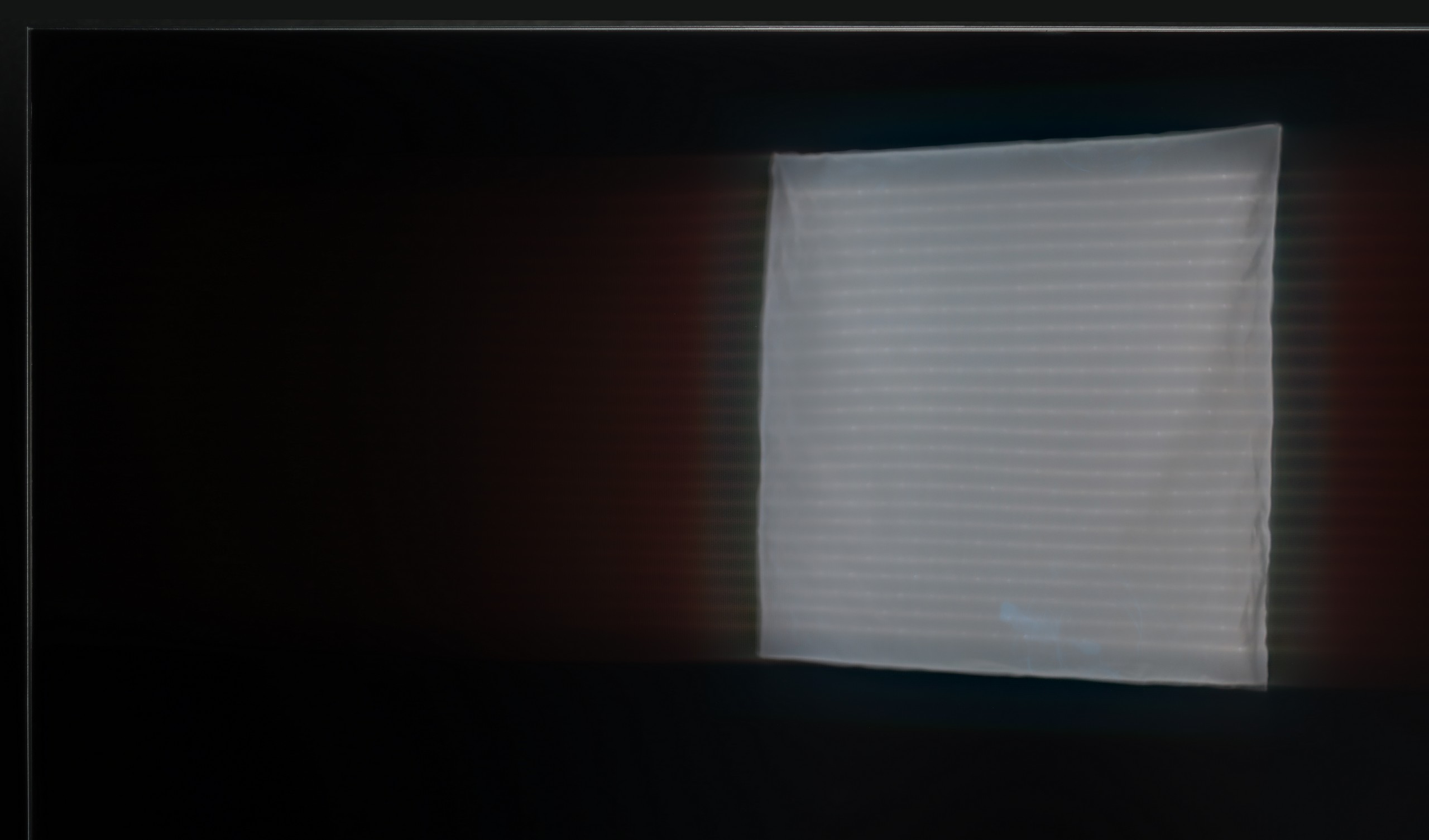
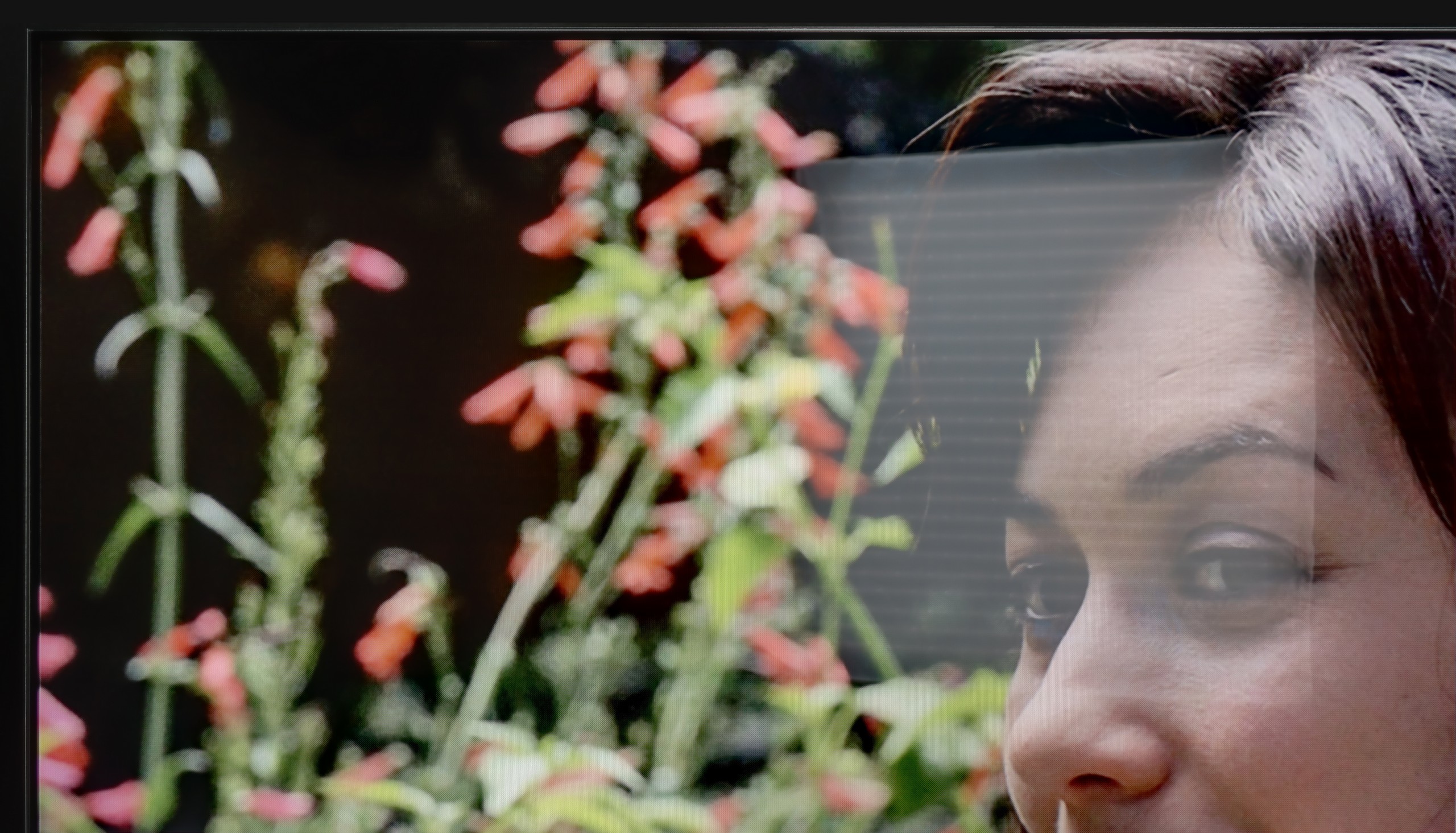
Panel uniformity and thermal imaging:

Review Samsung OLED S90D / S94D (WRGB OLED) TV Panel details
Review Xiaomi S Pro 2026 TV Panel details

Samsung OLED S90D / S94D (WRGB OLED)

Xiaomi S Pro 2026

TV features

7.4/10

7.2/10

  • HDMI inputs
    0 x HDMI 2.0, 4 x HDMI 2.1 48Gbps
    1 x HDMI 2.0, 2 x HDMI 2.1 48Gbps
  • Outputs
    Toslink (Optical audio), eARC (HDMI), ARC (HDMI)
    Toslink (Optical audio), eARC (HDMI), ARC (HDMI), Mini-Jack (Headphones)
  • Network Interfaces
    Wi-Fi 2.4GHz, Wi-Fi 5GHz, Ethernet (LAN) 100Mbps
    Wi-Fi 2.4GHz, Wi-Fi 5GHz, Ethernet (LAN) 100Mbps
  • TV reception
    DVB-T, DVB-T2, DVB-S, DVB-S2, DVB-C
    DVB-T, DVB-T2, DVB-S, DVB-S2, DVB-C

Classic features:

  • Recording to USB (terrestrial TV)
    No
    No
  • Recording programming
    No
    No
  • Picture in Picture (PiP)
    Yes
    No
  • RF remote control (no need to aim)
    Yes
    Yes
  • Backlit remote control
    No
    No
  • Teletext
    Yes
    Yes
  • Audio only mode
    Yes
    Yes
  • Bluetooth headphones support
    Yes
    Yes
  • Simultaneous Bluetooth headphones & TV audio
    Yes
    No

Smart features:

  • AirPlay
    Yes
    Yes
  • Screen mirroring (Windows Miracast)
    Yes
    Yes
  • Voice search
    Yes
    Yes
  • Voice search in native language
    Yes
    Yes
  • Ability to connect a keyboard and mouse
    Yes
    Yes
Review Samsung OLED S90D / S94D (WRGB OLED) TV features
Review Xiaomi S Pro 2026 TV features

The Samsung S90D offers a range of features that greatly enhance user comfort, making it an ideal choice for home entertainment. The Tizen system, on which this model runs, is a modern and sophisticated platform that delivers a smooth, intuitive user experience. Its user-friendly interface, navigating through apps and settings is quick and easy, even for those less familiar with technology. Tizen supports a wide array of applications, including popular streaming services such as Netflix, YouTube, and Amazon Prime Video. A notable addition for 2024 is the inclusion of voice search in Polish.

The eco-friendly solar remote is another highlight, being both environmentally conscious and practical for everyday use. It can control multiple devices connected to the TV, reducing the need for multiple remotes. Additionally, the TV supports AirPlay, making it easy to stream content from Apple devices like iPhones or iPads. The S90D also supports Bluetooth connections, allowing users to connect devices such as mice, keyboards, or headphones, enhancing versatility and personalisation of the viewing experience.

The only drawback worth mentioning is the lack of USB recording support. This may be a limitation for some users, particularly if they wish to archive their favourite shows or films. Despite this, the Samsung S90D offers advanced features and technologies, making it an excellent choice for anyone seeking high-quality entertainment at home.

Operating System (Google TV)

A significant advantage of the Xiaomi S Pro 2026 is undoubtedly the presence of the Google TV system. This gives us access to a massive library of applications – we can find literally everything here, from leading VOD platforms to niche players. The system also offers a multitude of useful features, such as built-in Chromecast, support for AirPlay and Screen Mirroring, and an efficiently working voice search. The Google TV system itself is great, but one must take a slight caution regarding its implementation by Xiaomi. During our tests, it experienced a proverbial "hitch." Animations could lag a bit, and the response to commands wasn't immediate. This is definitely not the level of fluidity that we know from top, significantly more expensive models equipped with more powerful processors.

TV Features and Connectivity

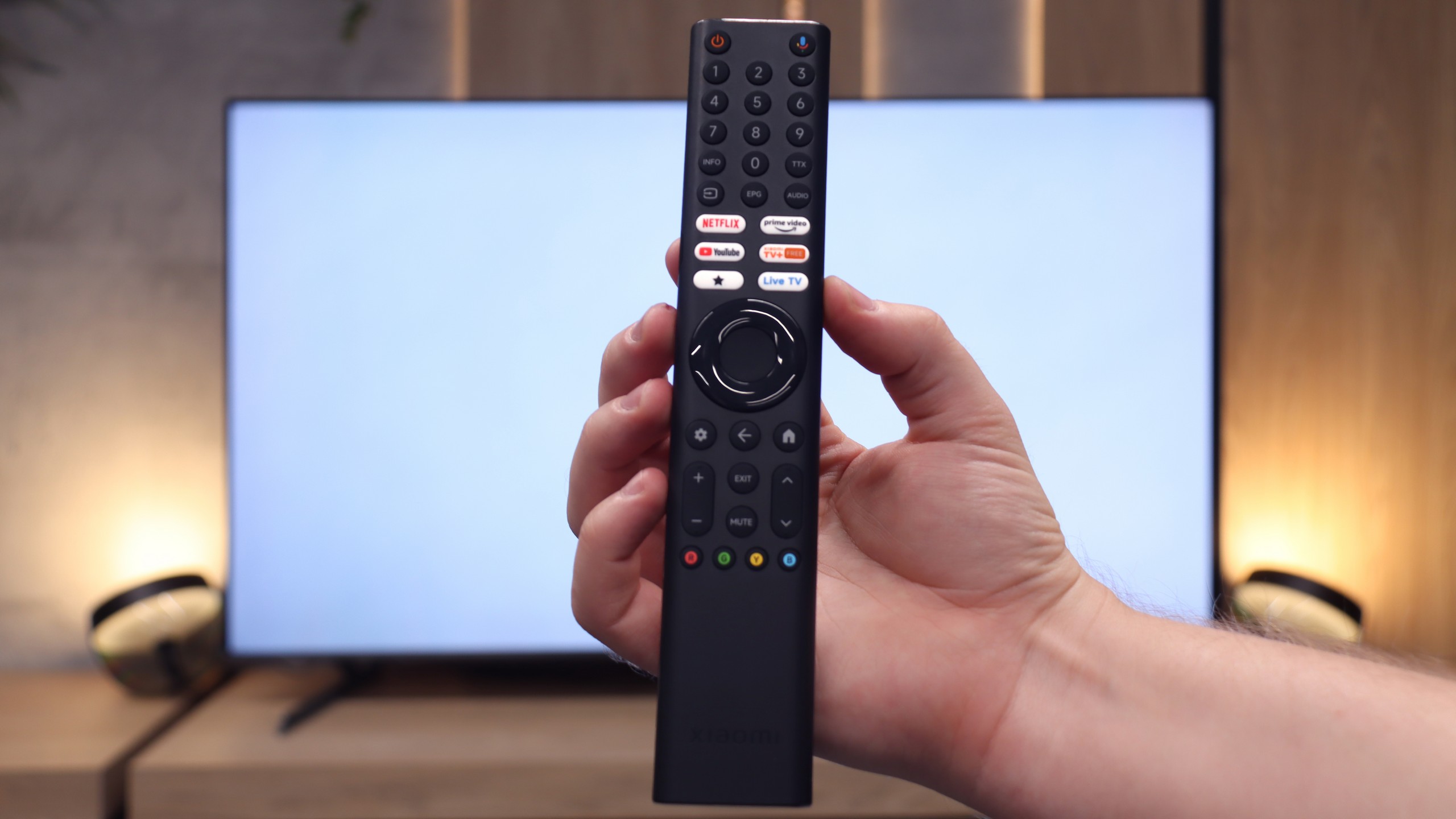
So how does the S Pro 2026 perform as a "conventional" television? Unfortunately, we have less good news here. In terms of classic TV viewing, we can mainly praise this model for having a convenient remote control with a numeric keypad – which (surprisingly) is not a standard today. However, this is where the conveniences end. We won't find either USB recording (PVR) capabilities or PiP (Picture-in-Picture) options. On the plus side, we credit the extensive Bluetooth connectivity options. We had no trouble connecting external devices to the TV, such as wireless headphones, a keyboard, or a mouse, which significantly facilitates operation.

Apps

9.3/10

9.6/10

OK
Disney_Plus
OK
Amazon_Prime_Video
OK
Player_TVN
OK
Polsat_Box_Go
OK
Canal_Plus_Online
OK
TVP_VOD
OK
Apple_TV_Plus
OK
SkyShowtime
OK
Rakuten
OK
CDA_Premium_Browser
OK
Spotify
No
Tidal
OK
Netflix
OK
YouTube
OK
HBO_MAX
No
Kodi
OK
Apple_music
OK
Eleven_sports
OK
Xbox Game Pass
OK
GeForce Now!
OK
Amazon Luna
OK
Boosteroid
No
Steam Link
OK
Disney_Plus
OK
Amazon_Prime_Video
OK
Player_TVN
OK
Polsat_Box_Go
OK
Canal_Plus_Online
OK
TVP_VOD
OK
Apple_TV_Plus
OK
SkyShowtime
OK
Rakuten
OK
CDA_Premium_Browser
OK
Spotify
OK
Tidal
OK
Netflix
OK
YouTube
OK
HBO_MAX
OK
Kodi
No
Apple_music
OK
Eleven_sports
No
Xbox Game Pass
OK
GeForce Now!
No
Amazon Luna
OK
Boosteroid
OK
Steam Link

Playing files from USB

9.1/10

6.8/10

Supported photo formats:

JPEG
Yes
Yes
HEIC
No
No
PNG
No
Yes
GIF
No
Yes
WebP
No
No
TIFF
No
No
BMP
Yes
Yes
SVG
No
No

Maximum photo resolution:

4 Mpix
Yes
Yes
6 Mpix
Yes
Yes
8 Mpix
Yes
Yes
10 Mpix
Yes
Yes
12 Mpix
Yes
Yes
16 Mpix
Yes
Yes
20 Mpix
Yes
Yes
24 Mpix
Yes
Yes
28 Mpix
Yes
Yes
32 Mpix
Yes
Yes

The Samsung S90D has a built-in player that supports the most popular video formats, allowing for convenient playback of movies from various sources. The player also offers customisation options for the font colour, enhancing comfort when watching content with subtitles. For photo formats, the television handles a wide range, though one of the few drawbacks is its inability to play the widely used PNG format. Despite this, the overall playback capabilities of the S90D are excellent, offering a seamless viewing experience across different media types.

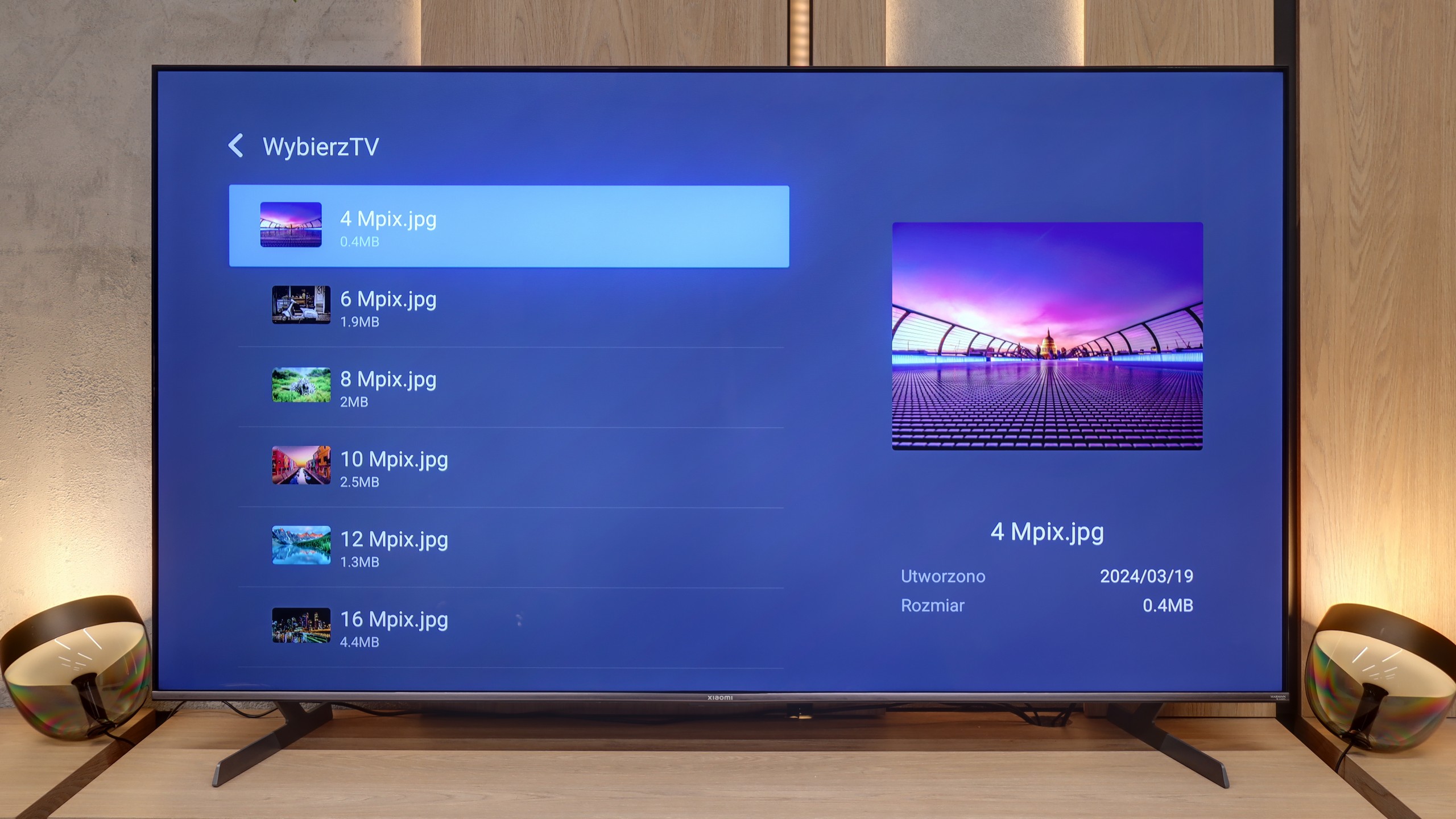
The built-in, default media player in the Xiaomi S Pro 2026 is – given the capabilities of the Google TV system – simply weak. Its biggest drawback is that it does not support characters other than those from the standard alphabet. Consequently, it does not display, among other things, Polish fonts in subtitles or file names. Fortunately, as we mentioned before, the heart of the television is Google TV. This system allows for the instant installation of an external, significantly better player, such as VLC or Kodi. For this television, we recommend installing an alternative player immediately after the first startup.

Sound

7.4/10

7.1/10

  • Maximum volume
    -
    82dB
  • Dolby Digital Plus 7.1
    Yes
    Yes
  • Dolby True HD 7.1
    No
    No
  • Dolby Atmos in Dolby Digital Plus (JOC)
    Yes
    Yes
  • Dolby Atmos in Dolby True HD
    No
    No
  • DTS:X in DTS-HD MA
    No
    Yes
  • DTS-HD Master Audio
    No
    Yes

The Samsung S90D features a 2.1 audio system with a total output of 40W, delivering clear and dynamic sound. The subwoofer at the bottom of the casing ensures deep, noticeable bass, while the mid and high frequencies remain well-balanced. While the television does not support DTS format, it offers other advanced sound technologies, including Dolby Atmos and Dolby Digital Plus. For those seeking a more immersive surround sound experience, however, connecting an external audio system would be recommended.

We must admit that the S Pro 2026 surprised us quite positively. The television is equipped with a 30W speaker system that, for its class, sounds really very good. There is even a noticeable slight hint of bass, and the mid and high tones are quite well balanced. Of course, all of this is within the capabilities provided by the television's speakers, but it is a level we did not expect from such a relatively inexpensive model. A huge plus is also the support for top audio technologies. The television is capable of decoding not only the very popular Dolby Atmos format but also the recently quite rare DTS:X, which we mainly find on Blu-ray discs.

Sound Quality Test

No sound test video

Acoustic Measurements

No acoustic data

82dBC (Max)

75dBC