Samsung S85D is Samsung's entry-level OLED model for 2024, but it certainly does not come across as "budget". From the very first contact, the television demonstrated that OLED technology makes a difference. The deep blacks, excellent contrast and great viewing angles make watching favourite films and series pure pleasure, no matter where we are sitting. It is a screen that truly captivates you in the action. The Tizen operating system is another strong point of the Samsung S85D. It is simple, intuitive, and runs smoothly. Switching between apps like Netflix or YouTube takes no time, and the support for AirPlay and Bluetooth provides numerous options for connecting other devices. Not only does the solar remote not require charging, but we also easily used it to control the decoder and soundbar – these small details make daily usage easier. Like any television, the S85D has its minor shortcomings. The lack of recording functionality can be noticeable, especially if we enjoy revisiting favourite shows or films. The absence of support for DTS audio tracks may require purchasing and directly connecting a Blu-ray player to an external audio system. If we want to make full use of this codec, it is worth keeping this in mind. SDR brightness, while sufficient in most cases, may not always meet expectations in brighter rooms. This is a television that shows its best side in the evening – that’s when the OLED black and contrast truly impress. Despite these few drawbacks, the S85D left us with very positive impressions. It is a model that proves that excellent picture quality and superb technological solutions do not have to be paired with a high price. If we are looking for a television that works well for everyday use as well as evening viewings, and at the same time won’t ruin our budget, then the Samsung S85D OLED is an excellent choice. It is a device that gives the feeling that we have invested our money wisely, offering a lot for a reasonable amount.
- Matching (Score) |
- Our verdict |
- TV appearance |
- Where to buy |
- Contrast and black detail |
- HDR effect quality |
- Factory color reproduction |
- Color reproduction after calibration |
- Smoothness of tonal transitions |
- Image scaling and smoothness of tonal transitions |
- Blur and motion smoothness |
- Console compatibility and gaming features |
- Input lag |
- Compatibility with PC |
- Viewing angles |
- Daytime performance |
- Panel details |
- TV features |
- Apps |
- Playing files from USB |
- Sound
Samsung S85D vs Samsung The Frame Pro
 Direct comparison
S85D
The Frame Pro / LS03FW


Panel type: WRGB OLED
Resolution: 3840x2160
System: Tizen
Model year: 2024
Complete the survey to find out the result
Panel type: LCD VA
Resolution: 3840x2160
System: Tizen
Model year: 2025
Complete the survey to find out the result
Overall rating
7.8
7.3
 Movies and series in UHD quality
 7.7
6.8
 Classic TV, YouTube
 8.5
6.6
 Sports broadcasts (TV and apps)
 8.4
6.8
 Gaming on console
 9.4
8.6
 TV as a computer monitor
 7.6
8.4
 Watching in bright light
 5.0
7.0
 Utility functions
 7.2
7.7
 Apps
Apps 9.3
9.3
 Sound quality
 7.0
6.4
Complete the survey to find out what fits your preferences
Advantages

Excellent contrast - OLED
Tizen system – fast and intuitive
Solar remote – control of other devices (e.g. decoder)
Outstanding viewing angles – OLED
High motion fluidity – 120 Hz panel
Many features for gamers
Unusual design
Price
Premium design – symmetrical frame, ability to customise interchangeable frames, effect of a real picture on the wall
Wire-free One Connect module – no visible cables by the television, easier arrangement of space
Matte screen coating – no reflections even in bright rooms
High brightness ratio – up to 900 nits
Wide colour gamut – QLED
Smooth tonal transitions, virtually no banding
High motion fluidity – 144 Hz panel
Features for gamers – VRR, ALLM, 144 Hz, Game Bar, low input lag (wired)
Tizen system – fast, intuitive, with a full suite of applications and support for AirPlay and voice assistant
Art Store – unique feature, television as a digital picture frame
Mount included
Disadvantages

No recording function from built-in tuners
Average SDR brightness – 310 nits
No support for DTS audio tracks
It's hard to call it a true Mini-LED – edge lighting
Poor viewing angles (they could be better for improved wall image effect)
Missing HGiG* feature
Flat sound, little bass. A soundbar will definitely come in handy
Issues with font readability and significant delays (input lag) when using the wireless One Connect module.
*The HGiG feature disappeared with the latest TV update. We are monitoring the situation closely and if anything changes in this regard, we will let you know.
Our verdict
Samsung The Frame Pro 2025 is a television that brings a breath of fresh air to the lifestyle model segment. The design is, of course, the main highlight – a symmetrical frame, the possibility of easily changing decorative frames, and above all, the wall image effect thanks to the matte finish and special mount. In everyday use, it makes a great impression, and the Art Store feature combined with the high screen brightness means that the television performs well not only as a display for films and series but also as an element of interior decor. It's also hard not to appreciate the gadgety addition of the wireless One Connect module – the ability to hide the box with ports anywhere in the living room provides significant arrangement flexibility. In terms of image quality, The Frame Pro holds its own quite well. A brightness level of up to 900 nits in peak scenes allows for enjoying HDR effects even in brightly lit rooms, and the VA panel ensures stable yet solid contrast. However, there are quite a few question marks. First and foremost – the naming. The designation "Pro" and the addition of Mini-LED suggest that we are dealing with an advanced local dimming system. Meanwhile, in the 65-inch variant, we counted only 24 zones, all located at the bottom edge of the screen. You probably already know the effect after reading this review. The blacks and contrast are decent, but they are far from what the Mini-LED televisions with full, dense backlighting of the panel offer. The wireless module also raises mixed feelings. While it works fairly well for connecting an amplifier or decoder, gamers and PC users will quickly find that direct connection to the television via MICRO-HDMI is essential. Otherwise, they must reckon with high input lag and poorer font readability. Therefore, it's hard to call The Frame Pro "Pro" in a strictly technological sense – it would be more accurate to say it's "Frame Plus." A fantastic lifestyle television, polished and visually impressive, that would fit perfectly in a bright, modern living room, but at the same time, it doesn't quite meet the level of quality one might expect from a product labelled as Mini-LED. It's a device that will delight with its design and additional features but will leave a slight sense of disappointment for those who were expecting a true breakthrough in image quality.
TV appearance



Contrast and black detail
10/10
5.7/10
Local dimming function: Yes, number of zones: 24 (1 x 24)
Contrast:


Result
∞:1

Result
∞:1

Result
∞:1

Result
∞:1

Result
∞:1
Result
6,250:1
Result
5,100:1
Result
4,650:1
Result
4,350:1
Result
4,300:1
Halo effect and black detail visibility:

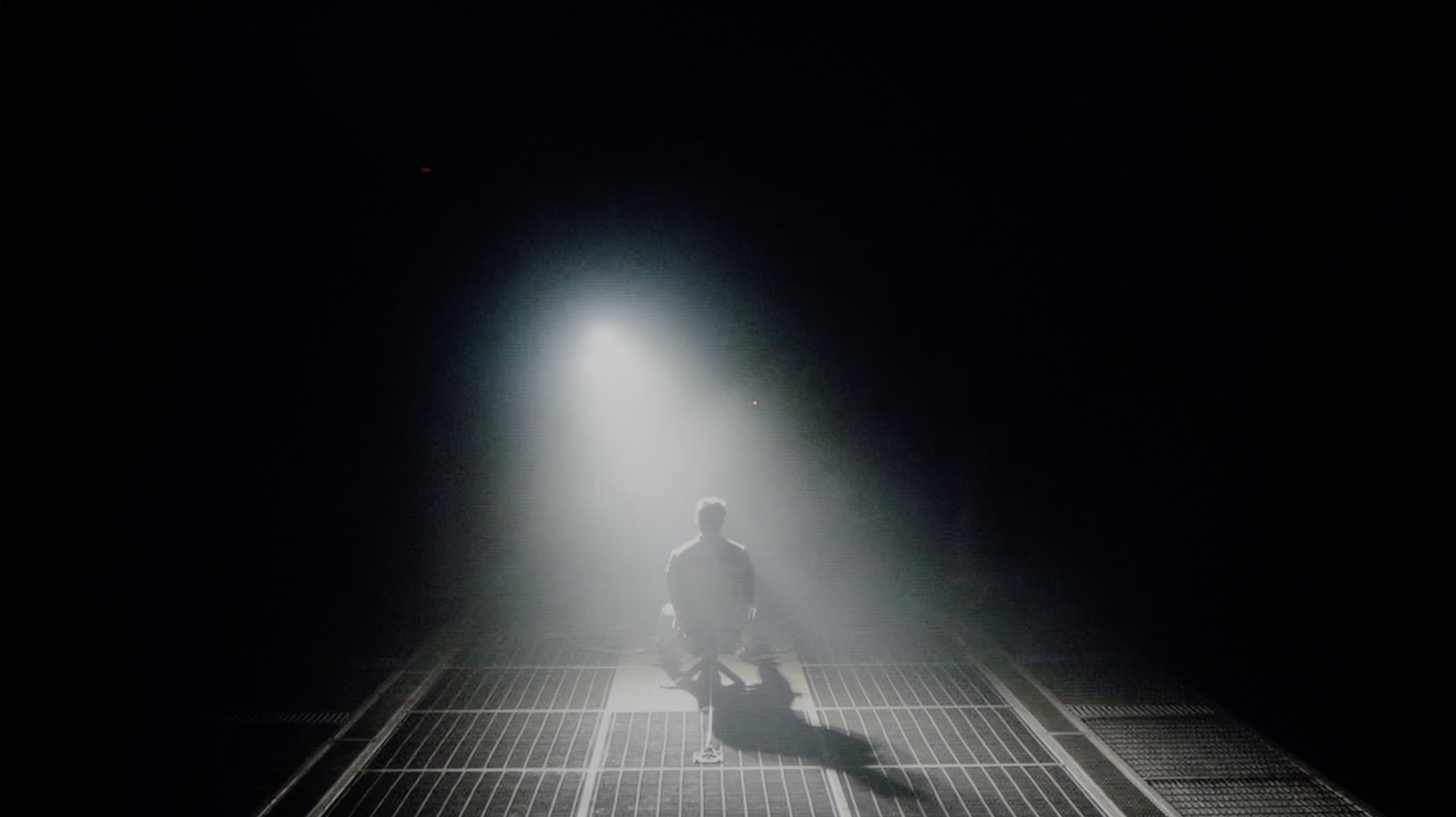
Check the visibility of bright lights on a dark background. Mini-LEDs often struggle with this. The photo does not compare black levels – that’s what the video below is for.
The video accurately shows differences in contrast and black levels between TVs, as well as potential issues: halo around bright objects or Mini-LED zone operation visible as brightness jumps.
Samsung S85D is a television that truly makes a difference when it comes to picture quality. The black is so deep it's hard to believe, and the contrast ensures that even the most demanding scenes – like those from the film "Oblivion" – look incredibly realistic. Thanks to OLED technology, the dark areas of the screen are perfectly black, without any unnecessary glow or overexposure.
It's worth noting that, similar to some variants of the S90D model, the Samsung S85D uses a WOLED panel supplied by LG. This panel is a key element that contributes to the amazing quality of contrast, which is particularly noticeable in scenes with a high dynamic range of light, making it an ideal choice for fans of films and series with high production quality.
Samsung The Frame Pro has officially been marked as a Mini-LED backlit television, but… is that really the case? In the 65-inch variant we tested, we counted only 24 dimming zones. The number itself seems rather modest, but what's more important is their distribution – they are all located along the bottom edge of the screen. In practice, this means that The Frame Pro should be treated more as edge-lit rather than a fully-fledged Mini-LED with dense, direct local dimming. Samsung has used a similar tactic before, rebranding the Q70 series into Neo QLED televisions – mainly for marketing purposes. How does this translate to the picture? Black levels and contrast appear to be acceptable, but there are none of the effects known from televisions with advanced local dimming, such as in the QN80 series. A large part of this is due to the high-gamut VA panel, which inherently provides solid parameters – a contrast level of around 5000:1 looks good and, importantly, is stable, without significant fluctuations. However, if someone buys The Frame Pro hoping to experience a “true Mini-LED”, they may feel disappointed. We ourselves expected this model to significantly differentiate itself from the classic The Frame series in terms of contrast quality, yet the differences turned out to be smaller or virtually non-existent than one might suggest by the “Pro” designation.
HDR effect quality
5.7/10
5.8/10
Luminance measurements in HDR:

Result
570 nit

Result
580 nit

Result
666 nit

Result
629 nit

Result
283 nit
Result
745 nit
Result
458 nit
Result
476 nit
Result
446 nit
Result
660 nit
Scene from the movie “Pan” (about 2800 nits)


Scene from the movie “Billy Lynn” (about 1100 nits)


The photos show two HDR10 movies. 'Pan' is one of the brightest productions ever made, while 'Billy Lynn' (soldier) has brightness typical of streaming (Netflix, Prime, HBO MAX). Notice the intensity of effects and detail in whites.
Static HDR10


The photos present the visibility of white details in various HDR formats. They do not show brightness differences between TVs (these can be compared in the previous gallery).
Dynamic: HDR10+
Dynamic: HDR10+


The photos present the visibility of white details in various HDR formats. They do not show brightness differences between TVs (these can be compared in the previous gallery).
HDR luminance chart:
Samsung The Frame Pro
Samsung S85D
Luminance of RGB colors
Brightness is a key parameter in televisions, and the S85D Samsung model offers levels comparable to other OLEDs from a few years ago. Although it does not impress in this regard, its enormous advantage is the very competitive price. A peak brightness of 600 nits ensures good image quality in HDR conditions, giving users a taste of cinematic experiences in the comfort of their home. However, as with many budget OLED models, the biggest issue is very bright, full-screen scenes – in such moments, like the final scene from the film “The Meg,” the television can lose even half of its brightness, which is noticeable compared to more expensive OLED models. Despite this, the television offers impressive coverage of the DCI-P3 colour palette at 99%, allowing for vibrant and accurate colours to be displayed.
Samsung The Frame Pro is one of the relatively bright televisions. In synthetic tests, we managed to achieve values around 900 nits, which is quite a respectable result for a lifestyle model. In full-screen scenes, such as the board from the film The Meg or the initial sequence in Life of Pi, brightness maintained a level of 700–800 nits. These values allow you to fully enjoy the HDR effects and convey their cinematic magic. However, the situation becomes complicated when smaller, point light sources appear on the screen. The edge lighting used here, equipped with the ability to locally dim entire strips, does not manage these well. Sometimes, small elements are overly dimmed, which weakens the effect, or conversely – they are significantly brightened, but at the cost of losing the depth of black in that part of the image. This can be compared to light beams reminiscent of a laser beam spreading in dense fog – the effect is noticeable and bright, yet at the same time, it is quite unnatural and distracting. Fortunately, the colour aspect performs better. Thanks to the use of a quantum dot filter (QLED), colours are saturated, and the reproduction of the DCI-P3 palette exceeds 92%. Generally, films or series watched in HDR on The Frame Pro showcase a rich colour palette, even if contrast and the functioning of the dimming algorithms can sometimes distract us.
Factory color reproduction
6.6/10
5.5/10


This gallery shows how colors change after professional TV calibration. If you notice the difference, we recommend ordering this service at SkalibrujTV.com.
Factory Mode
After calibration
The Filmmaker mode on the Samsung S85D does offer quite good factory settings, but it is not free from errors, particularly evident in colour reproduction. The white balance chart for HD and HDR content shows clear issues – both red and blue colours are significantly weakened, leading to a dominance of green. The result is an unnatural yellowish hue that can affect the perception of realistic scenes. The Color Checker test clearly shows that the colour samples deviate from expected values – for HD material, the colours can be overly saturated, with a noticeable shift towards green, which is also evident in the white balance chart. Conversely, for 4K HDR content, the colours appear too dull, lacking depth, making the image less appealing and natural. This effect is particularly noticeable in delicate scenes where colour precision plays a key role, which can be disappointing for discerning viewers who expect faithful reproduction of details and colour intensity.
As for brightness, the gamma chart for HD content looks quite good; however, there is a noticeable jump at the end, exceeding a value of 2.4. While this is not a major issue in most scenes, in more demanding sequences it may affect the clarity of bright details. For 4K content, the EOTF curve, responsible for delivering brightness, turns out to be problematic. The initial part of the chart shows a small jump. This phenomenon can result in excessive boosting of brightness in the brightest areas of the image, leading to loss of detail in very bright scenes.
Although Samsung S85D offers quite decent factory settings, especially in Filmmaker mode, it is worth considering manual adjustment of settings to improve some imperfections, particularly in colour reproduction.
We achieved the best results, of course, in Filmmaker mode, which immediately showed that Samsung had put effort into the factory settings. In SDR content – the type most commonly viewed – The Frame Pro performed really well. The white balance and gamma were almost perfectly matched, giving the image a natural and cohesive appearance. Admittedly, there were some noticeable errors, particularly in skin tones and reds, which could be overly saturated, giving everything a slightly "warmed-up" character, but this didn’t significantly detract from the viewing experience in everyday use. For HDR content, the situation was similar regarding the white balance. This was at a good level; however, the biggest issue turned out to be brightness management. The EOTF curve was set in such a way that in many scenes, the image appeared blown out, with the brightest areas losing detail and turning into uniform patches of light. This severely undermined realism and caused the colours to appear overly sharpened. Fortunately, Samsung provides the option for manual adjustment of the curve in their televisions, so we opted for calibration, and its results can be seen below.
Color reproduction after calibration
8.7/10
8.5/10


The photos show how movies look on the TV. Pay attention to black detail visibility, colors, and shadow tint.


The photos show how movies look on the TV. Pay attention to black detail visibility, colors, and shadow tint.
After calibration, the Filmmaker mode on the Samsung S85D truly impressed. The white balance, regardless of the type of content, has significantly improved, resulting in more natural colours. The Color Checker test shows that colour reproduction errors are now minimal and rarely exceed acceptable values, which indicates accurate colour rendering. The factory colour reproduction left much to be desired, but the situation has now significantly improved – the colours are natural, precise, and look as if they were rendered exactly according to the creators' intentions. This is a huge step forward compared to previous generations, where colours were often distorted or too intense.
The brightness characteristics also benefited from the calibration – it is now more vivid and precise. The gamma, although fairly good previously, has become even more stable, providing a deeper, more natural image. The EOTF curve has been aligned, allowing details in dark areas to be more visible and the contrast more balanced. With all these improvements, the television delivers an image close to reference quality, greatly enhancing the enjoyment of watching films and HDR content.
After calibration, the SDR mode looks absolutely perfect. We managed to eliminate the overly strong red saturation, which previously gave the image a somewhat excessively warm character. Colours have become more balanced, which resulted in a natural and pleasant reception of everyday content – from television to films and series from streaming or materials on YouTube. In HDR mode, the most work was required on the EOTF curve, which factory settings caused excessive brightening of the entire image. Calibration allowed us to largely "tame" this problem – the image stopped being overexposed, and details in bright areas became more visible. Of course, the limitations are set by the design of the television itself, as edge lighting reveals its constraints, and the smallest elements of light can still be overblown or blend into the background. However, this is a matter of technology, not just calibration. After the correction, The Frame Pro is significantly more enjoyable to watch, and it is certainly worth considering if you want to maximise the television's capabilities.
Smoothness of tonal transitions
7.2/10
9.5/10


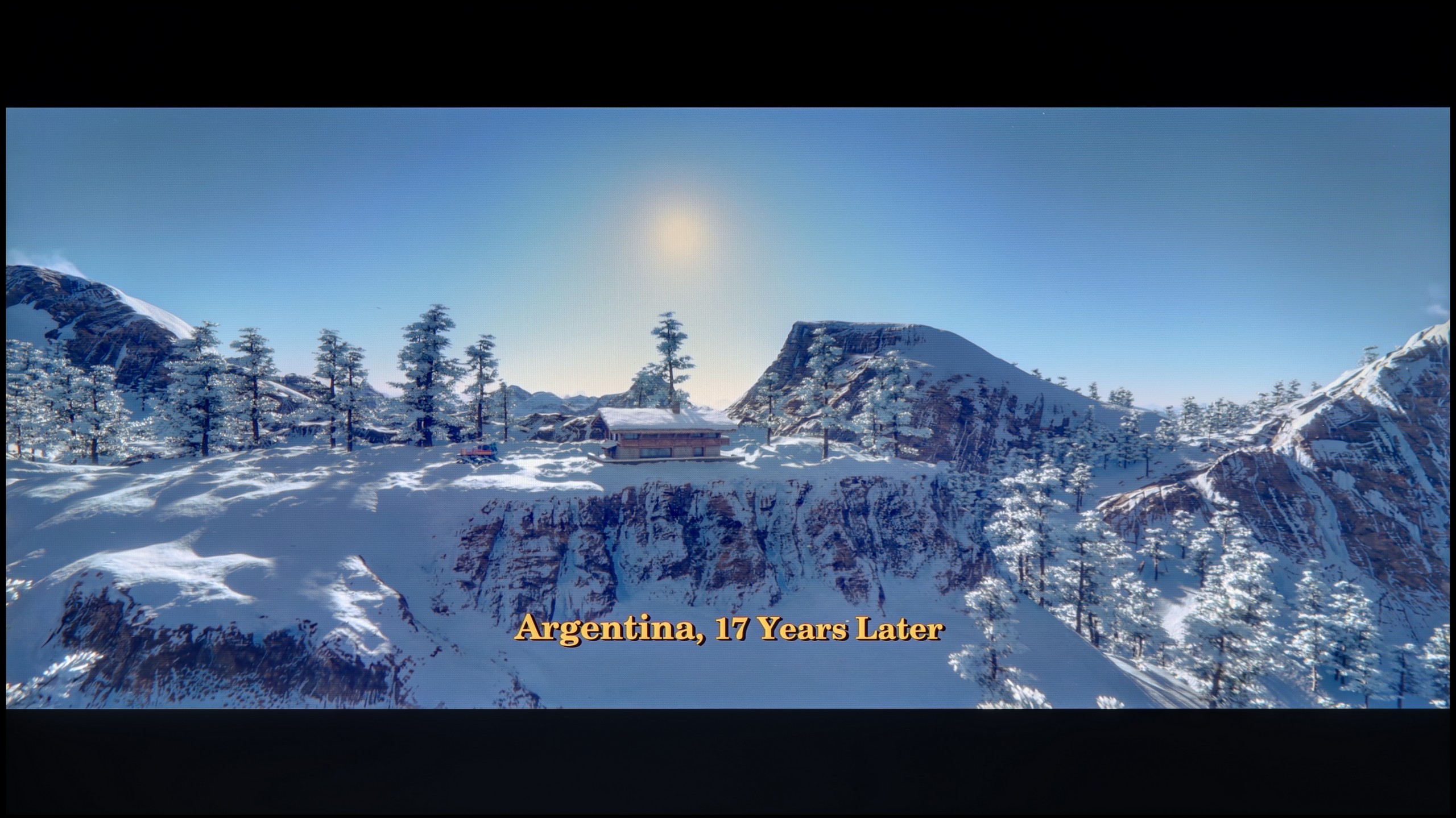
These are selected scenes that show smooth tonal transitions from one color to another. If you see distinct banding, it’s the TV panel’s fault.

These are selected scenes that show smooth tonal transitions from one color to another. If you see distinct banding, it’s the TV panel’s fault.
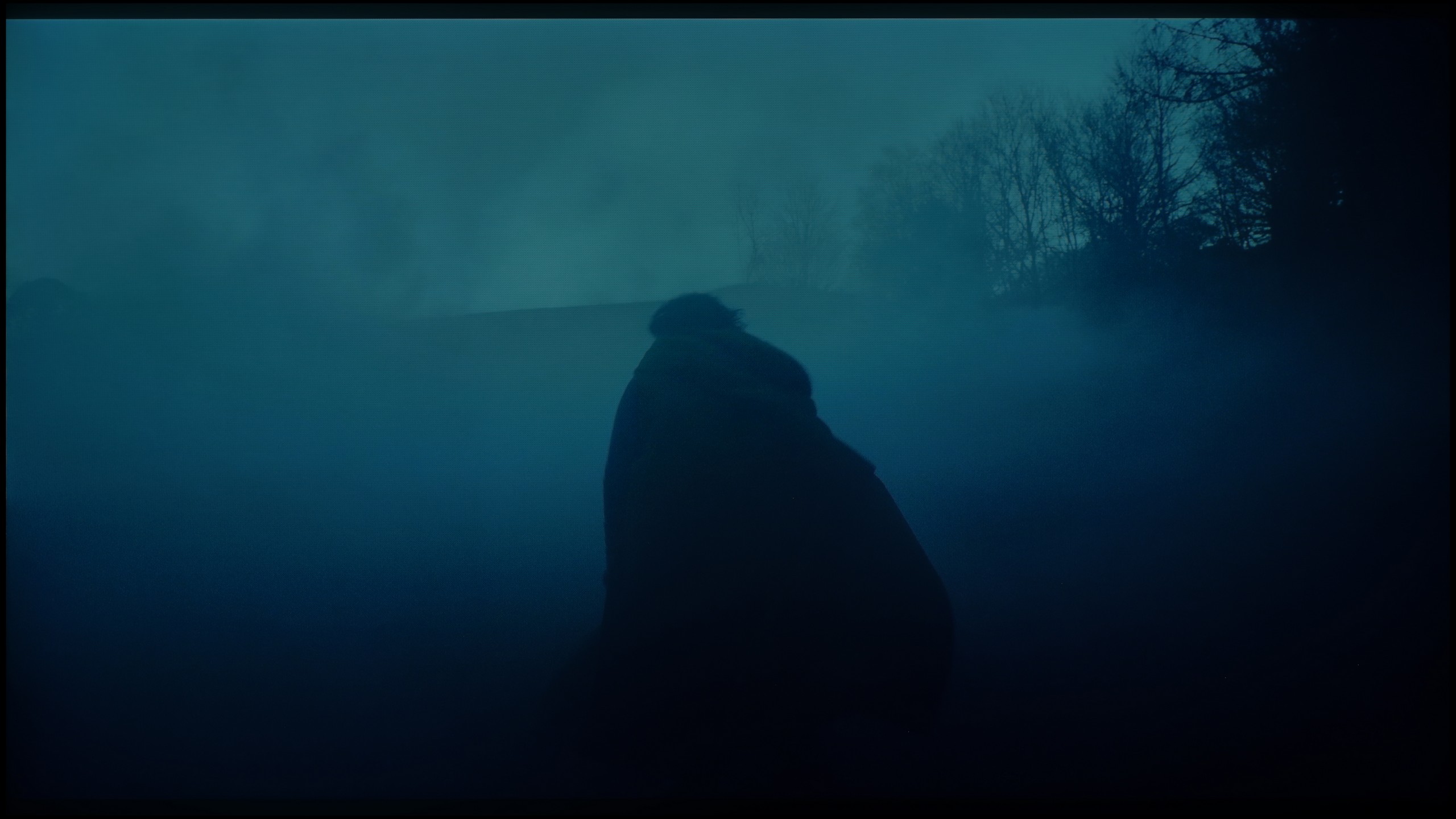
These are selected scenes that show smooth tonal transitions from one color to another. If you see distinct banding, it’s the TV panel’s fault.

These are selected scenes that show smooth tonal transitions from one color to another. If you see distinct banding, it’s the TV panel’s fault.
Samsung OLED S85D performs very well with the smoothness of tonal transitions. There are no major issues, and the transitions between different colour levels are smooth and natural. The only minor drawback is slight issues around the reds, where in some scenes, subtle disturbances can be noticed. Nevertheless, the overall effect is very positive – the television handles most materials excellently.
Here Samsung really deserves huge applause. The Frame Pro has turned out to be one of the best televisions of this year when it comes to the smoothness of tonal transitions. During tests, we were practically unable to notice any clear issues with colour blending – the gradients looked smooth and natural, and the typical "banding" that many televisions present simply did not appear. Indeed, in very dark scenes, one can notice minimal imperfections, but you really have to squint to see them – even the trained eye of our editorial team had difficulty with this. Therefore, in everyday viewing, there is no chance that anything will disrupt your experience. This is a major plus, as it is in darker scenes that televisions most often struggle. You won't experience that here.
Image scaling and smoothness of tonal transitions
7.4/10
7.5/10


Smooth transition function

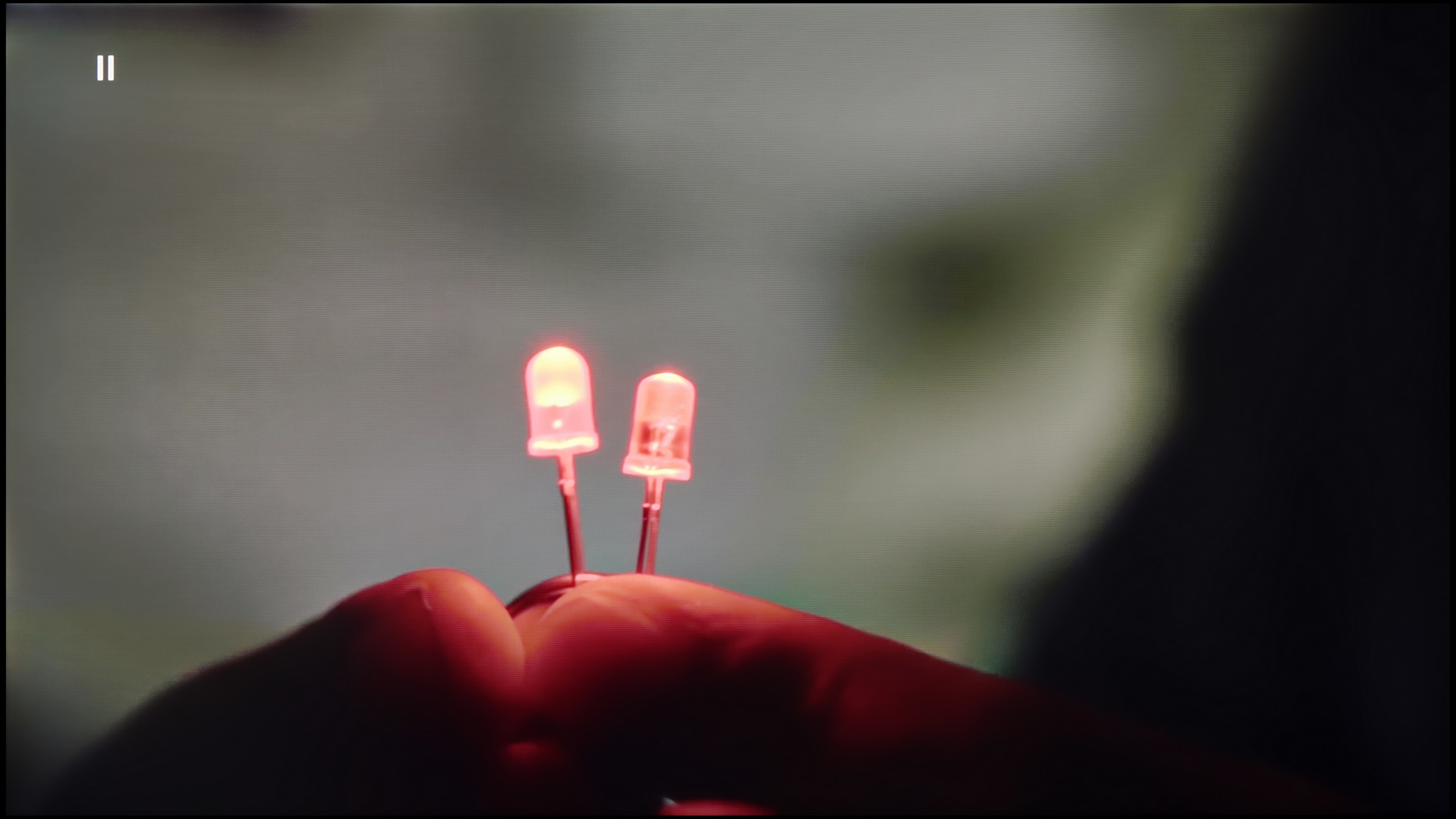
The match photo shows how the TV smooths weak tonal transitions in low-quality video.
Image scaling SD (576i)


The model photo shows how it handles upscaling of SD material.
Samsung S85D performs excellently in scaling images and smoothing tonal transitions. Like in other Samsung models, the television offers three noise reduction modes: off, standard, and high. Although it effectively improves gradations, it unfortunately also removes film grain, which many viewers desire to give the image a cinematic character. This grain often adds authenticity and a certain rawness to films, which is lost after smoothing. Removing the grain can make the image look too sterile and smooth, which detracts from the charm of the original film material. When it comes to scaling images, the Samsung S85D handles lower resolution content beautifully – the model in the picture and the branches in the background were displayed correctly, with no major issues with edge aliasing. The only noticeable drawback is the presence of overscan, which can sometimes cut off parts of the image, which may not please everyone.
Although the fluidity of tonal transitions in 4K HDR materials on The Frame Pro is not a problem at all, naturally, with a weaker signal - television, HD materials, or older Full HD films - imperfections may arise. Therefore, it is crucial how the television copes with these limitations thanks to its image processor. The noise reduction function works really effectively here. At the medium setting, it eliminates unwanted bands or artefacts, smoothing the image in a noticeable yet not excessive way. However, it's worth noting that Samsung tends to be aggressive in its approach - even at the lowest level of this function, it can "consume" film grain. So it's advisable to use it judiciously and adjust the settings to the material being viewed.
The upscaling itself is at a high level. The Frame Pro can effectively enhance older materials to a native 4K resolution while maintaining good sharpness and readability. Films and series in lower quality simply look better here. However, it should be mentioned that there is a minor drawback - typical for many Samsung televisions. With very old sources of poor quality, you may notice clipping of the image edges on the left side of the screen. It's not a problem that will ruin the viewing experience, but it's worth knowing that it might occur.
Blur and motion smoothness
8.5/10
7.8/10

Blur (native resolution, maximum refresh rate):





Blur (BFI function enabled):
Image flickers in this mode
Image flickers in this mode



Blur ():
Blur (4K@144Hz):



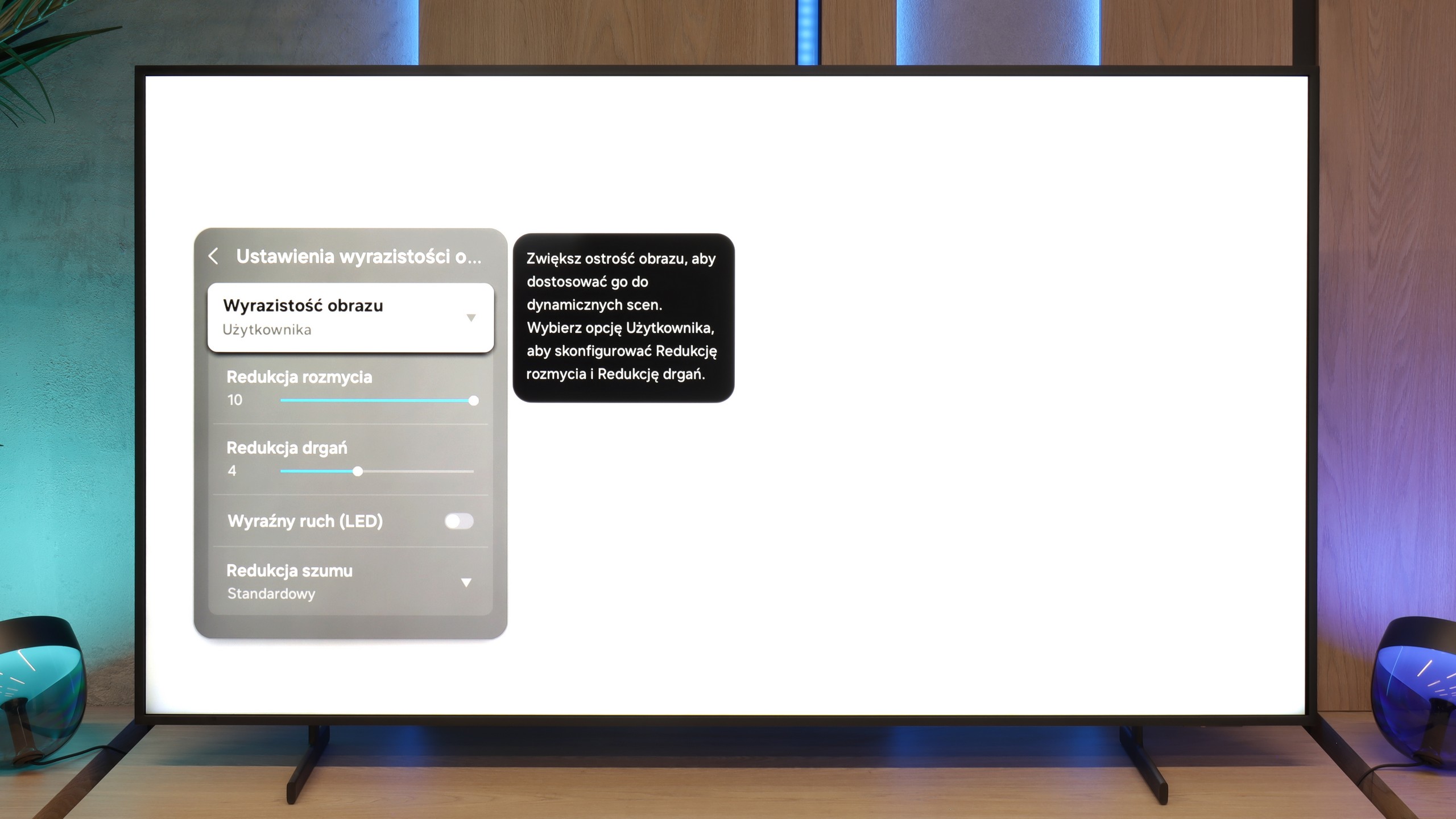
As befits an OLED television, Samsung S85D offers excellent motion fluidity. Equipped with a 120 Hz panel and fast response time, the television provides very smooth playback of dynamic scenes without visible ghosting. For movie enthusiasts, there is a feature called "Image Clarity Settings," which allows adjusting the fluidity of the image to individual preferences on a 10-point scale. Motion blur reduction enhances the sharpness of rapidly moving objects, while motion smoothing smooths out movement, eliminating the "judder" effect. This way, every user can set the appropriate level of clarity that best suits their taste, from a more cinematic effect to sharper, smoother movements.
The smoothness of motion in The Frame Pro is not only due to the matrix, which operates with a refresh rate of up to 144 Hz, but also the image processor and the smoothing system. It is thanks to this that we can adjust the way films or sports broadcasts are displayed to our own preferences. There are sliders for reducing blurring and reducing judder – the first function improves the sharpness of fast movements, while the second helps to soften the effect of a "jumping" image during camera pans. So, everyone can choose between a cinematic motion character and a smoother, more "television" style.
Console compatibility and gaming features
9.5/10
8.2/10
- ALLM
- VRR
- VRR range48 - 120Hz48 - 144Hz
- Dolby Vision Game Mode
- Correct implementation of HGIG
- 1080p@120Hz
- 1440p@120Hz
- 4K@120Hz
- Game bar

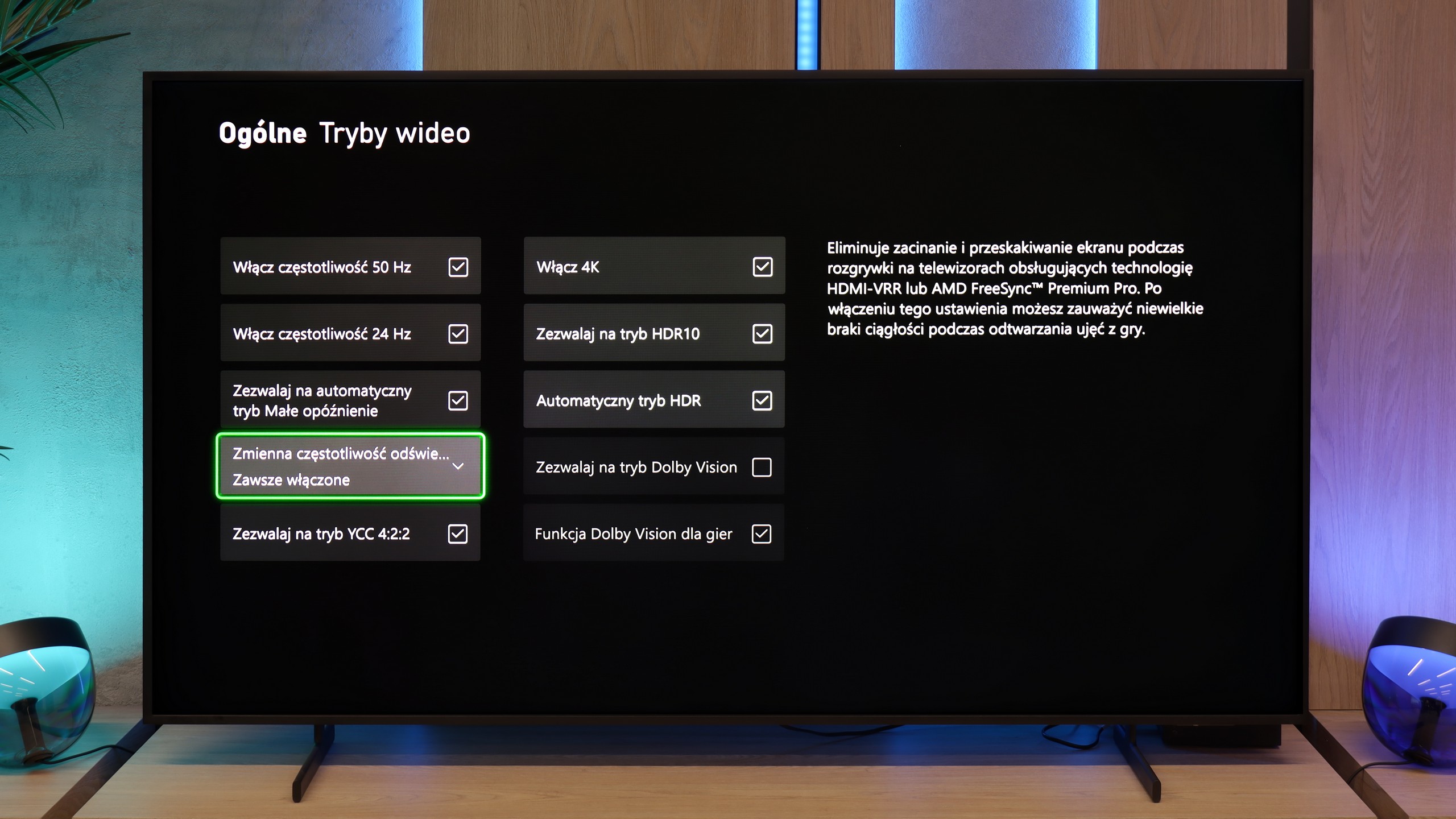

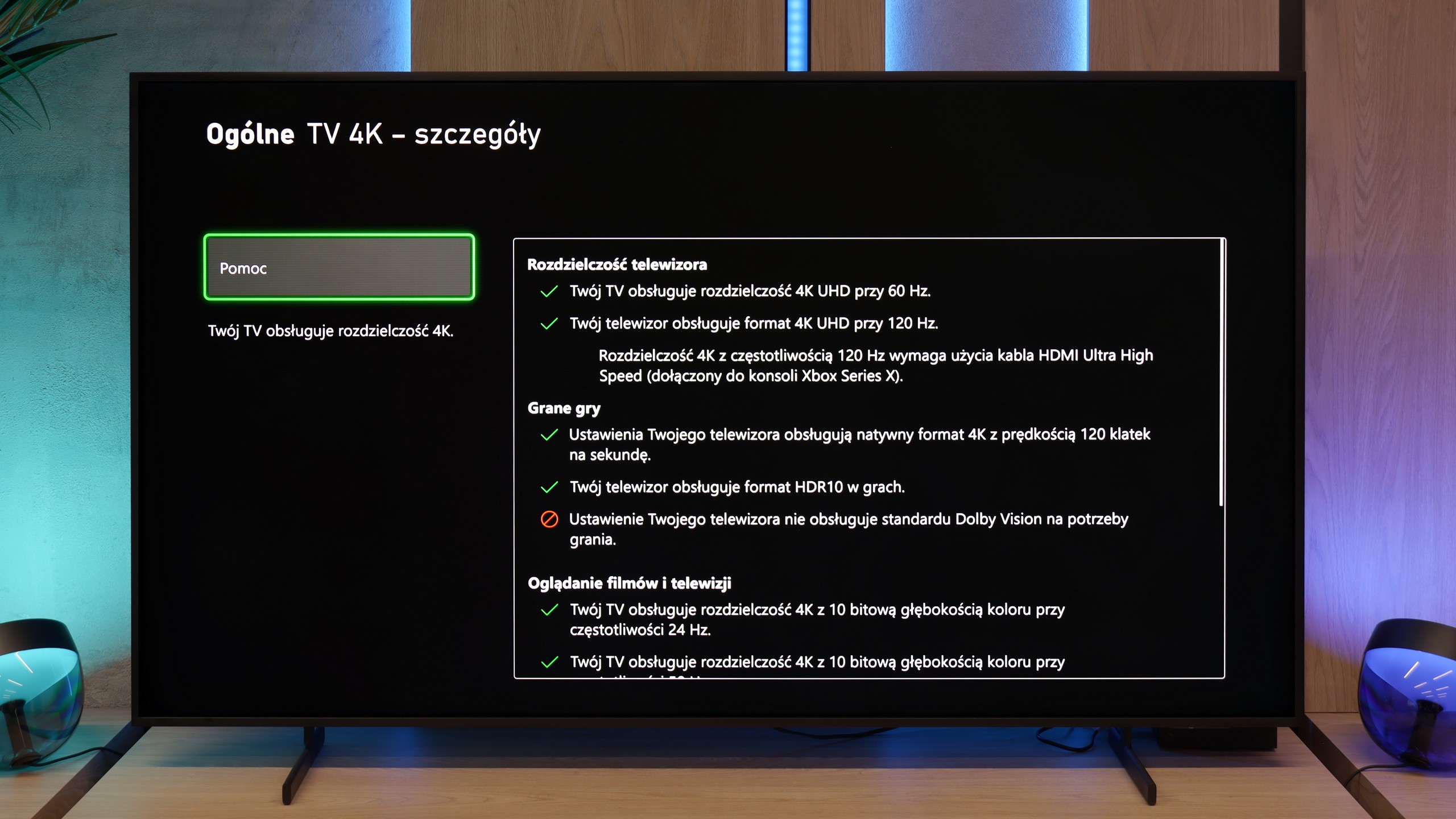

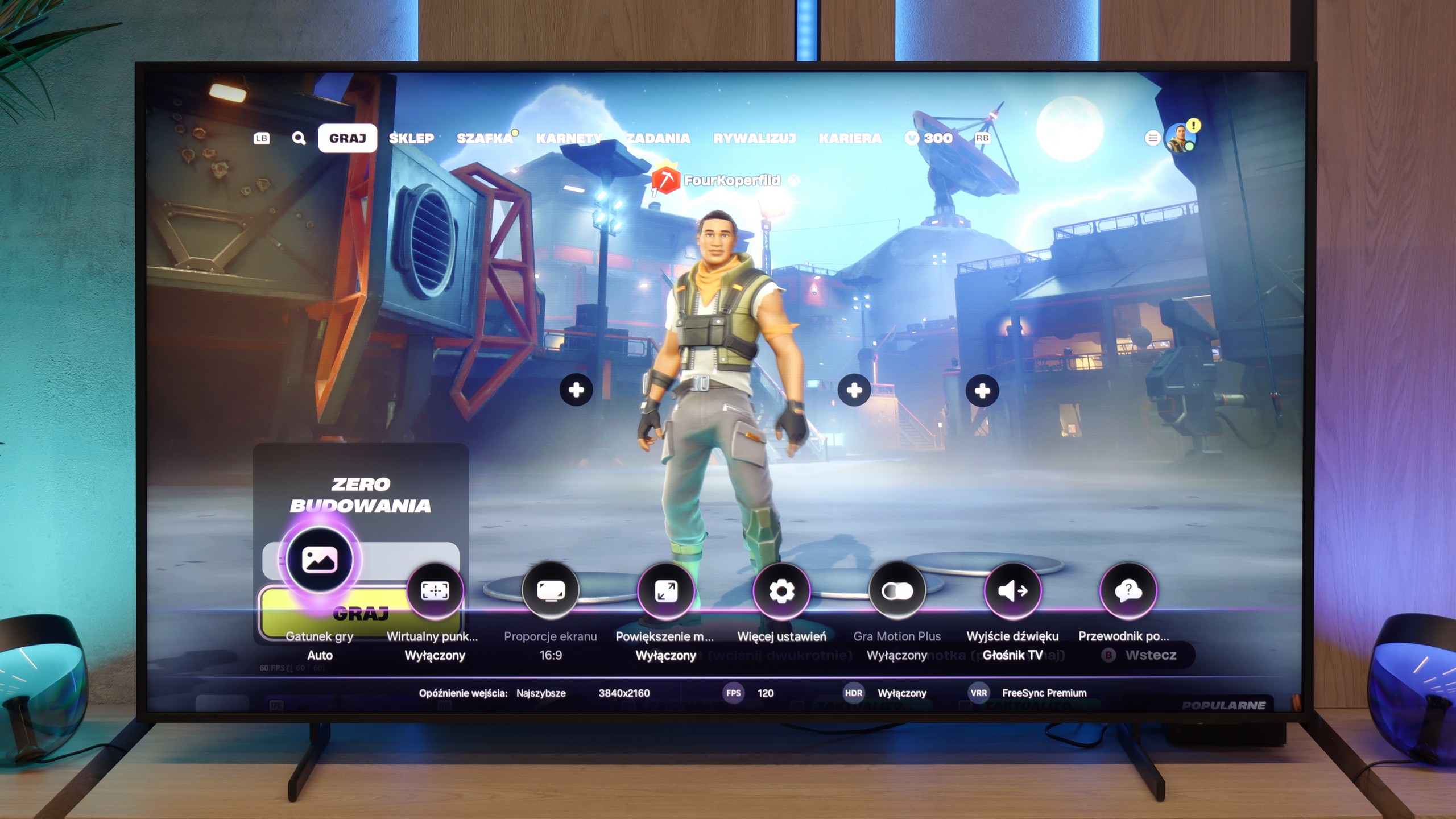

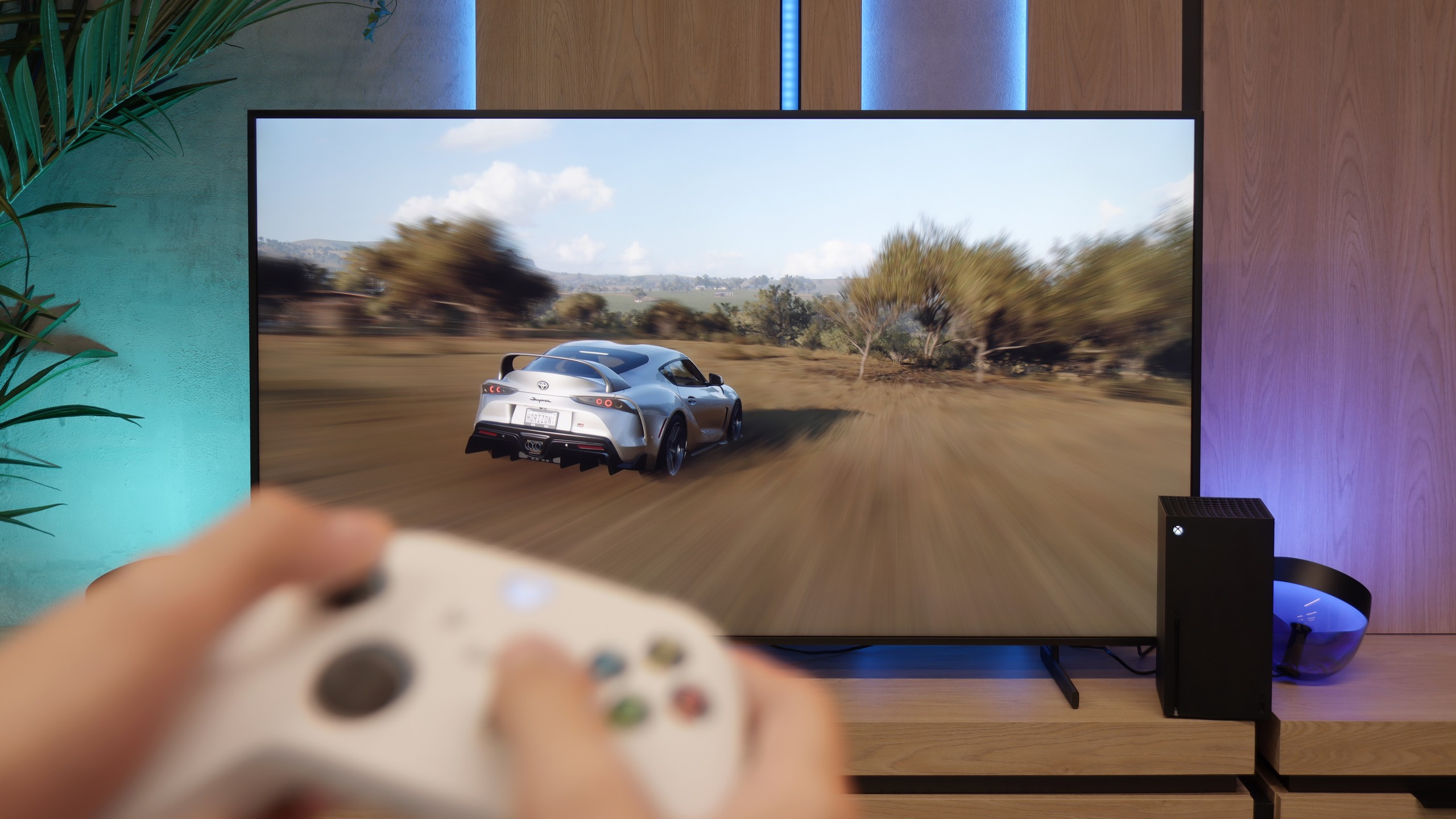
Samsung S85D OLED is an excellent choice for gamers, thanks to its many modern features that facilitate and enhance gameplay. The television has four full-bandwidth HDMI 2.1 ports, allowing you to connect the latest consoles without worrying about image quality or frame rate limitations. This means support for 4K resolution at 120 Hz, which is ideal for modern titles. Additionally, the Samsung S85D has an ALLM (Auto Low Latency Mode) feature that automatically activates low latency mode when it detects a gaming device. This means you don’t have to manually switch settings – the television takes care of ensuring a fast response time, which is crucial in games where every second counts.
The VRR (Variable Refresh Rate) feature and G-Sync support are additional elements that make gameplay smoother. VRR adjusts the refresh rate to the number of frames generated by the console or computer, eliminating screen tearing and stuttering. This is particularly useful in dynamic games where the frame rate can fluctuate. Auto Motion Plus Game is a feature that Samsung has introduced with gamers in mind, and it is worth appreciating. With it, the image in games becomes smoother – 30 frames per second look like 45, and 60 Hz gains in fluidity, creating an effect close to 90 Hz. At the same time, there is no significant increase in input lag, which remains below 25 ms, making this feature stand out among others available on the market. Gamers can enjoy a smoother image without worrying about a decline in responsiveness.
Samsung has also ensured something extra – the television has a built-in Xbox Game Pass app, which means you can play in the cloud without needing to own a console. This is a great solution for those who want to enjoy gaming without investing in additional hardware. All you need is internet access, and you have a huge library of games at your fingertips. This makes Samsung S85D a fantastic choice for both casual gamers and those who are more advanced.
Samsung The Frame Pro does not pretend to be just a “living room” television; here, gamers will also find something for themselves. The manufacturer has ensured a full range of gaming features: we have support for variable refresh rate (VRR), automatic low latency mode (ALLM), refresh rates up to 144 Hz, and compatibility with both G-Sync and FreeSync Premium Pro. Additionally, there is the well-known Game Bar panel, which is a quick menu where key parameters can be checked on the fly—from refresh rates to enabled image processing modes. Are there any downsides? Indeed, The Frame Pro does not support Dolby Vision in game mode, but this is hard to consider a serious issue—most gamers use HDR10 anyway... which means HGIG mode. Exactly. The biggest surprise turned out to be the latest software update. Samsung… completely removed this option from The Frame PRO. In practice, this means that the television independently interprets HDR tone mapping in games, and the user has no way to enable settings developed for consoles. This is a step backwards that may disappoint more knowledgeable gamers hoping for full compliance with HGiG guidelines. We can only hope that this issue will be resolved quickly.
An interesting feature of The Frame Pro is also the unusual arrangement of HDMI 2.1 ports. There are as many as five available—four are located in the One Connect box, and the fifth, in micro HDMI version, is directly on the television. This is quite an unusual solution, but rather practical. Samsung clearly suggests that this is the port to which you should connect your console or computer. Why? Because it minimises potential delays associated with communication through the wireless One Connect, and in the case of gaming, every millisecond matters. We have written separately about input lag, but it can already be revealed here that by connecting equipment directly to the television, we achieve the absolute maximum in response speed.
Input lag
9.9/10
9.9/10
SDR
HDR
Dolby Vision
Samsung S85D achieves excellent results in terms of input lag, regardless of the refresh rate or resolution. This means that the screen responses are almost instantaneous, which is particularly important in fast-paced, dynamic games. Gamers can count on the television's lightning-fast response to controller movements, providing an advantage in competition and greater satisfaction from gameplay. Low input lag is a definite advantage of this model, making the Samsung S85D OLED the perfect choice for gaming enthusiasts.
The Frame Pro in wired mode records truly excellent results. Latencies range from 9 to 14 ms, providing smooth and immediate response in games. These are values that can easily be considered reference – even in dynamic titles, the action proceeds without delays, and the controls are precise and predictable. The situation changes when the wireless One Connect module comes into play. While it allows you to hide cables and enjoy greater freedom of arrangement in the room, it significantly worsens the input lag results. In tests conducted at a distance of 2–3 meters from the television, with no furniture obstructing the path, the values jumped to 50 ms. While this is acceptable when watching films because input lag does not concern us at all, it becomes problematic in games and severely detracts from the experience. It’s a bit of a paradox – on one hand, we have a television that in wired mode offers some of the best results on the market, while on the other, Samsung promotes a solution that proves to be quite detrimental for gamers. After all, the console is one of the key devices we usually connect to the television...
For the record, here are our wireless measurements from a distance of 2-3m:
SDR | HDR |
|---|---|
1080p60 Hz: 39 | 2160p60 Hz HDR: 40 |
1080p120 Hz: 25 | 2160p120 Hz HDR: 25 |
2160p60 Hz: 40 | |
2160p120 Hz: 25 |
Compatibility with PC
7.6/10
8.4/10

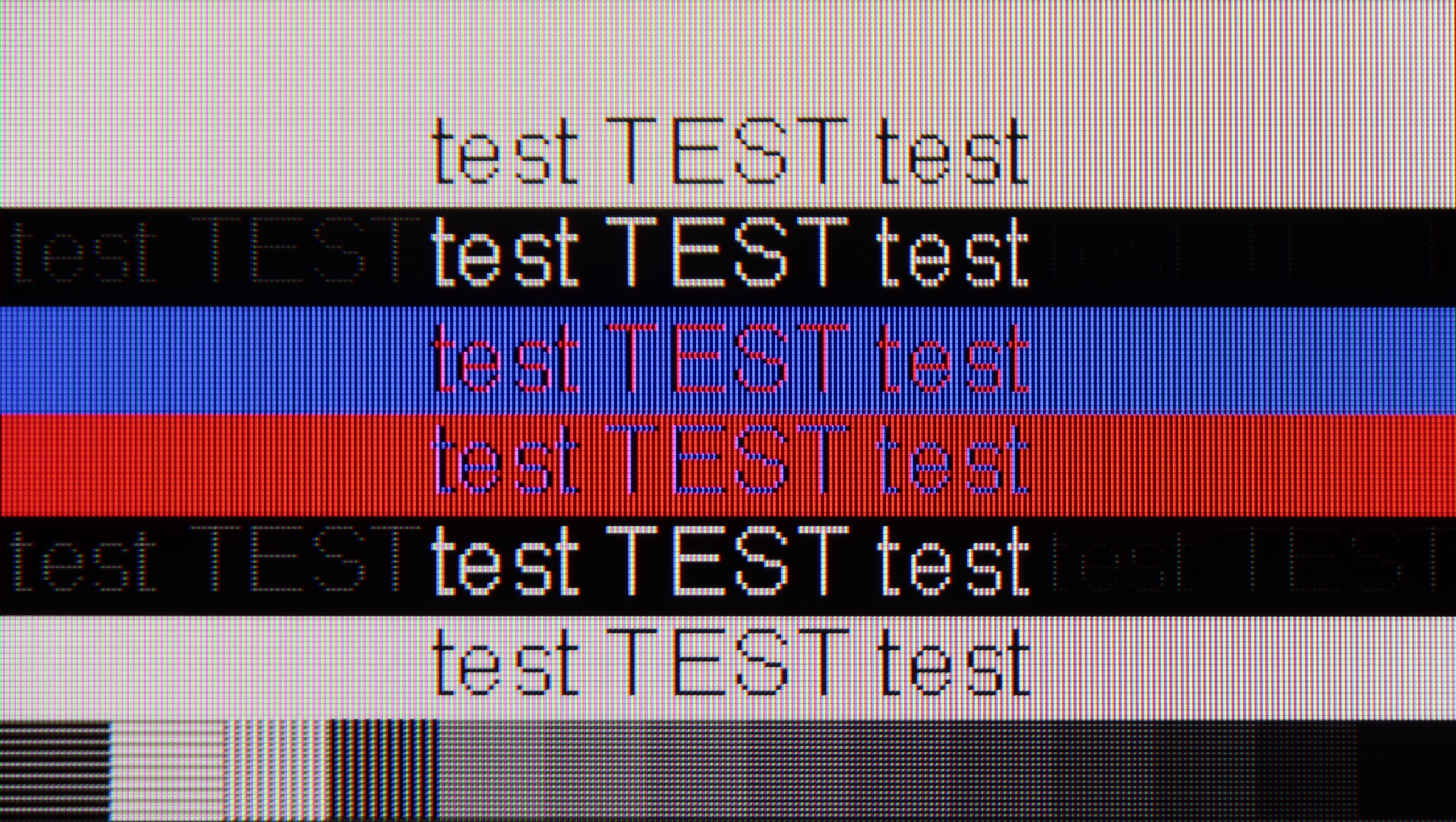
The photo shows the legibility of small fonts. Ideally, lines should be the same thickness on both light and dark text, with minimal pixel gaps.
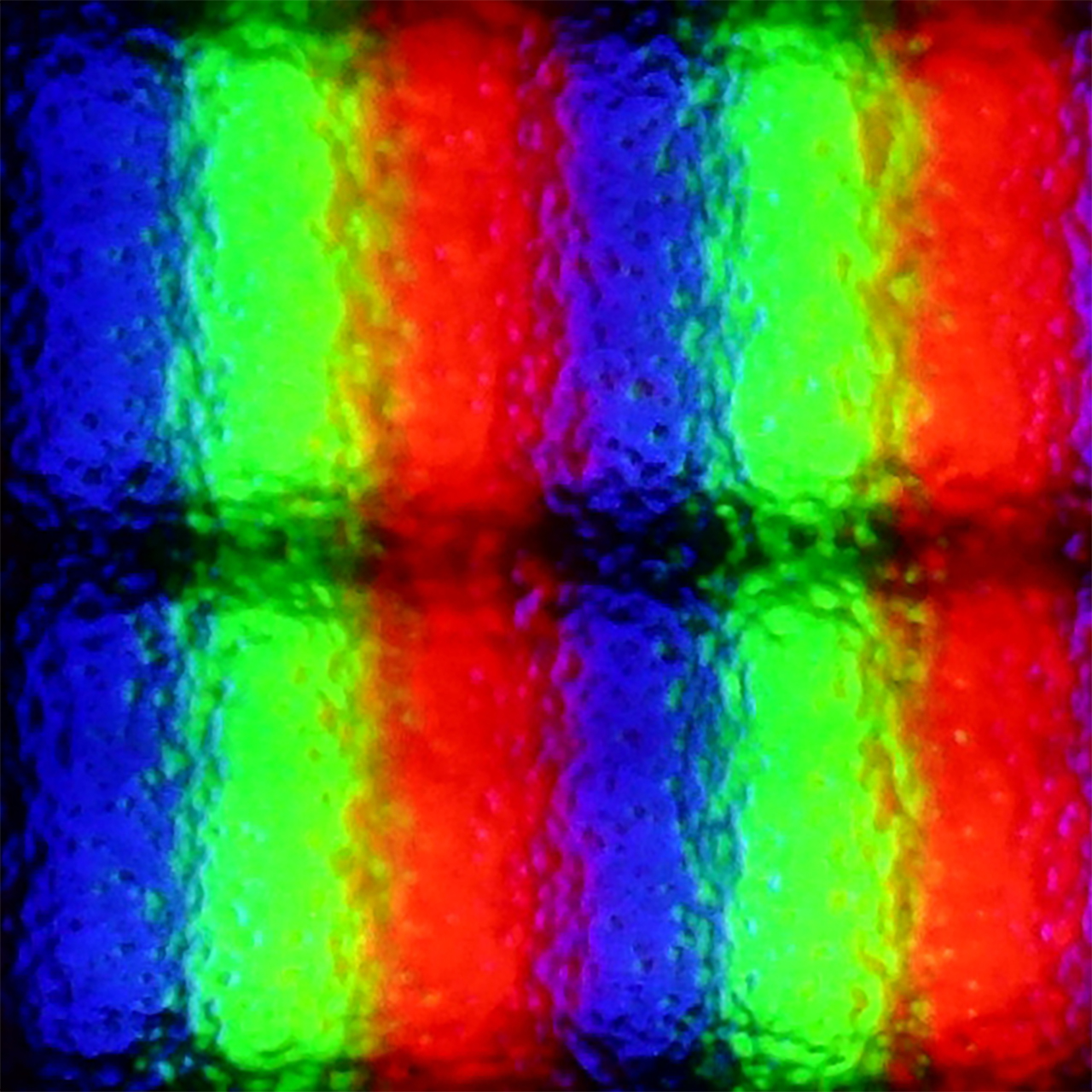
Samsung S85D performs very well as a computer monitor. Thanks to the clear visibility of text, regardless of the type of background, using it is convenient and comfortable. The support for 4:4:4 chroma ensures precise rendering of text and graphics, which is important for office work, browsing the internet, or editing documents. Samsung S85D is a versatile television that also easily serves as a monitor for everyday use. We deducted 0.4 points for the WRGB layout, as is the case with any television with such a sub-pixel arrangement.
Connecting The Frame Pro to a computer via cable is basically no philosophy - it works as it should. The image is clear, the fonts look good, you can comfortably manage daily tasks in Word or Excel, and then launch a game, and it’s still fine. However, the real fun begins when we use the wireless module. And here the whole paradox of this television emerges again - a solution that was supposed to make life easier in theory can actually complicate it quite a bit in practice. It’s not just about the aforementioned delays that can be immediately felt when using the mouse, but also about the overall readability of the image. The fonts start to look simply worse, at times you can see what seem like slight stripes, and the letters lose their sharpness, making text work quite exhausting. And it’s really strange that such a simple thing as displaying letters on the screen can fall apart here due to the wireless module. Therefore, if someone plans to use The Frame Pro with a computer - whether for work or gaming - it’s really worth connecting it via cable from the start. Otherwise, you can quickly become frustrated and instead of enjoying a large screen, you’ll feel like your eyes are fighting with the television for every paragraph of text.
Viewing angles
7.5/10
3.1/10
The viewing angles on the Samsung S85D are excellent, as is fitting for an OLED. The image remains sharp and does not lose quality even when viewed from a wide angle, making the television perfect for larger rooms and watching together with family or friends. The only televisions that offer better viewing angles are those with QD-OLED or MLA OLED panels.
The Frame Pro features a VA panel, which immediately means that viewing angles are not its strong point. Just sitting a bit to the side reveals how the screen starts to lose quality – brightness drops, colours fade, and blacks, which look solid from a central perspective, suddenly resemble more of a dark grey velvet than deep tar. This is most noticeable at around a 40–45 degree angle – there, the image clearly brightens, and colour saturation decreases significantly. Overall, this is nothing new, as most LCD televisions with VA panels behave this way. At the cost of better blacks compared to IPS panels, we get worse viewing angles.
Daytime performance
5/10
7/10


Panel brightness
Samsung The Frame Pro: 614 cd/m2
Samsung S85D: 313 cd/m2
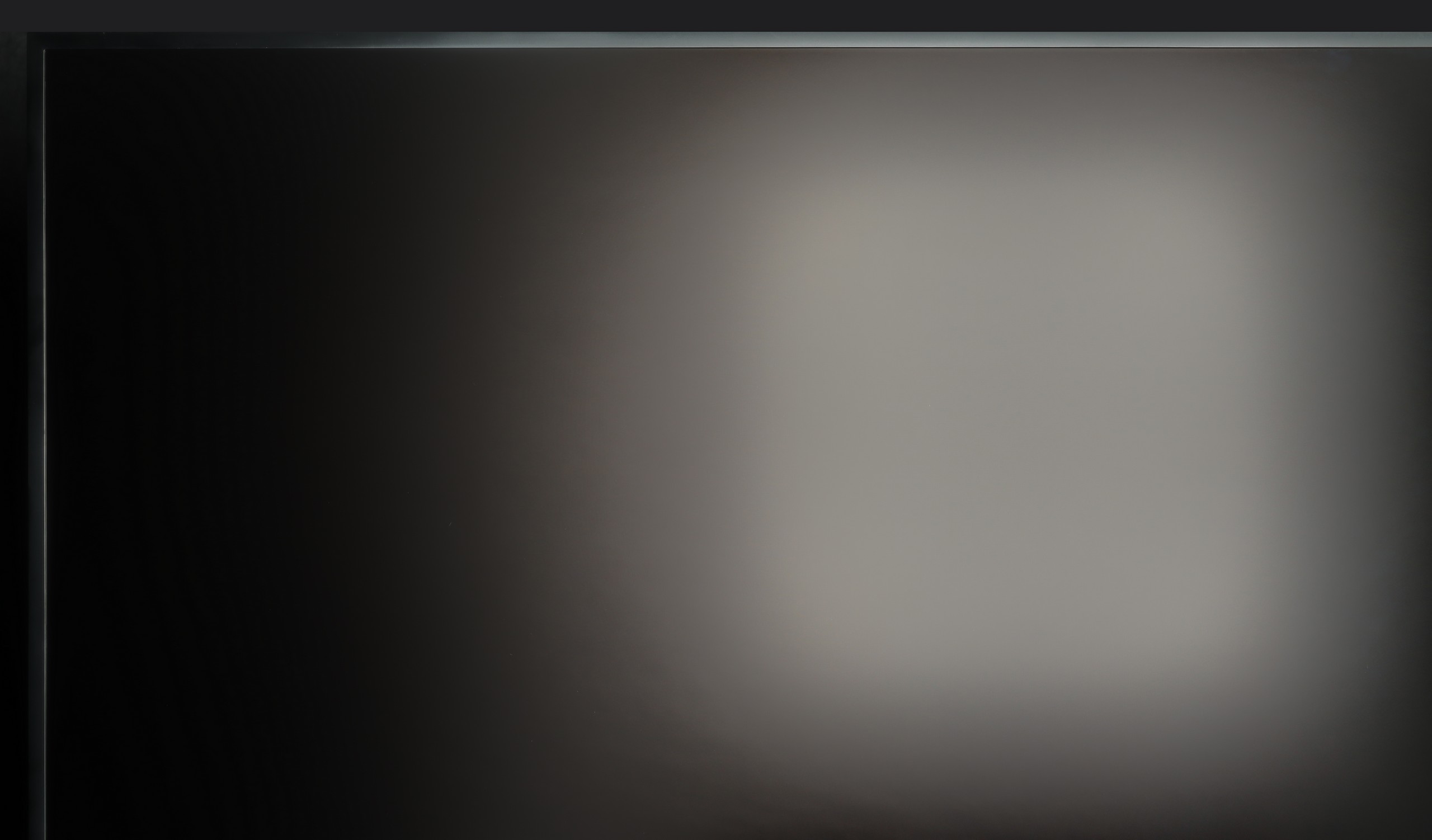
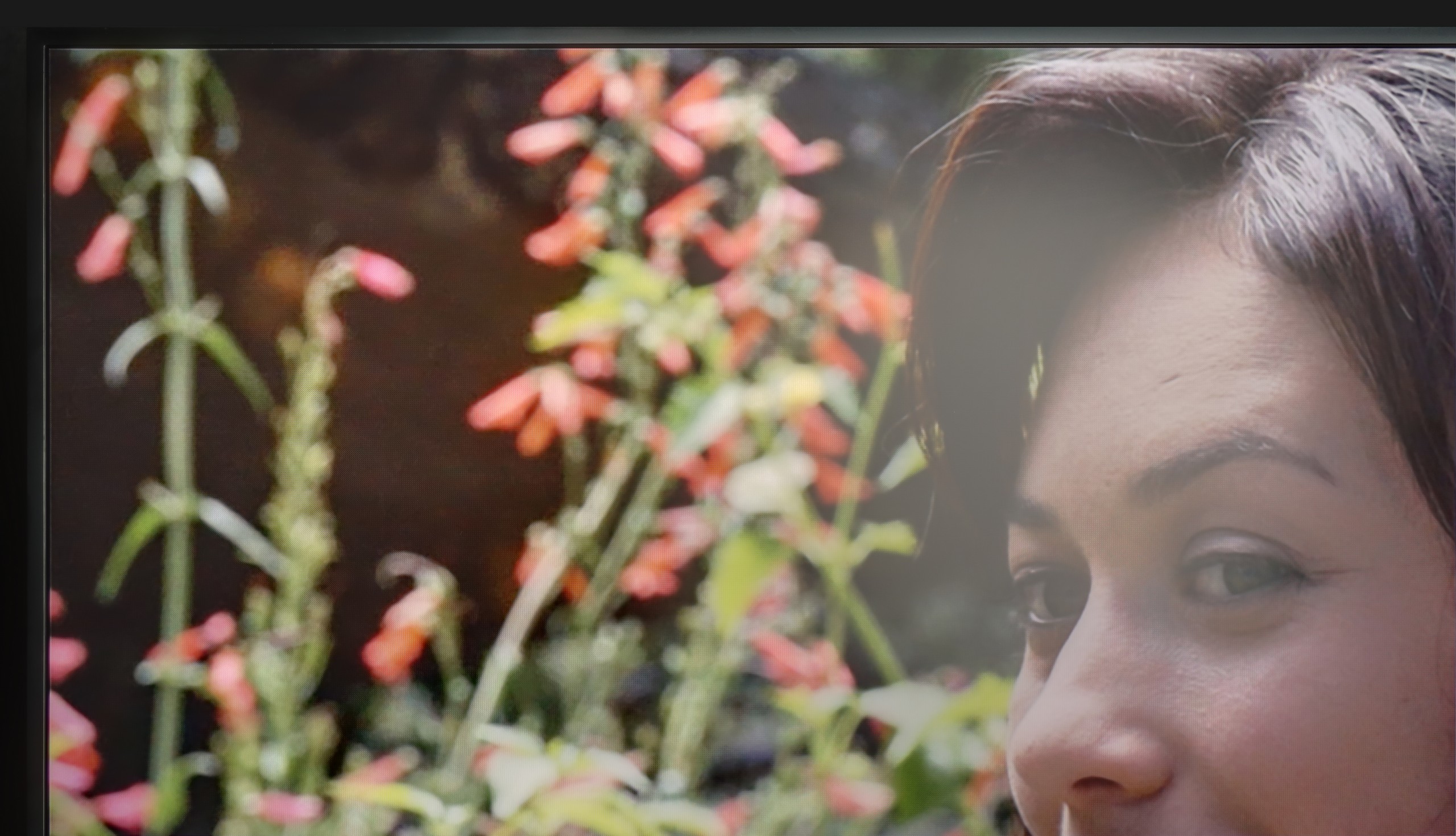
Samsung S85D handles reflections quite well thanks to the satin finish of the panel, which effectively dampens them. Unfortunately, the SDR brightness of 310 nits is rather average, meaning that in very bright rooms, the TV's performance may be limited. This is not an impressive result, so this model will definitely perform better during evening viewing, when such brightness will be sufficient. During the day, to achieve better comfort, it may be necessary to draw the blinds or curtains.
The Frame series has been distinguished by its matte screen coating for several years, and The Frame Pro from 2025 is no exception. It is thanks to this that you can rest assured that light reflections will not irritate you even in a brightly lit living room. Samsung has refined this technology to near perfection over the years, and today it can confidently be said that it is the best matte screen available in televisions. The colours still look good and do not drastically lose saturation, as is the case with cheaper, Chinese designs. The blacks also remain at a decent level, although it must be admitted that in extremely bright lighting conditions, the colours can slightly flatten and lose depth. However, this is a small price to pay for the complete lack of reflections on the screen – and this can be priceless in everyday use. The brightness must also be noted as a plus – around 600 nits in SDR mode ensures that the image cuts through daylight effortlessly and will look satisfactory in most rooms.
Panel details
Subpixel Structure:

Panel uniformity and thermal imaging:

Samsung S85D
Samsung The Frame Pro
TV features
7.2/10
7.7/10
- SystemTizenTizen
- System performanceVery goodGood
- HDMI inputs0 x HDMI 2.0, 4 x HDMI 2.1 48Gbps0 x HDMI 2.0, 5 x HDMI 2.1 48Gbps
- OutputsToslink (Optical audio), eARC (HDMI), ARC (HDMI)Toslink (Optical audio), eARC (HDMI), ARC (HDMI)
- Network InterfacesWi-Fi 2.4GHz, Wi-Fi 5GHz, Ethernet (LAN) 100MbpsWi-Fi 2.4GHz, Wi-Fi 5GHz, Ethernet (LAN) 100Mbps
- TV receptionDVB-T, DVB-T2, DVB-S, DVB-S2, DVB-CDVB-T, DVB-T2, DVB-S, DVB-S2, DVB-C
Classic features:
- Recording to USB (terrestrial TV)
- Recording programming
- Picture in Picture (PiP)
- RF remote control (no need to aim)
- Backlit remote control
- Teletext
- Audio only mode
- Bluetooth headphones support
- Simultaneous Bluetooth headphones & TV audio
Smart features:
- AirPlay
- Screen mirroring (Windows Miracast)
- Voice search
- Voice search in native language
- Ability to connect a keyboard and mouse


Sound connection options
- HDMI audioeARC (HDMI), ARC (HDMI)eARC (HDMI), ARC (HDMI)
- Other audio outputsToslink (Optical audio)Toslink (Optical audio)
- Wireless audioBluetoothBluetooth
Supported audio formats (external HDMI eARC audio):
- Dolby Digital Plus 7.1
- Dolby True HD 7.1
- Dolby Atmos in Dolby Digital Plus (JOC)
- Dolby Atmos in Dolby True HD
- DTS:X in DTS-HD MA
- DTS-HD Master Audio
Senior accessibility
- Numeric keyboard on TV
- Font size adjustment
- Audio description
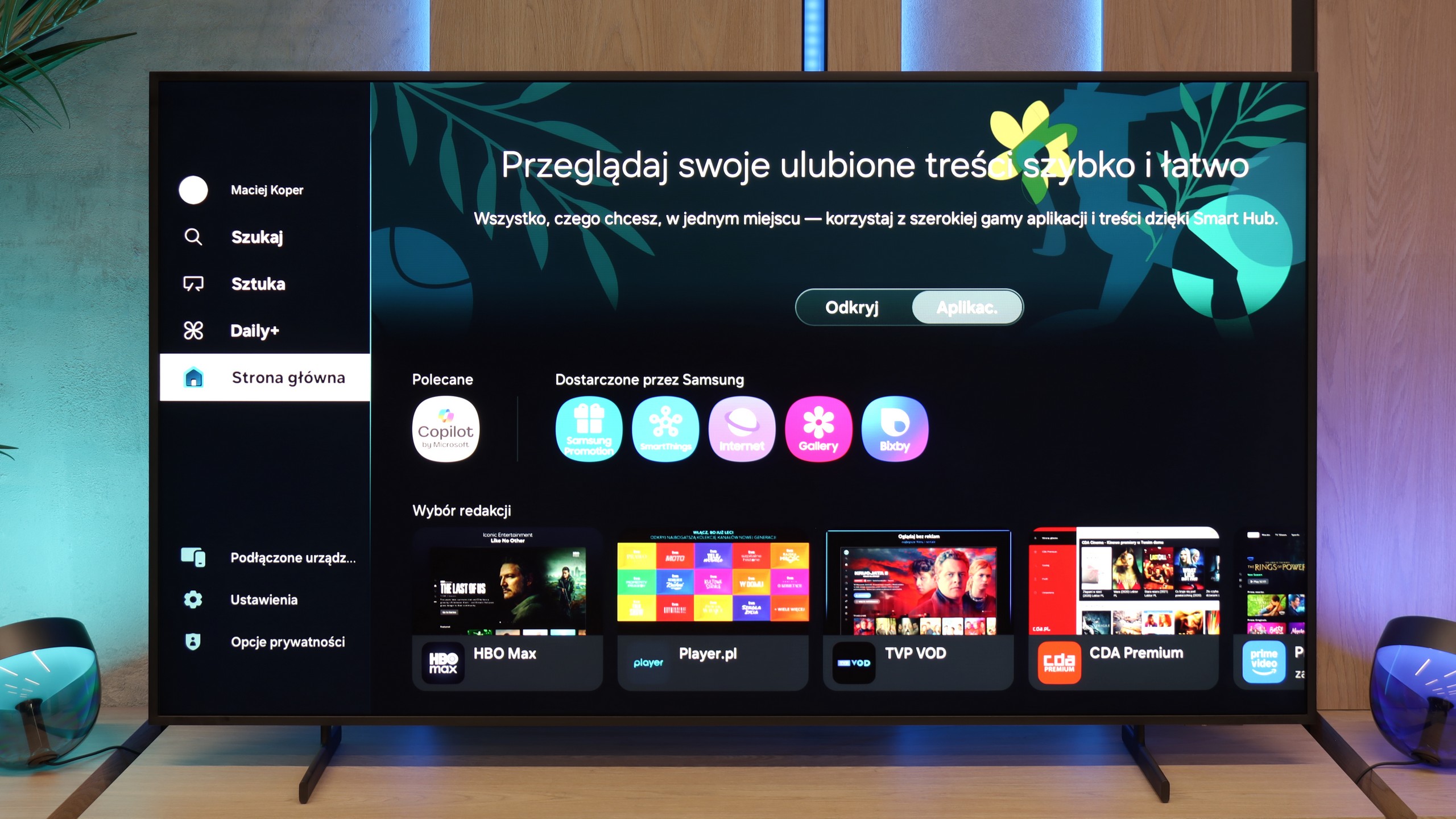
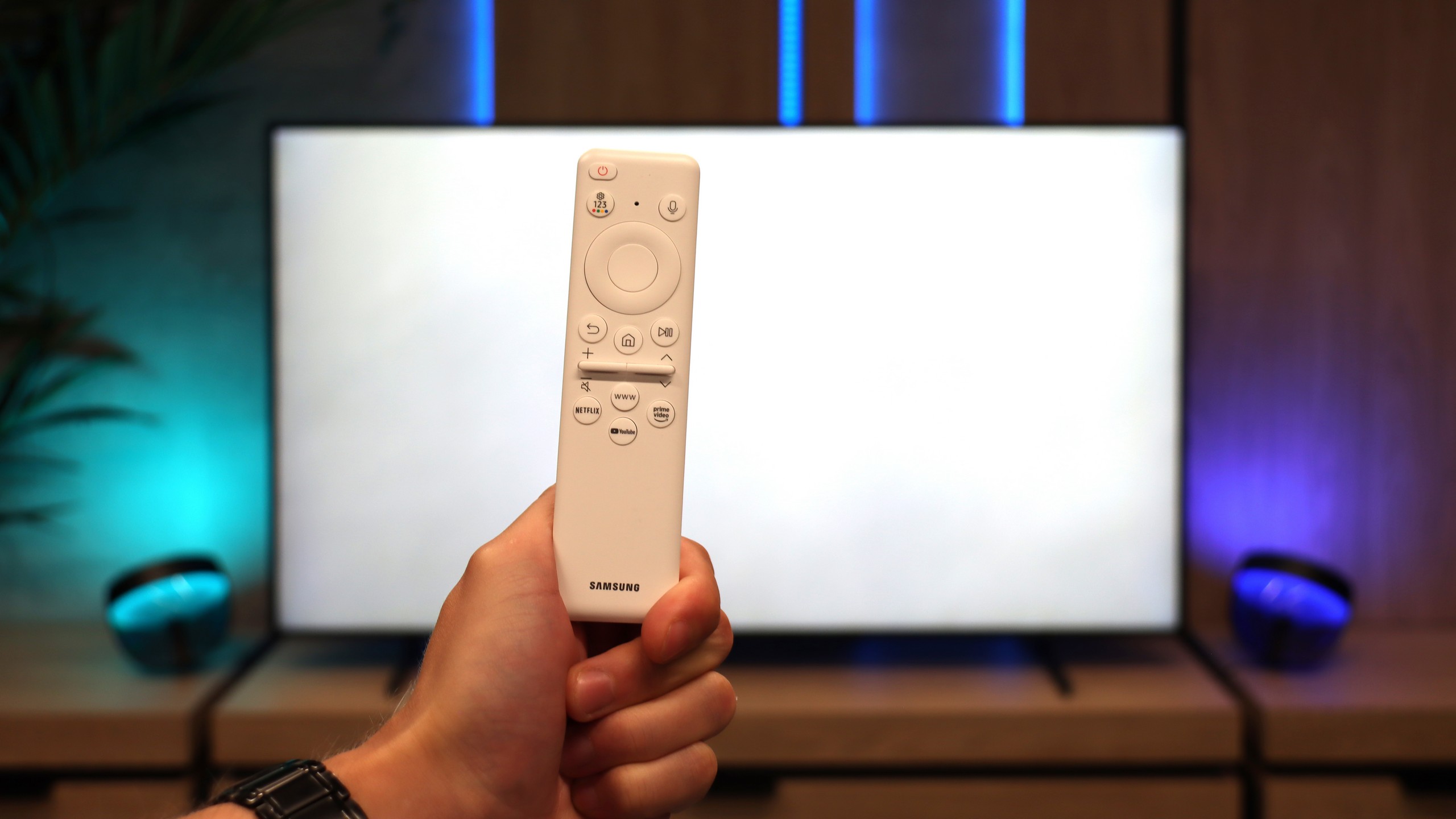
Samsung S85D operates on the Tizen operating system, which is intuitive and provides easy access to numerous applications and streaming services. The system offers smooth and quick navigation, significantly enhancing the comfort of using the television. The television is equipped with a solar remote control that allows the operation of other devices, such as set-top boxes or home theatre systems, enabling control of all home equipment with a single device. In terms of connectivity, the Samsung S85D supports AirPlay, facilitating content sharing from Apple devices, and includes a built-in Bluetooth module, allowing for the connection of peripheral devices such as keyboards, headphones, or speakers.
When it comes to everyday use of the television for regular TV, the S85D model offers several useful features but also has certain shortcomings. One of its advantages is the PIP (Picture-in-Picture) function, which allows simultaneous viewing of two content sources – for example, a match in a small window while the rest of the screen displays a favourite series. This is a convenient solution for those who want to stay updated with various programmes. However, the lack of recording capabilities from the built-in tuners is disappointing. This limitation means that favourite programmes or films cannot be saved for later, which may be an issue for those who wish to flexibly adjust their TV viewing to their schedule – however, we believe that the absence of this feature is becoming increasingly less burdensome, as users currently have wide access to various online content, making the need for recording less significant.
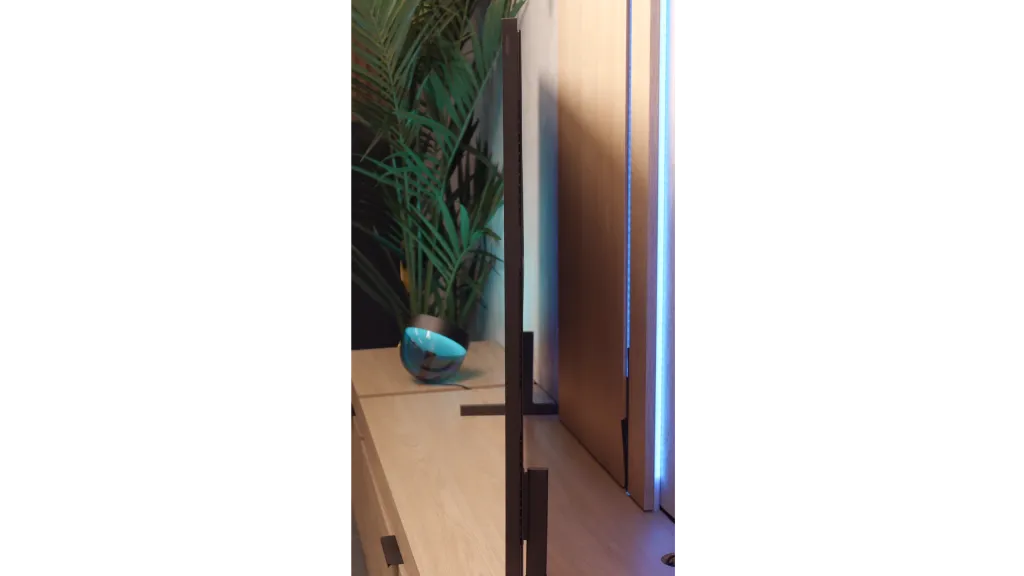
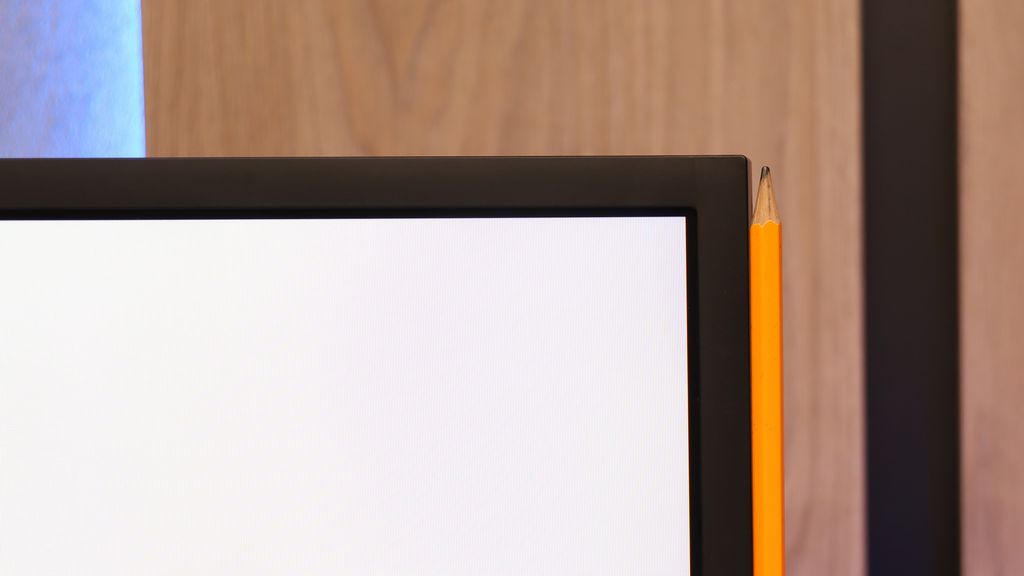
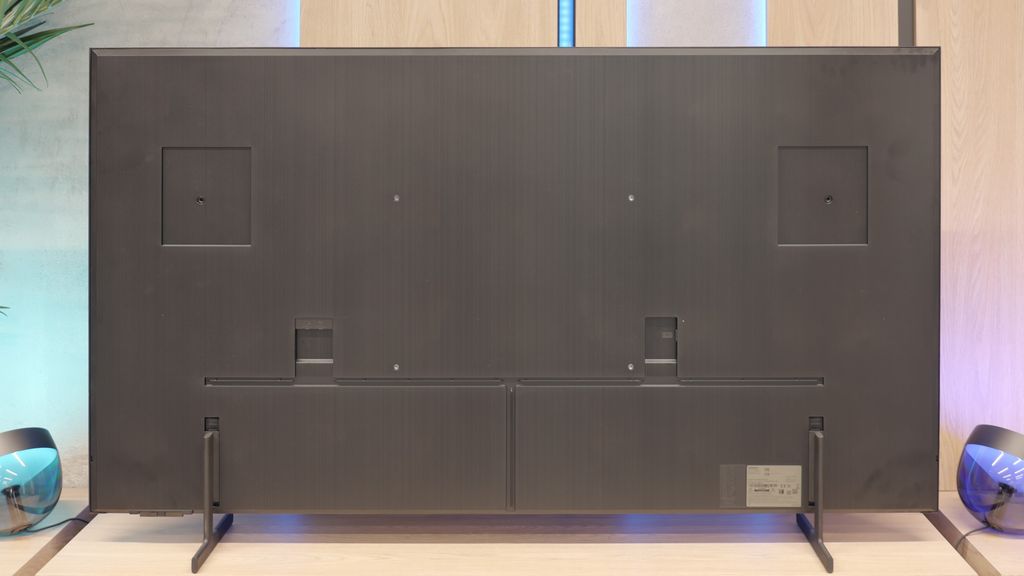
The design of the OLED Samsung S85D is distinguished by its characteristic rounded shape at the back, setting it apart from most OLED televisions, which typically have a flat rear. This unconventional design gives it a unique appearance and attracts attention, resulting in a television that looks modern and elegant. The package includes a remote control, a CI+ module, a stand in the form of two legs, and a power cable, allowing for a quick and convenient start to using the television without the need to purchase additional accessories.
Smart Features
Samsung The Frame Pro runs on the Tizen operating system, which has long been a hallmark of the Korean manufacturer. It is one of the most refined smart TV environments – fast, stable, and intuitive. Practically all popular streaming applications are available here, and the interface operates smoothly with minimal delays. It also supports features such as AirPlay 2, screen mirroring, and the ability to control the television using voice commands via Bixby, Alexa, or Google Assistant.
Television Functions
As for classic television functions – as is the case with almost every Samsung – this is not the device's strongest suit. We receive a clear EPG guide, teletext support, the ability to connect headphones via Bluetooth, and that’s about it. More advanced tools known from televisions (e.g. recording to USB or PiP) are not to be found here. However, this is standard in Samsung's offering. The manufacturer has been setting trends for several years and focuses mainly on smart features, while traditional television is treated somewhat neglectfully.
Art Store and Interchangeable Frames – a Unique Element of the Series
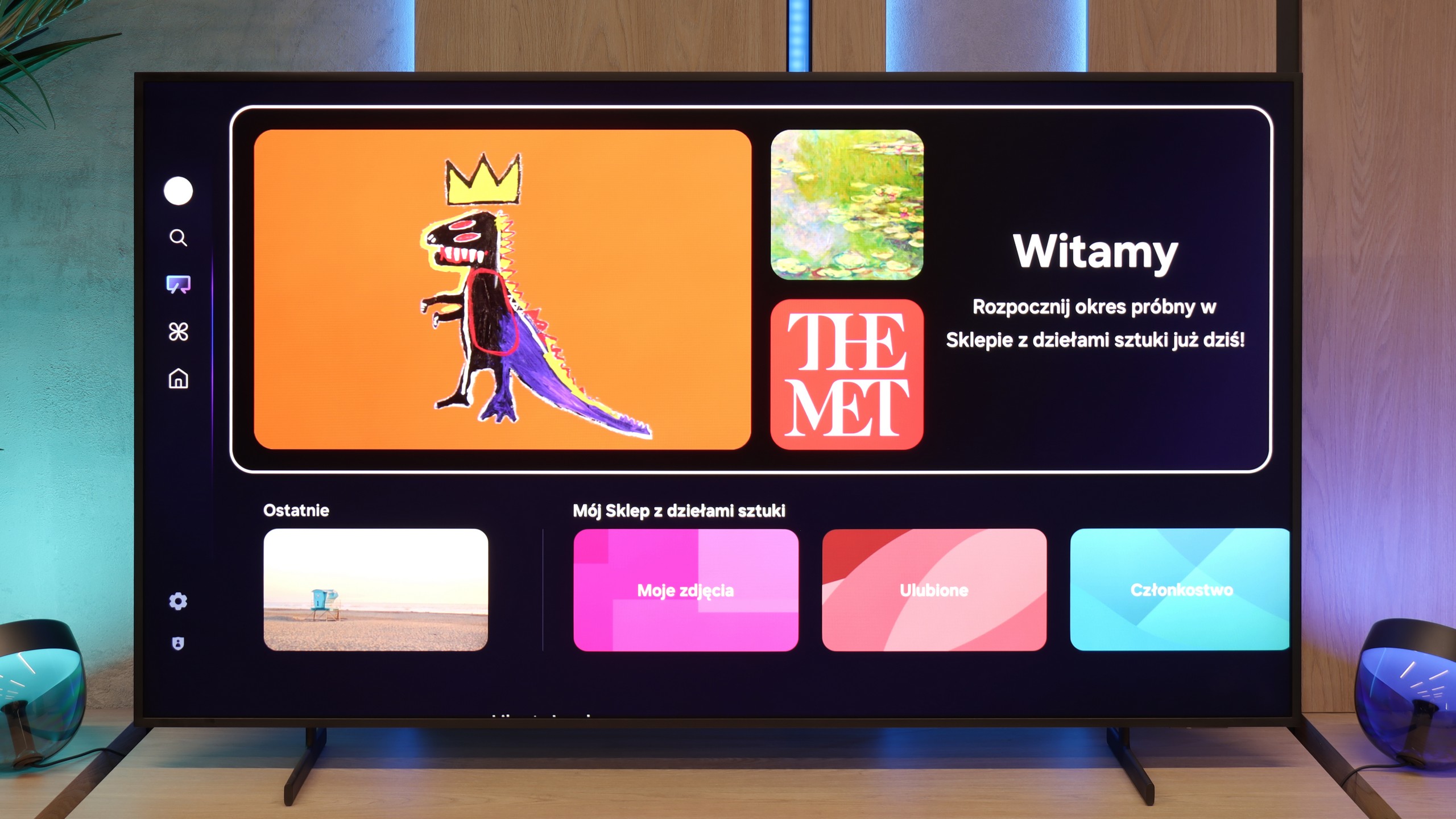
What has distinguished the The Frame series from the very beginning of its existence is the Art Mode and the Art Store application. Thanks to it, we can display reproductions of artworks on the screen, from classics to modern graphics. The service is indeed paid (in the form of a subscription or a one-off annual fee), but it ensures that the materials are prepared in the highest quality, making the displayed images look almost like they were painted. This element, along with the option of exchanging the television's frames, makes The Frame Pro serve a dual purpose as a television as well as a design element in the interior.
Wireless One Connect Module
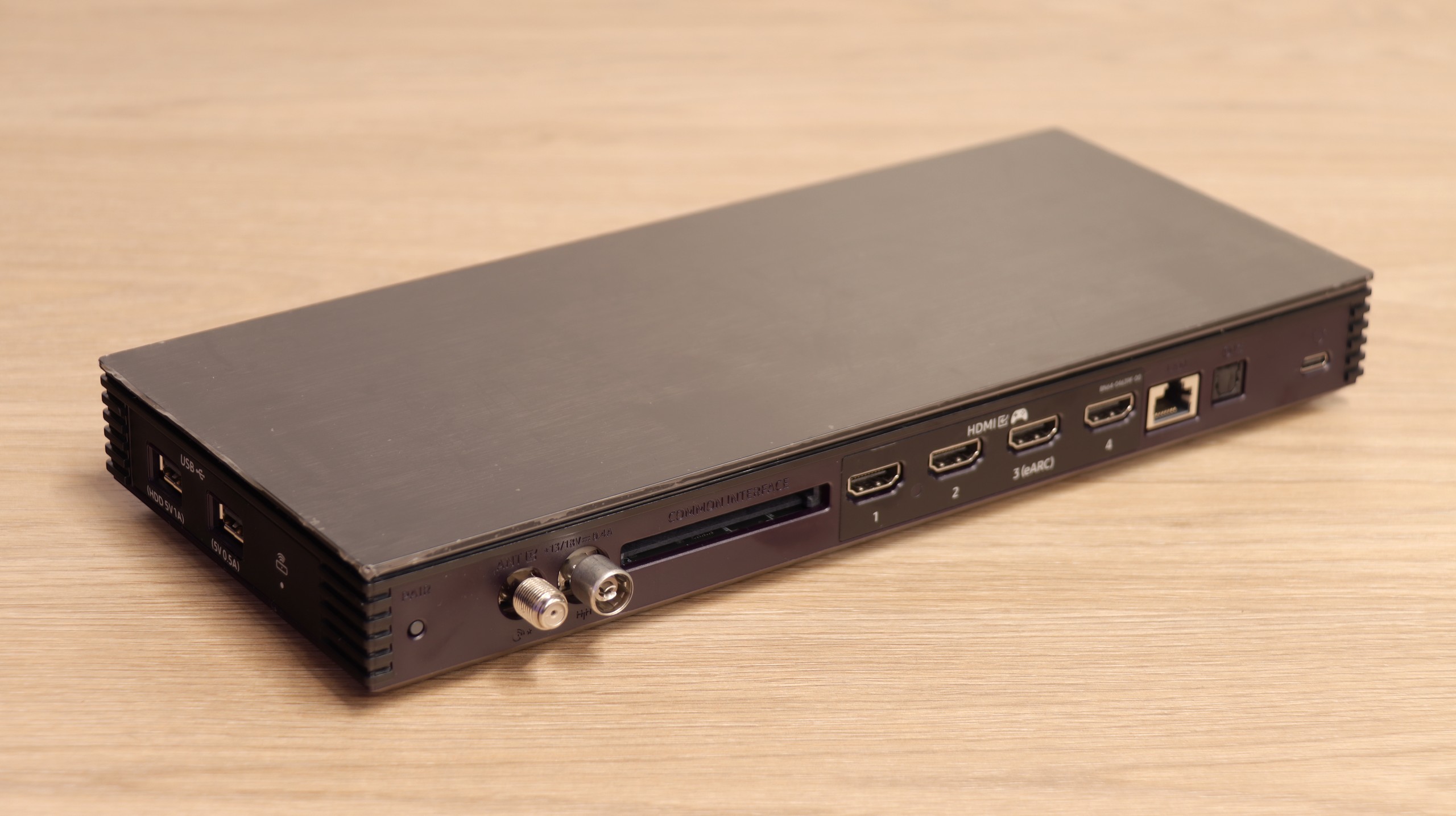
The second unique element of The Frame PRO is the One Connect wireless module, which houses all HDMI ports and other connections. Thanks to this, the television itself can hang on the wall almost like a real painting, while all the electronics and cables can be placed in a separate box set even a few meters away. The device is powered via USB-C and handles all of the television's "thinking" processes. While this solution has its limitations for gamers or those using PCs (delays, deterioration of font quality), it works excellently for connecting an amplifier, decoder, or individual multimedia devices. It is a very "gadgety" solution, but in everyday use, it proves to be simply convenient and allows for better space arrangement in the living room.
Apps
9.3/10
9.3/10






















Playing files from USB
9.1/10
9.1/10
Supported photo formats:
Maximum photo resolution:

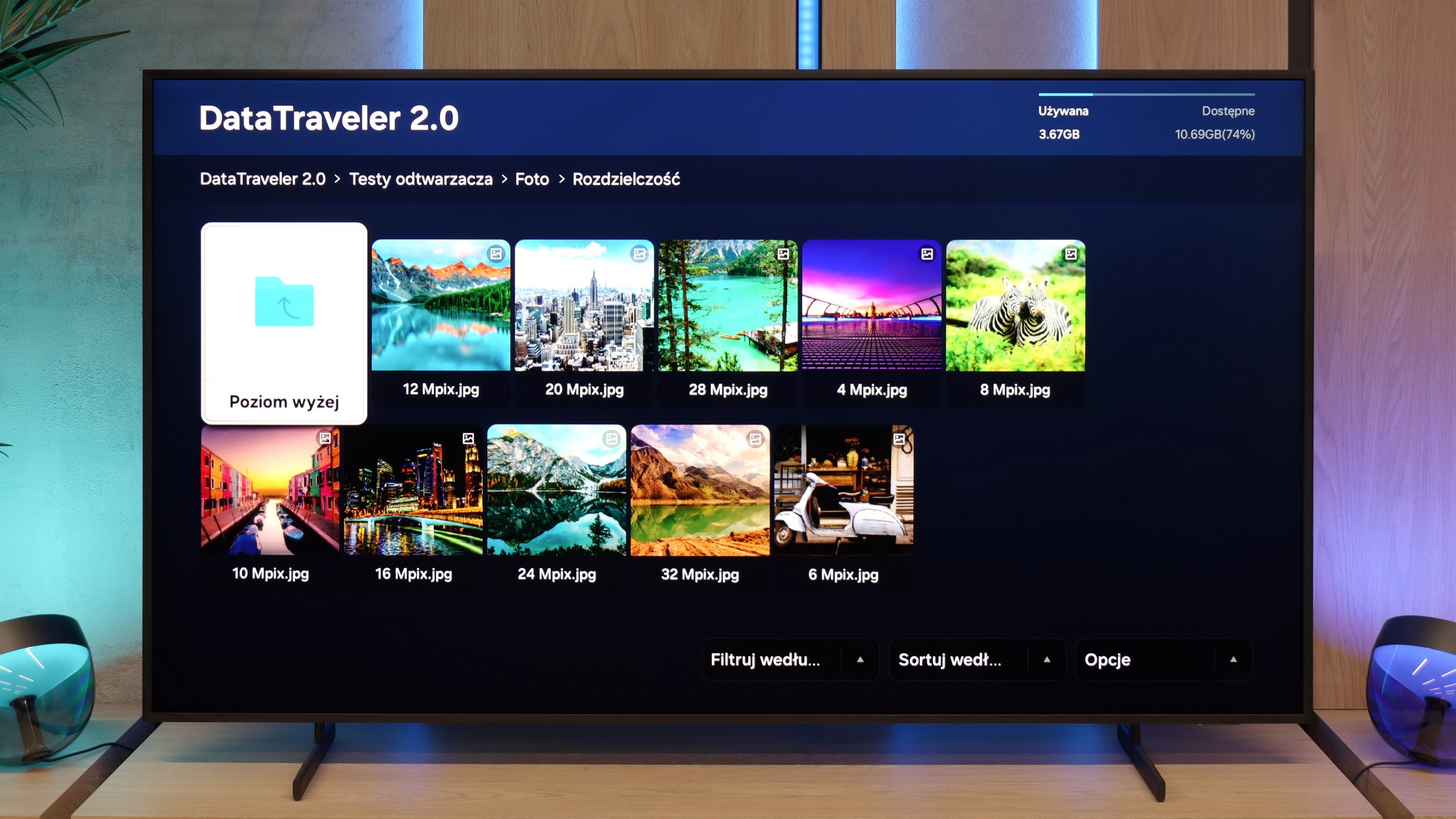
Playing multimedia files on the Samsung S85D will satisfy most users. The television offers wide compatibility with popular video, audio, and image file formats, ensuring smooth playback from both USB drives and the local network. The built-in media player operates efficiently and is user-friendly, although there may be issues with some less common formats.
The Frame Pro handles multimedia playback from USB memory correctly. Most popular formats for films, music, or photos work without major issues and the television manages them efficiently. During testing, we noticed only one inconvenience – HEIC format files, which is a standard used by Apple, do not open even though the system sees them and displays them in the player. For those who frequently transfer photos from an iPhone, this might be a slight annoyance, but apart from that, the player performs its task well and it is hard to have any significant complaints about it.
Sound
7/10
6.4/10
- Maximum volume-84dB
- Dolby Digital Plus 7.1
- Dolby True HD 7.1
- Dolby Atmos in Dolby Digital Plus (JOC)
- Dolby Atmos in Dolby True HD
- DTS:X in DTS-HD MA
- DTS-HD Master Audio
Samsung S85D OLED offers quite decent sound, although the built-in speaker set is not particularly impressive (2x10W). The television supports Dolby Atmos technology, which provides spatial sound, however, it does not support the DTS format. The sound is clear and sufficient for everyday use, although for more demanding users, it may be advisable to connect an external audio system to achieve a fuller and more dynamic sound.
The sound on the Frame Pro is not one of the television's strengths. The slim casing means there is virtually no bass, which makes it sound rather flat and average. On the other hand, the television plays loudly – it can easily fill a medium or even larger living room. Dialogues are clear, but when it comes to special effects or music, there is a lack of depth. This is definitely a piece of equipment for which it is worth purchasing a soundbar, preferably from the designer Samsung S series. Thanks to the decorative frames, it can be matched to the decor along with the Frame Pro.
Sound Quality Test
No sound test video
Acoustic Measurements
No acoustic data
84dBC (Max)
75dBC